...
| Раскрыть |
|---|
| title | Example of drawing up hardware requirements |
|---|
|
Device | Required resource | Hardware Product Series |
|---|
| MCL | MUL
|
|---|
Server 1 | 2000 | 15000 | Heavy | | Server 2 | Heavy |
After determining the requirements of the project, make a preliminary network map. An example of components separation in the address space for a single node Server name (host)
| Role | Interface | Address | Port |
|---|
External addresses of the software switch |
|---|
ecss1 | Server management interface (port 2000 ssh) | net.10 | 10.0.10.51/24 | 2000 | ecss2 | Server management interface (port 2000 ssh) | net.10 | 10.0.10.52/24 | 2000 | ecss1 | Core address (ecss-core) | net.20 | 10.0.20.51/24 | 5000 | ecss1 | Core address (ecss-core) | net.20 | 10.0.20.52/24 | 5000 | ecss1, ecss2 | Gateway address | net.10 | 10.0.10.1 | - | ecss1, ecss2 | DNS server addresses | net.10 | 10.0.10.1, 8.8.8.8 | - | ecss1, ecss2 | NTP server addresses | net.10 | 10.136.16.211, 10.136.16.212 | 123 | | Virtual addresses of the software switch |
|---|
| ecss1 | Virtual address of the ecss1 host software adapter | net.20:SIP1 | 10.0.20.31/24 | - | | ecss2 | Virtual address of the ecss2 host software adapter | net.20:SIP2 | 10.0.20.32/24 | - | | ecss1 | Alternative virtual address of the ecss2 host software adapter on the ecss1 host | net.20:SIP2 | 10.0.20.32/24 | - | | ecss2 | Alternative virtual address of the ecss1 host software adapter on the ecss2 host | net.20:SIP1 | 10.0.20.31/24 | - |
|
...
- After booting from the installation media, select "Install Ubuntu Server"
- Select the system language and keyboard layout
- Configure the network interface to connect to the Internet
- Create disk partitions according to Table 1
- Configure server and user names
- Install OpenSSH server
- Reboot the successfully installed OS
| Раскрыть |
|---|
| title | Ubuntu Server 22.04 installation |
|---|
|
| A Shared Block |
|---|
| shared-block-key | Ubuntu Server 22.04 installation |
|---|
| | панель |
|---|
| 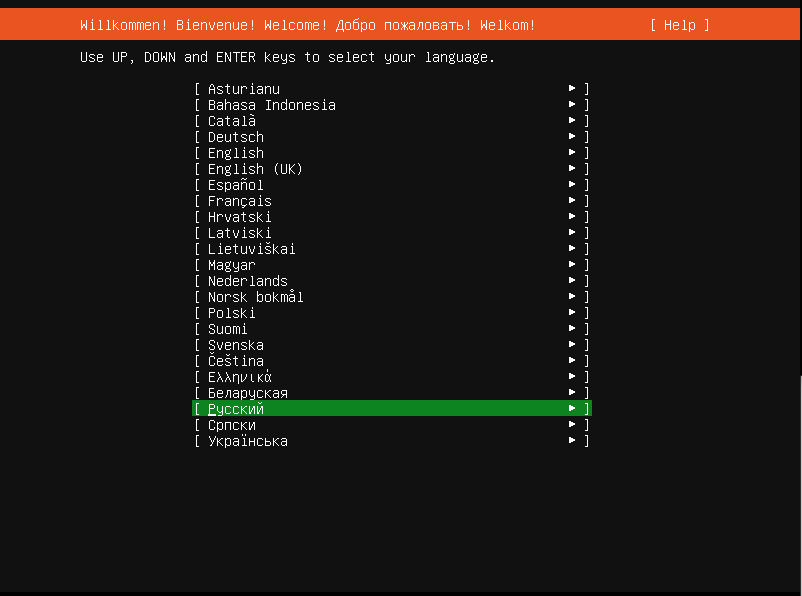 Image Added Image Added
|
| панель |
|---|
| title | Continue without update |
|---|
| 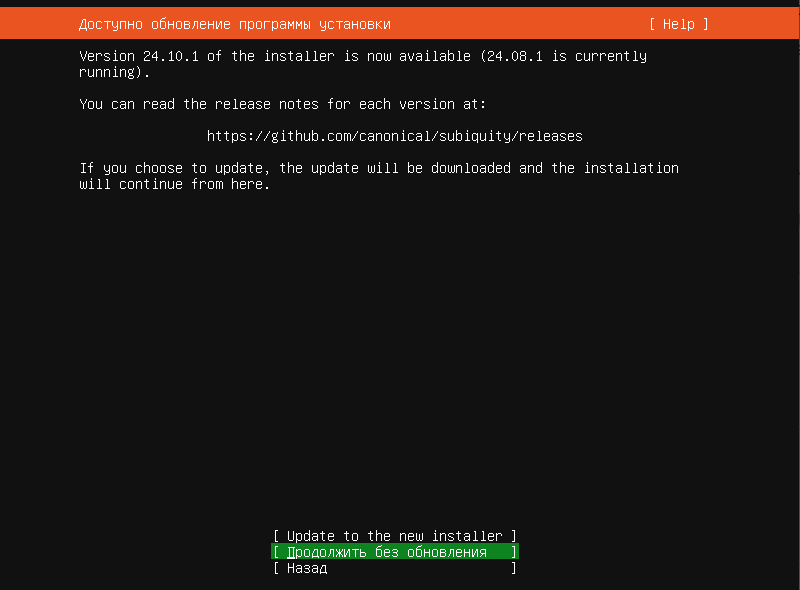 Image Added Image Added
|
| панель |
|---|
| title | Keyboard configuration |
|---|
| 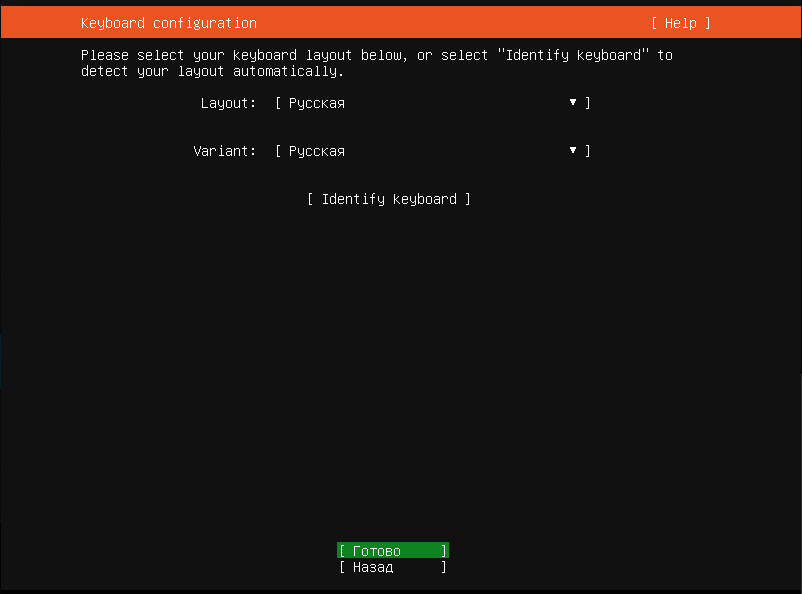 Image Added Image Added
|
| панель |
|---|
| title | Выбираем стандартную установку Ubuntu Сервер |
|---|
| 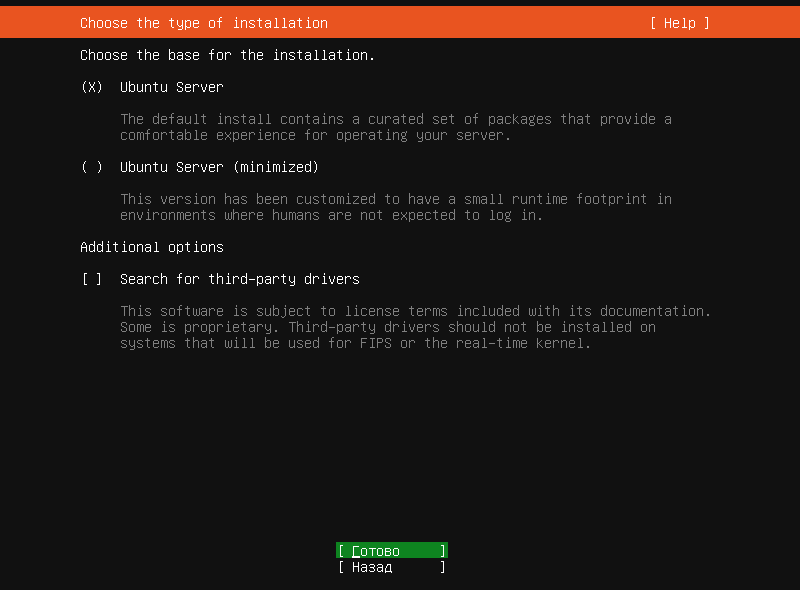 Image Added Image Added
|
| панель |
|---|
| title | Select Eht: the interface for installing Ubuntu (it should have internet access). |
|---|
| 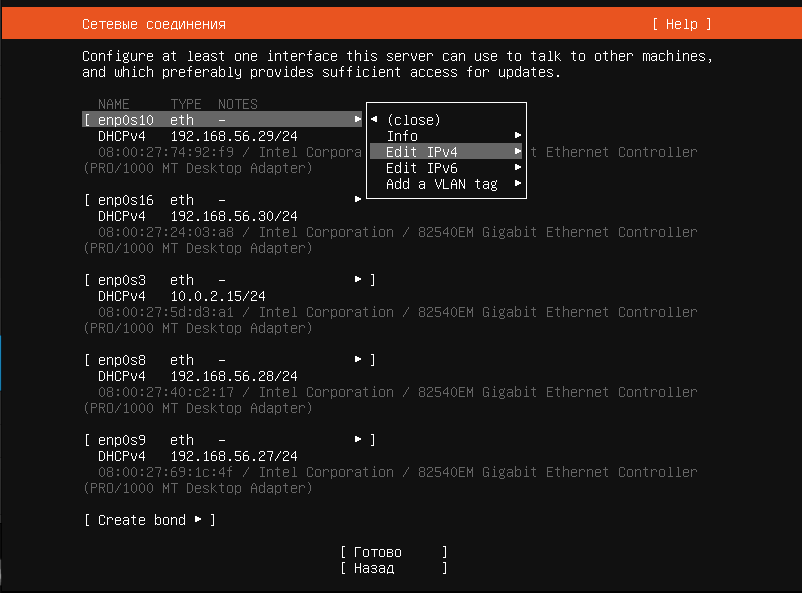 Image Added Image Added
|
| панель |
|---|
| title | Set the IP address for internet access (DHCP cannot be used). |
|---|
| 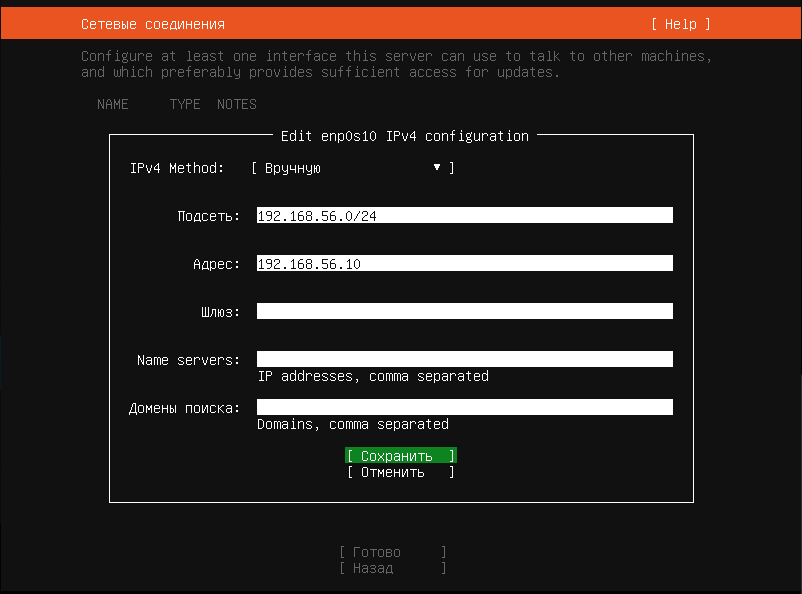 Image Added Image Added
|
| панель |
|---|
| title | Proxy server cannot be used (if it is used in your project, please specify) |
|---|
| 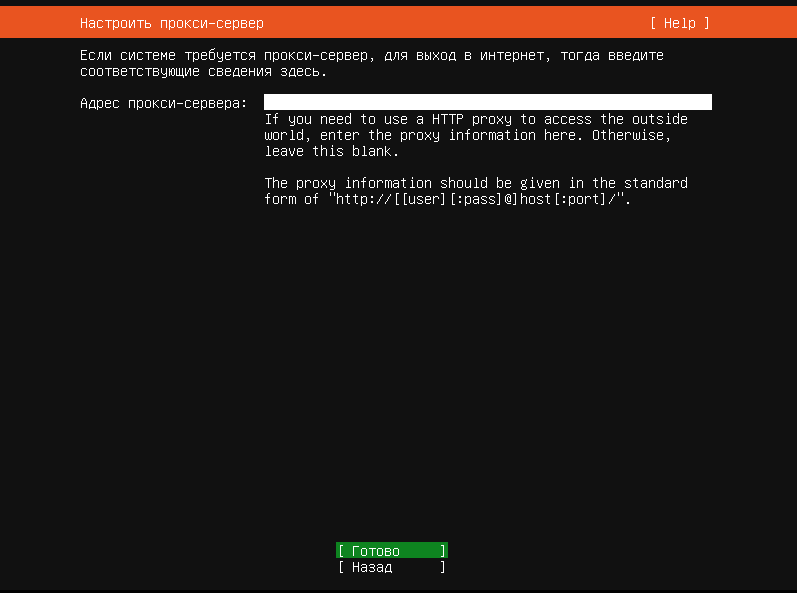 Image Added Image Added
|
| панель |
|---|
| 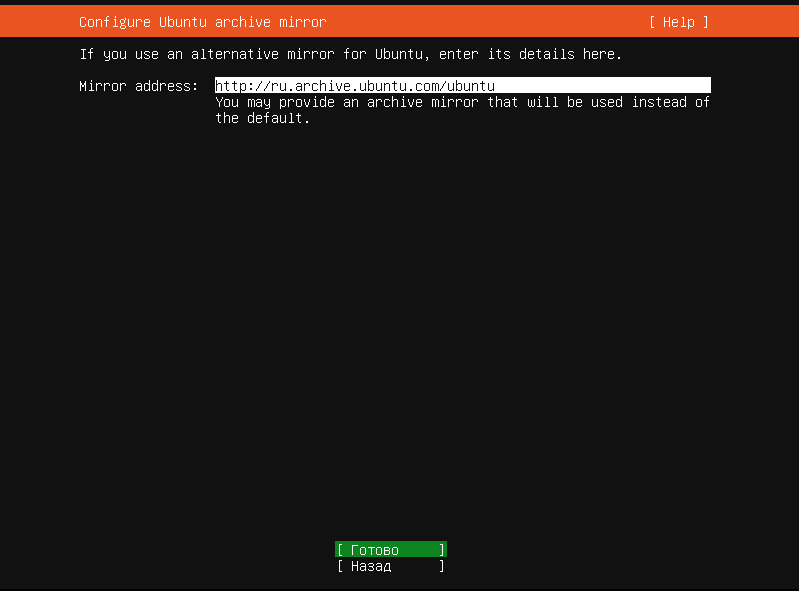 Image Added Image Added
|
| панель |
|---|
| title | Create partitions on the disk, using LVM |
|---|
| 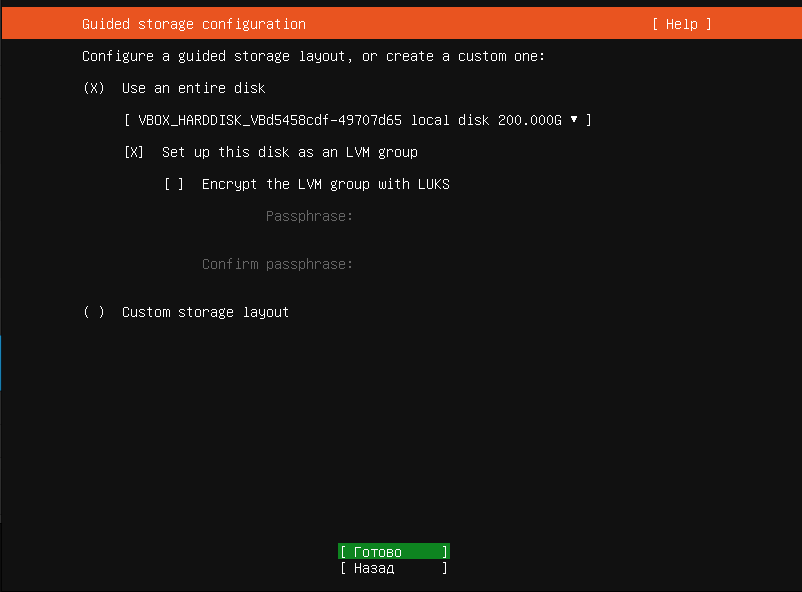 Image Added Image Added
|
| панель |
|---|
| title | By default, two partitions are created: /boot and /, we keep /boot and delete /. First, unmount |
|---|
| 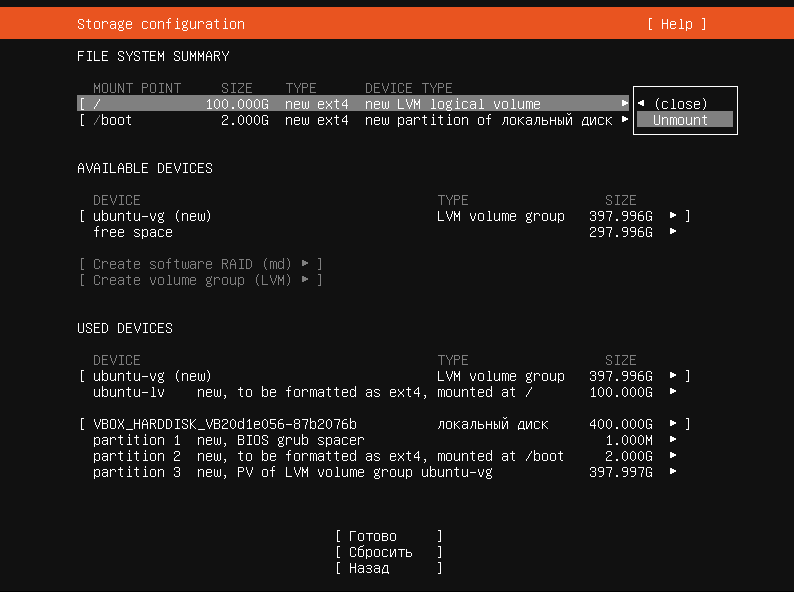 Image Added Image Added
|
| панель |
|---|
| 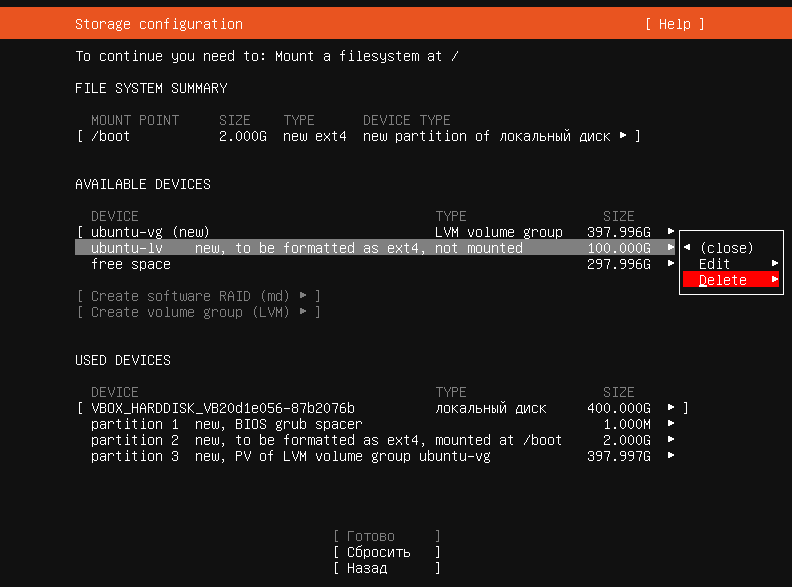 Image Added Image Added
|
| панель |
|---|
| 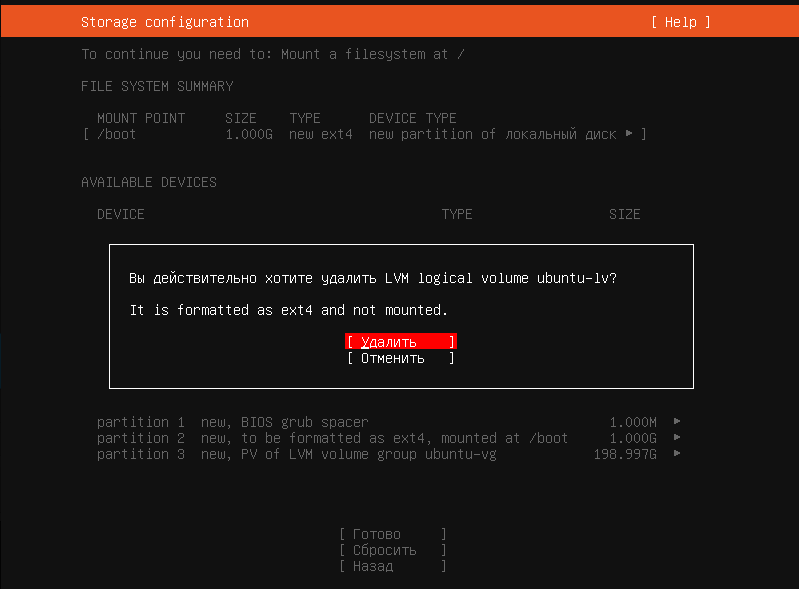 Image Added Image Added
|
| панель |
|---|
| 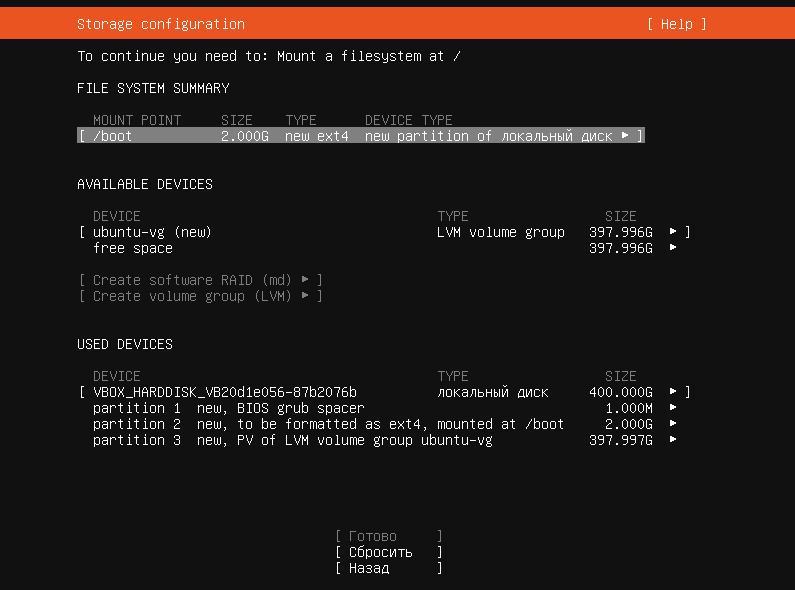 Image Added Image Added
|
| панель |
|---|
| title | Create partitions according to the dimensions specified in the table below |
|---|
| 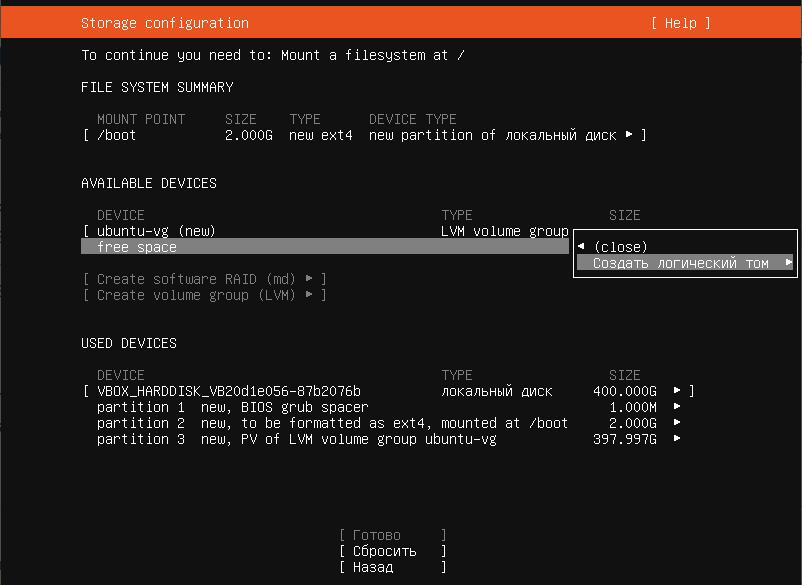 Image Added Image Added
|
| панель |
|---|
| title | root size 30 Gb, mount point / |
|---|
| 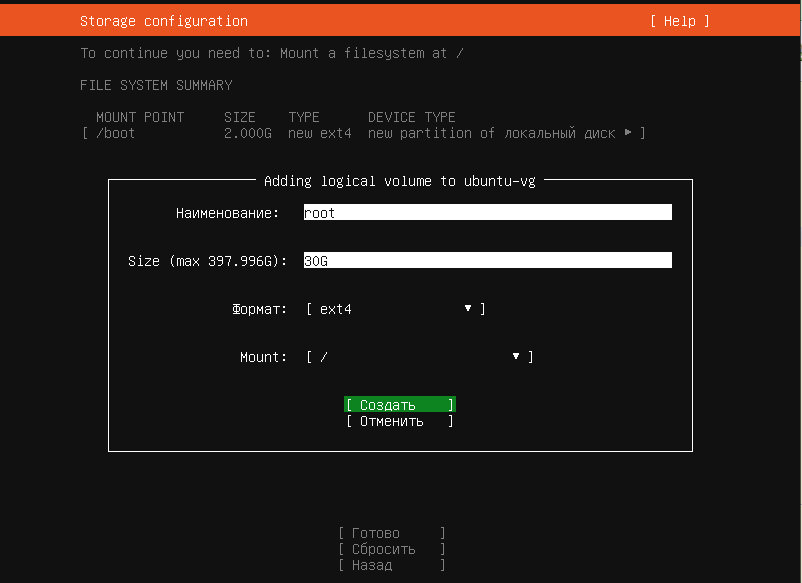 Image Added Image Added
|
| панель |
|---|
| title | mnesia size 30 Gb, mount point /var/lib/ecss |
|---|
| 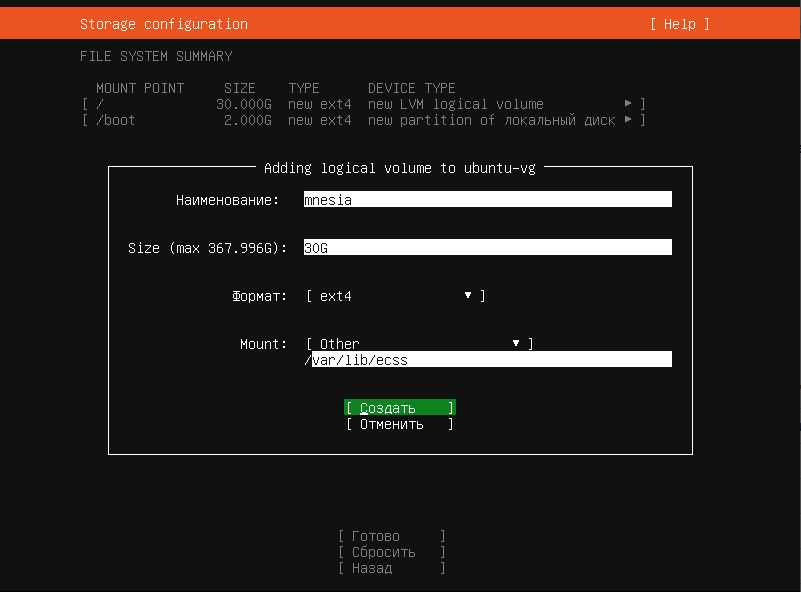 Image Added Image Added
|
| панель |
|---|
| title | log size 20 Gb, mount point /var/log |
|---|
| 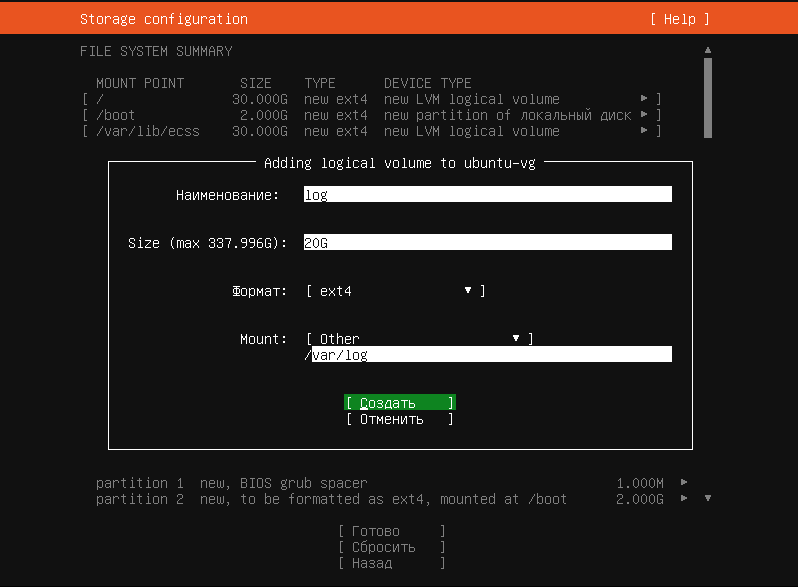 Image Added Image Added
|
| панель |
|---|
| title | mysql, size 30G, mount point - /var/lib/mysql |
|---|
| 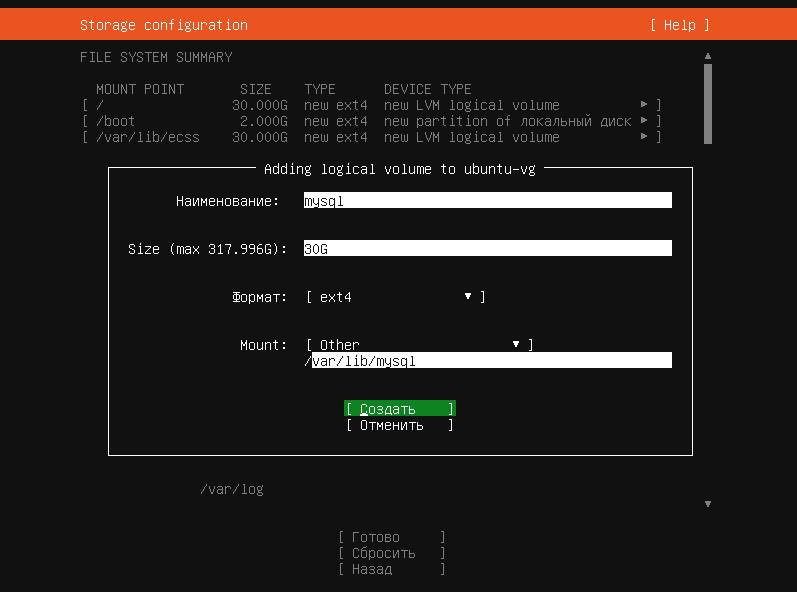 Image Added Image Added
|
| панель |
|---|
| title | ecss_log, size 20 Gb, mount point /var/log/ecss |
|---|
| 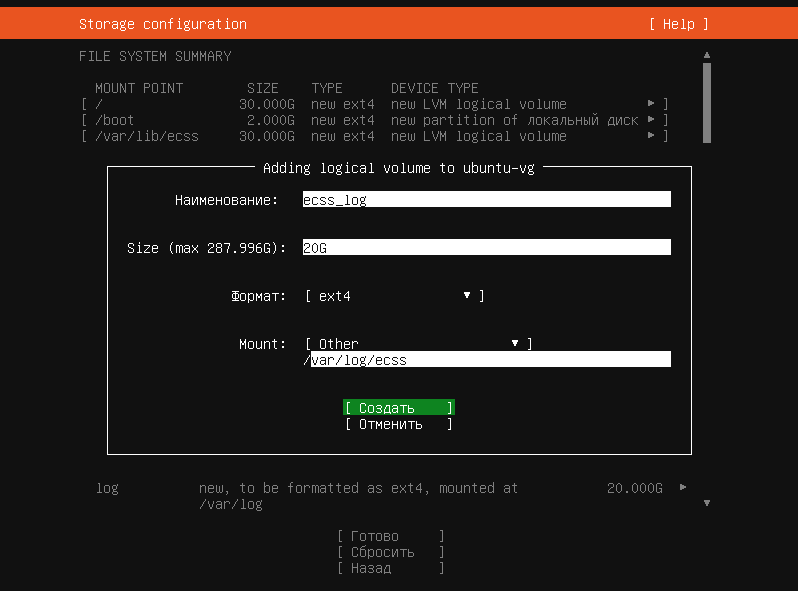 Image Added Image Added
|
| панель |
|---|
| title | ecss_db, size 100 Gb, mount point- /var/lib/ecss-mysql |
|---|
| 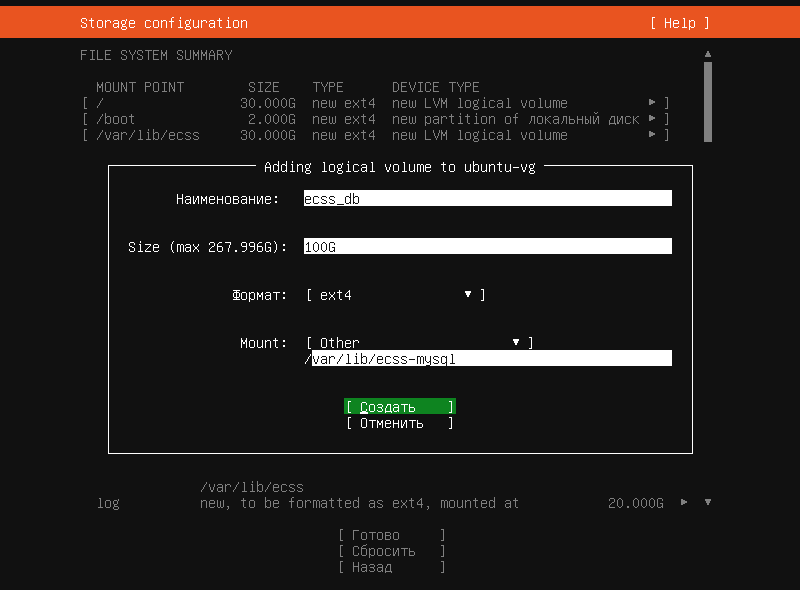 Image Added Image Added
|
| панель |
|---|
| title | home, size 10 Gb, mount point - /home |
|---|
| 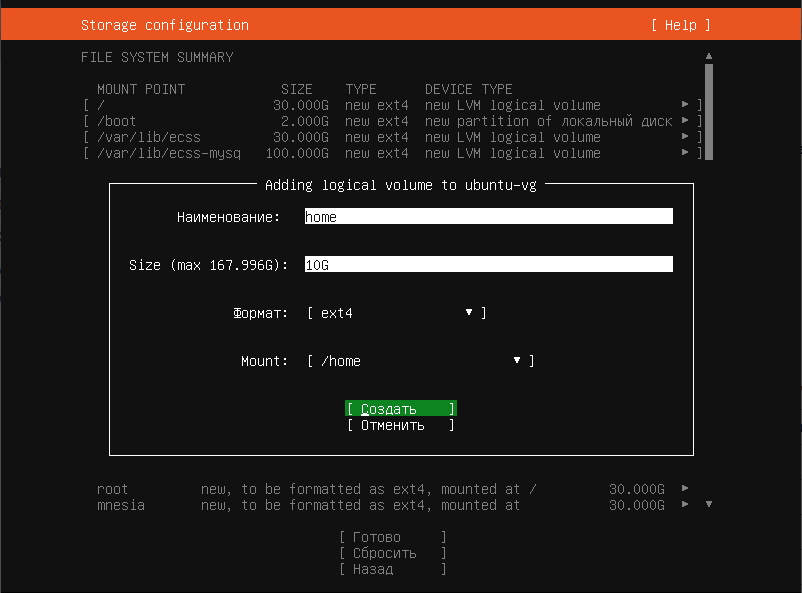 Image Added Image Added
|
| панель |
|---|
| title | glusterfs - for the cluster / for a single host - restfs, size - all remaining disk space, mount point - /var/lib/ecss/glusterfs - for the cluster, and /var/lib/ecss/restfs - for a single server |
|---|
| 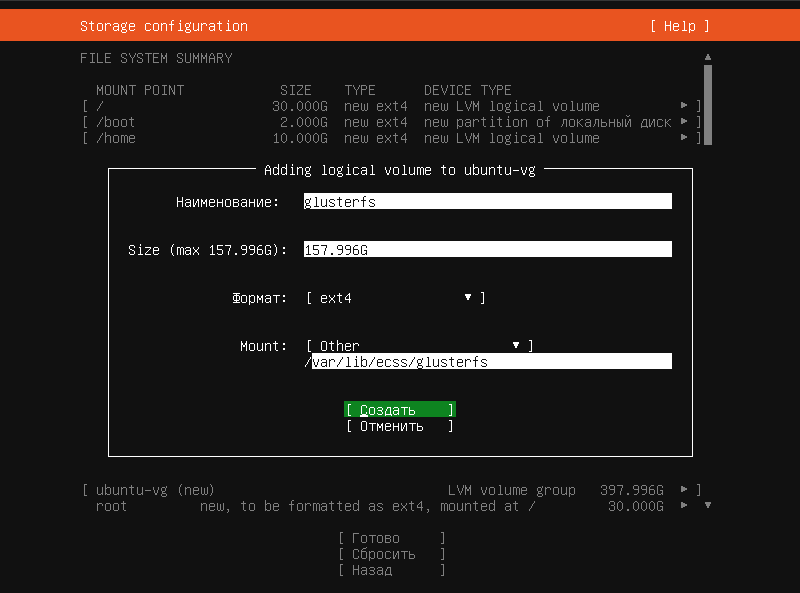 Image Added Image Added
|
| панель |
|---|
| title | obtained configuration |
|---|
| 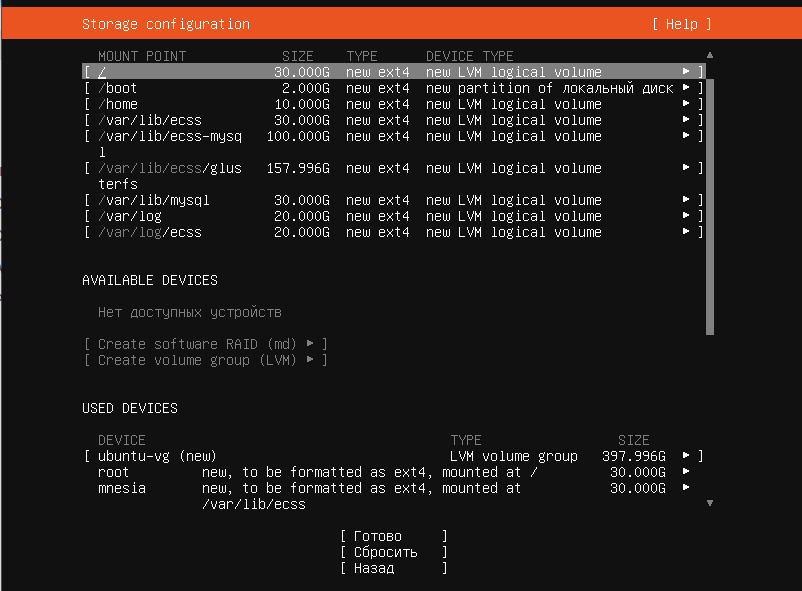 Image Added Image Added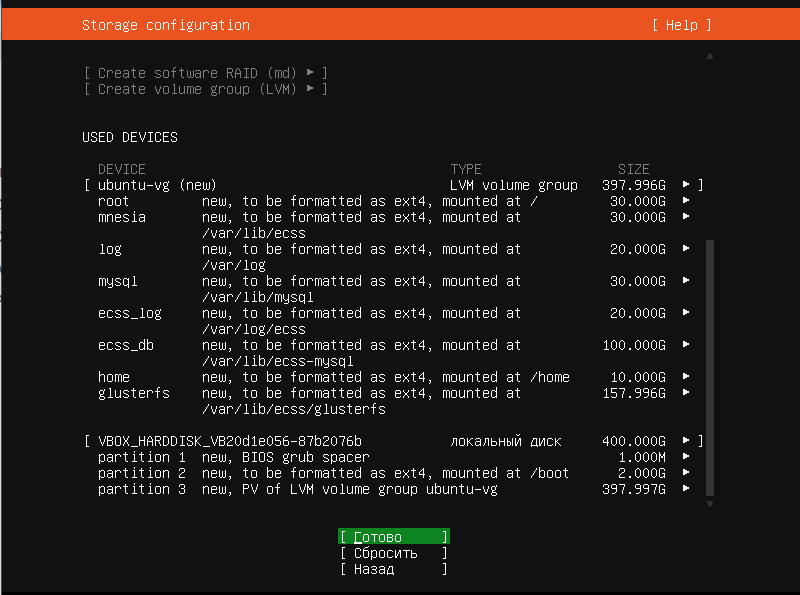 Image Added Image Added
|
| панель |
|---|
| 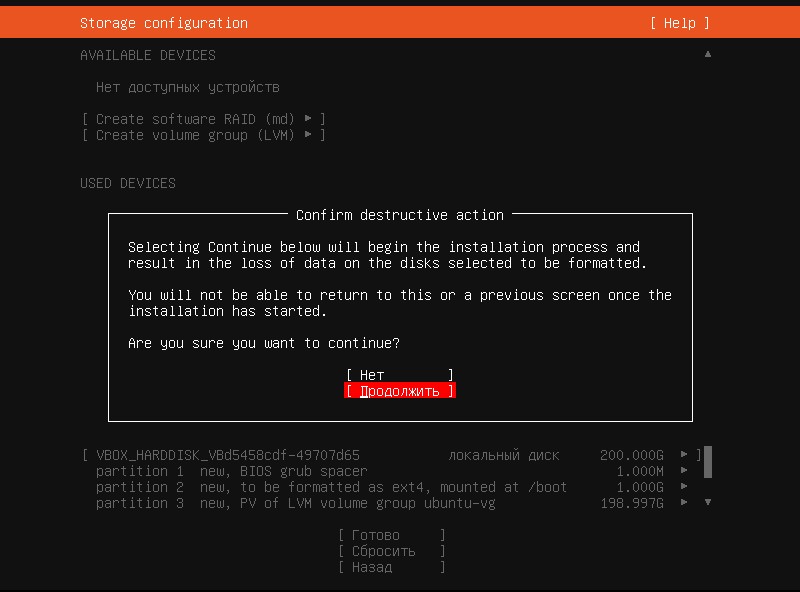 Image Added Image Added
|
| панель |
|---|
| title | Create a user and a hostname, in ECSS10 the recommended hostname is ecss1/ecss2 (used for license integration), username (in the example abf / password at your discretion) |
|---|
| 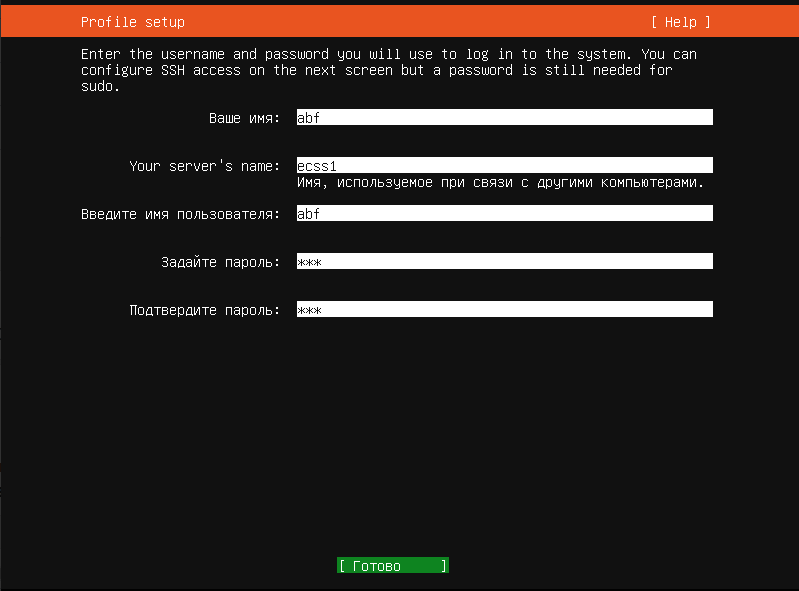 Image Added Image Added
|
| панель |
|---|
| title | When installing, select Free installation: |
|---|
| 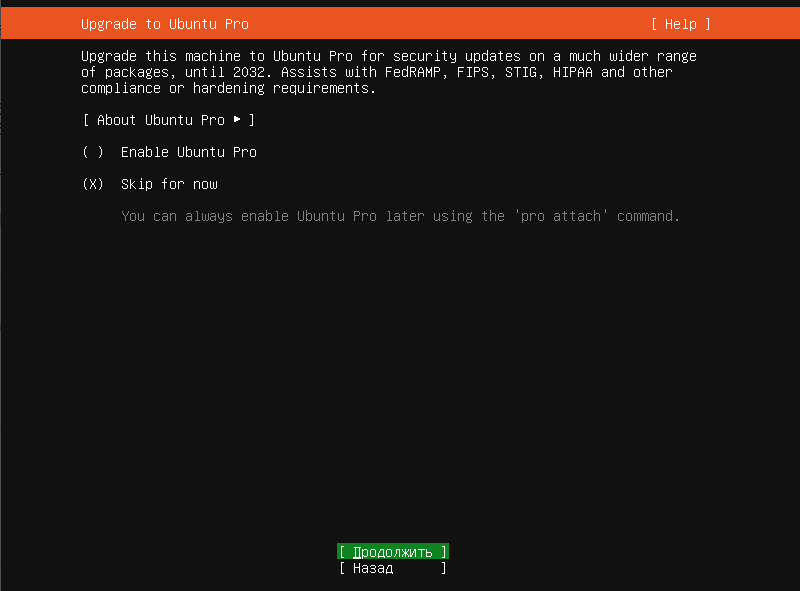 Image Added Image Added
|
| панель |
|---|
| title | When installing Ubuntu Linux, install openSSH for remote management |
|---|
| 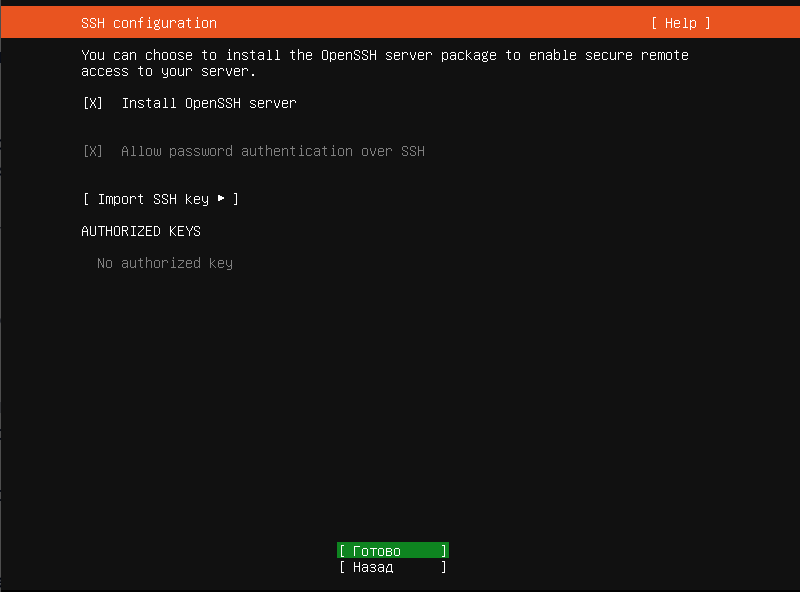 Image Added Image Added
|
| панель |
|---|
| 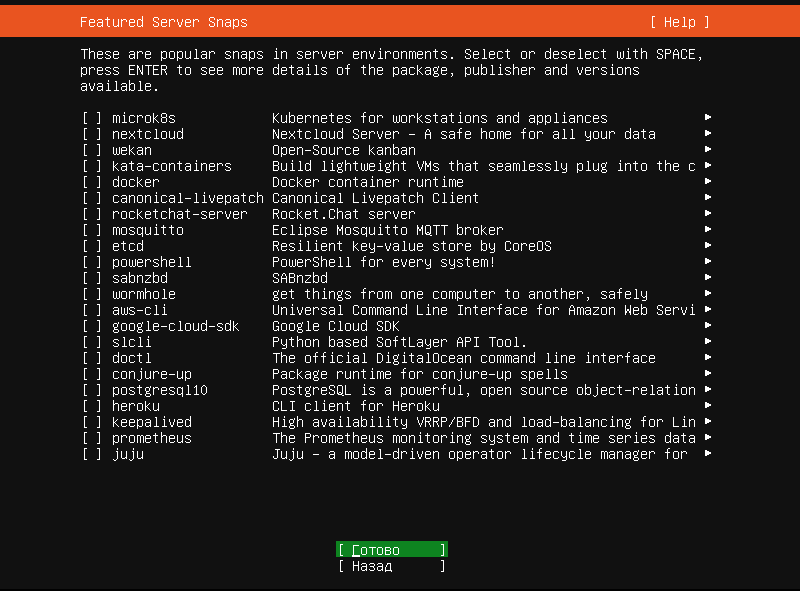 Image Added Image Added
|
| панель |
|---|
| title | Wait for the message to appear - Restart now |
|---|
| 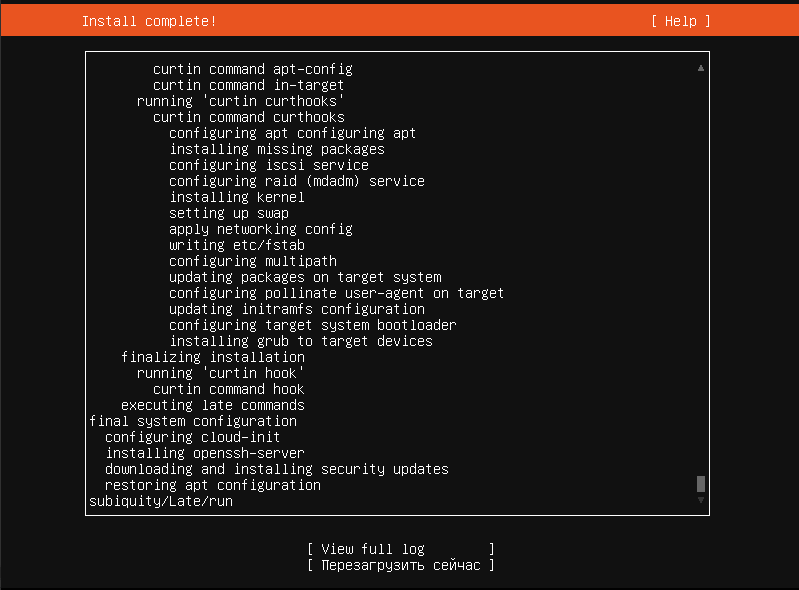 Image Added Image Added
|
| панель |
|---|
| title | Remove the installation disk/flash drive and press Enter |
|---|
| 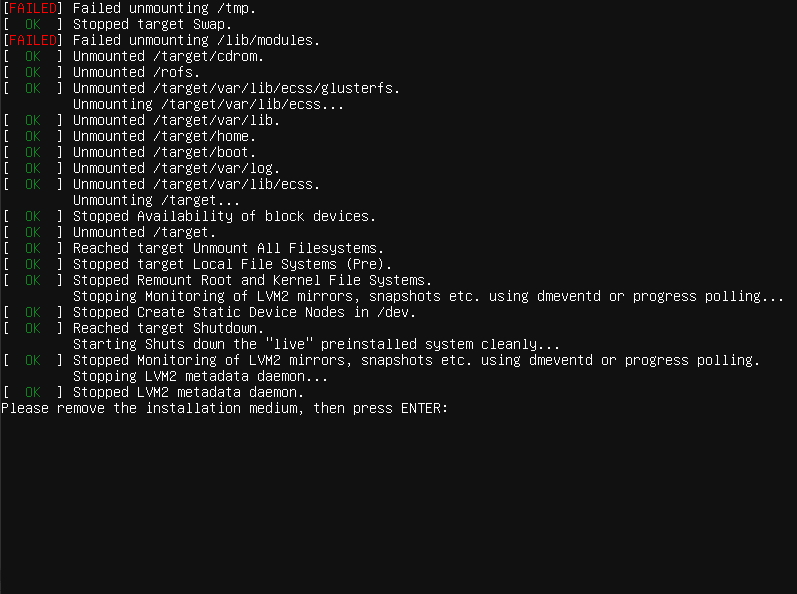 Image Added Image Added
Ubuntu Linux Server has been installed. |
|
|
Table1 — An option for storing information in a file system on physical media for servers
...
