...
Example of drafting hardware requirements
Device | Required resource | Hardware product series |
|---|
MCL | MUL
|
|---|
Server 1 | 2500 | 15000 | Heavy |
After determining the requirements of the project, create a preliminary network map.
...
An option for storing information in a file system on physical media for servers
| 1 | Operating system boot partition (created automatically) | boot | raid 1: hdd1, hdd2 | boot | /boot | ext4 | 1 GB | Primary |
| 2 | Operating system root partition | root | raid 1: hdd1, hdd2 | root | / | ext4 | 30 GB | Logical |
| 3 | Local database information | mnesia | raid 1: hdd1, hdd2 | mnesia | /var/lib/ecss | ext4 | 10 GB | Logical |
| 4 | Distributed database for storing media resources | glusterfs | raid 1: hdd1, hdd2 или hdd3 | glusterfs | /var/lib/ecss/restfs | ext4 | Max GB | Logical |
| 5 | OS subsystem operation logs | log | raid 1: hdd1, hdd2 или hdd3 | log | /var/log | ext4 | 20 GB | Logical |
| 6 | ECSS subsystem operation logs | ecss_log | raid 1: hdd1, hdd2 или hdd3 | ecss_log | /var/log/ecss | ext4 | 20 GB | Logical |
| 7 | Databases | ecss_db | raid 1: hdd1, hdd2 или hdd3 | ecss_db | /srv/ecss/ecss-postgres-bdr-ssw/ | ext4 | 100–400 GB* | Logical |
| 8 | User files | home | raid 1: hdd1, hdd2 или hdd3 | home | /home | ext4 | 10 GB | Logical |
| Примечание |
|---|
* The recommended value for series Light, Light+, Midi is 100 GB. The recommended value for series Heavy is 200 GB, for Super Heavy is 400 GB. |
...
When installing the ecss-postgres-bdr-ssw package, the following questions will be asked:
| Questions ecss-postgres-bdr-ssw | Replies for ecss1 | Пример |
|---|
| Current IP address of the network interface. | Select an IP address from the list to use with Postgres | 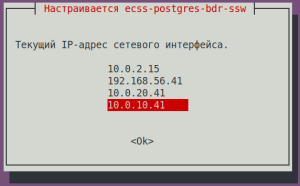 Image Modified Image Modified
|
| Installing in a cluster? | No (needs to be selected) | 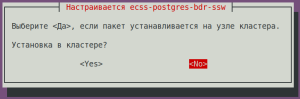 Image Modified Image Modified
|
| Без форматирования |
|---|
|
=======================================================
=======================================================
 ecss-postgres-bdr-ssw successfully installed/updated!
=======================================================
=======================================================


┏┓┏┓┏┓┏┳┓┏┓┳┓┏┓┏┓  ┳┓┳┓┳┓  ┏┓┏┓┓ ┏
┃┃┃┃┗┓ ┃ ┃┓┣┫┣ ┗┓  ┣┫┃┃┣┫  ┗┓┗┓┃┃┃
┣┛┗┛┗┛ ┻ ┗┛┛┗┗┛┗┛ ┻┛┻┛┛┗ ┗┛┗┛┗┻┛ |
...
During installation, it will be prompted to configure the parameters necessary for generating configuration files. Examples of replies are below.
| ecss-user questions | Replies for ecss1 | Example |
|---|
| Do you want to use the default settings? | Yes (default) | 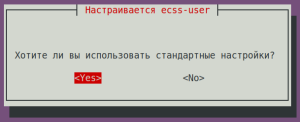 Image Modified Image Modified
|
| | |
| ecss-node questions | Replies for ecss1 | Example |
|---|
| Якорь |
|---|
| Идентификатор ECSS-узла |
|---|
| Идентификатор ECSS-узла |
|---|
|
ECSS Node ID in DNS format (cluster name configuring): (any unique name, in example abf.test)
| abf.test (needs to be entered)
| Подсказка |
|---|
ECSS_ID format
It must begin and end with a Latin letter or number, while dots and dashes may be used in the body. | Без форматирования |
|---|
[A-Za-z0-9][A-Za-z0-9.-][A-Za-z0-9] |
|
| 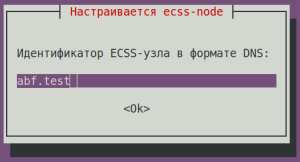 Image Modified Image Modified
|
Do you want to use the standard settings? | No (needs to be entered) | 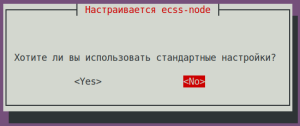 Image Modified Image Modified
|
Select the items you want to configure:
| ntp + cookie (needs to be entered) | 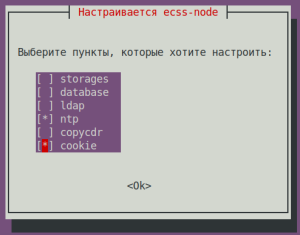 Image Modified Image Modified
|
Enter external NTP servers separated by a space: | ntp.ubuntu.com (default) | 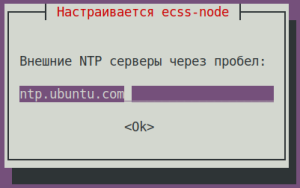 Image Modified Image Modified
|
NTP: Do you want to use the settings for the cluster? | No (needs to be entered) | 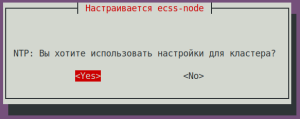 Image Modified Image Modified
|
NTP: Do you want to manually define the networks that should have access to NTP? | Yes (default) | 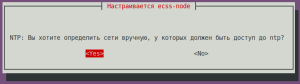 Image Modified Image Modified
|
NTP: Enter networks that should have access to NTP separated by a space: (in the example: 10.0.10.0|255.255.255.0 10.0.20.0|255.255.255.0) | 10.0.10.0|255.255.255.0 10.0.20.0|255.255.255.0 (needs to be entered) | 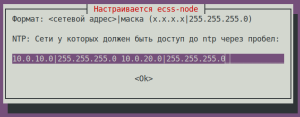 Image Modified Image Modified
|
Cookie for the core node: (specify a unique cookie for the core, in the example: ecss-core-example) | ecss-core-example (needs to be entered) | 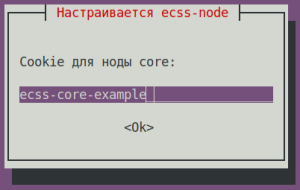 Image Modified Image Modified
|
Cookie for ds node: (specify a unique cookie for the ds, in the example: ecss-ds-example) | ecss-ds-example (needs to be entered) | 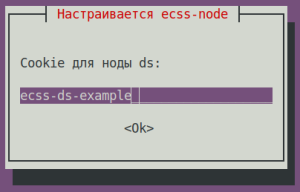 Image Modified Image Modified
|
Cookie for mediator node: (specify a unique cookie for the mediator, in the example: ecss-mediator-example)
| ecss-mediator-example (needs to be entered) | 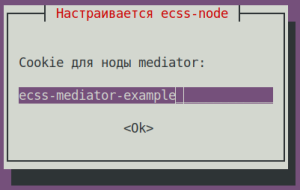 Image Modified Image Modified
|
Cookie for mediator pa-sip: (specify a unique cookie for the pa-sip, in the example: ecss-pa-sip-example)
| ecss-pa-sip-example (needs to be entered) | 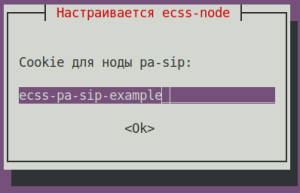 Image Modified Image Modified
|
Cookie for mycelium: (specify a unique cookie for the mycelium, in the example: ecss-mycelium-example)
| ecss-mycelium-example (needs to be entered) | 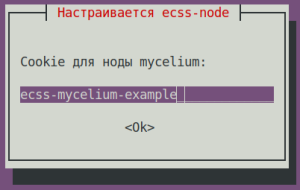 Image Modified Image Modified
|
Cookie for sorm: (specify a unique cookie for the sorm, in the example: ecss-sorm-example)
| ecss-sorm-example (needs to be entered) | 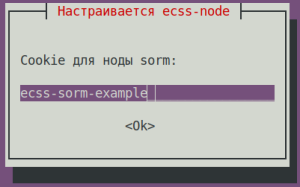 Image Modified Image Modified
|
| | |
| ecss-user questions | Replies for ecss1 | Example |
|---|
Maximum size of uncompressed dump in bytes.
| 8G (default) | 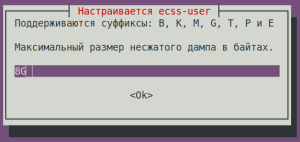 Image Modified Image Modified
|
| Maximum size of compressed dump in bytes. | 2G (default) | 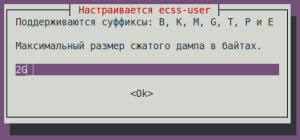 Image Modified Image Modified
|
The maximum size that the /var/lib/systemd/coredump directory can occupy is: | default (default) | 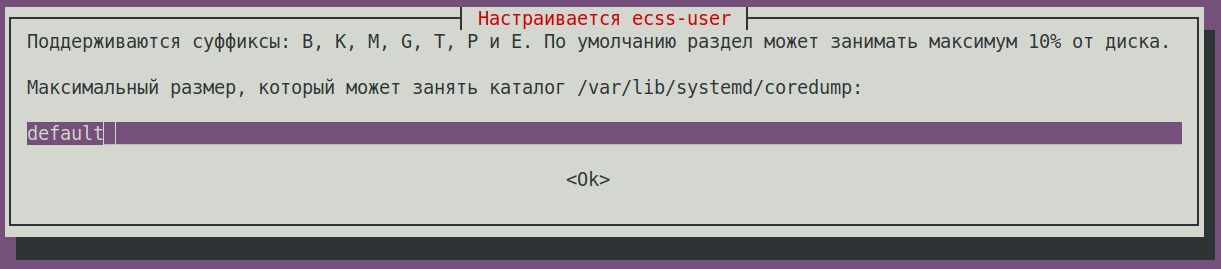 Image Modified Image Modified
|
Minimum amount of free disk space in bytes. | 30G (default) | 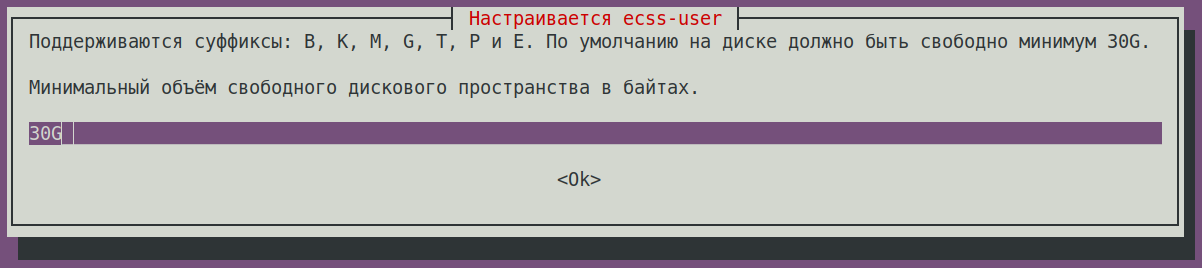 Image Modified Image Modified
|
Save to a safe place and delete the file /etc/ecss/ssl/ecss10root.key! | Ok (default) | 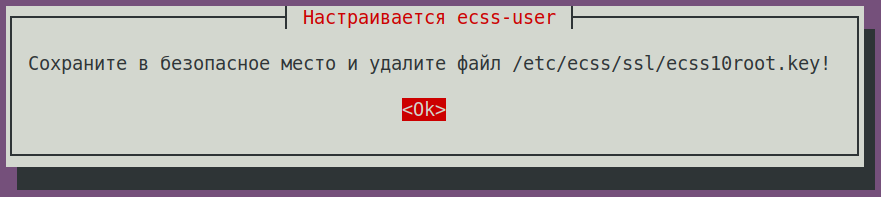 Image Modified Image Modified
|
Check the status of services with the following command:
...
Installing ecss-restfs. During installation, you'll be asked a series of questions to create the necessary configuration files. The installer will also prompt you to install and configure the Text2speech package from Yandex.
| ecss-restfs questions | Replies | Example |
|---|
| Do you want to use Text To Speeh (TTS service)? | No (default) |  Image Modified Image Modified
|
| Do you want to configure phone book? | Yes (needs to be selected) |  Image Modified Image Modified
|
| Do you want to configure carddav server? | No (default) |  Image Modified Image Modified
|
Do you want to configure phone book (LDAP)?
| No (default) | 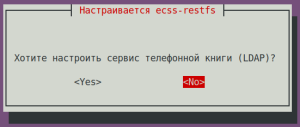 Image Modified Image Modified
|
| Do you want to configure phone book (SSW)? | No (default) | 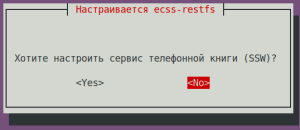 Image Modified Image Modified
|
| Do you want to configure speech recognition service? | No (default) | 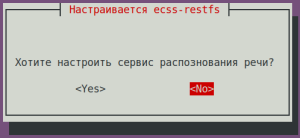 Image Modified Image Modified
|
| Do you want to configure phone book (POSTGRES)? | Yes (default) | 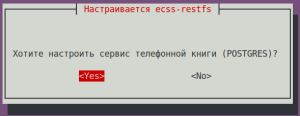 Image Modified Image Modified
|
| POSTGRES: postgres service: | localhost (default) | 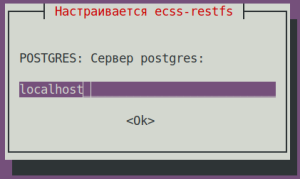 Image Modified Image Modified
|
| POSTGRES: Connection port: | 5439 (default) | 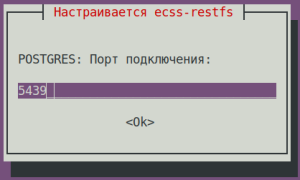 Image Modified Image Modified
|
| POSTGRES: Login: | postgres (default) | 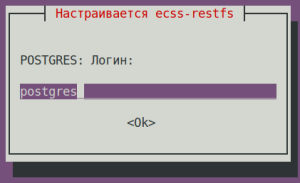 Image Modified Image Modified
|
| POSTGRES: Password: | postgres1 (default) | 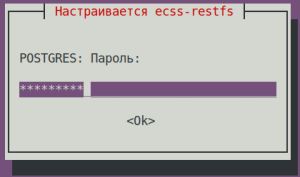 Image Modified Image Modified
|
| POSTGRES: database: | ecss_storekeeper_db (default) | 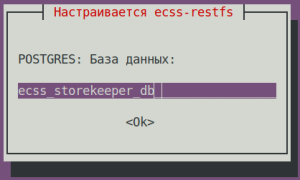 Image Modified Image Modified
|
| Enter a domain to search: | test.domain (default) | 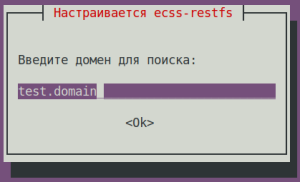 Image Modified Image Modified
|
| POSTGRES: Number of contacts requested: | 10000 (default) | 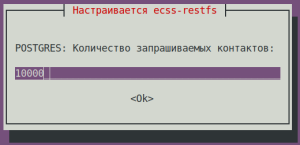 Image Modified Image Modified
|
| Do you want to enable transliteration for your phone book (LDAP)? | No (default) | 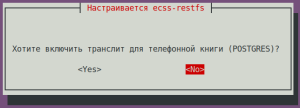 Image Modified Image Modified
|
| Select the items you want to customize: | proxy-filter (needs to be selected) | 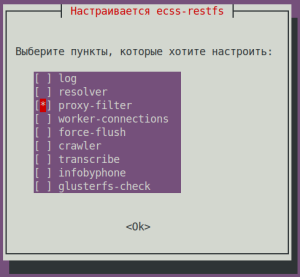 Image Modified Image Modified
|
Enable whitelist for api/proxy? | | 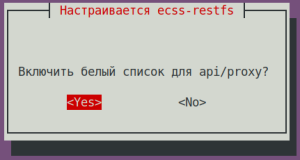 Image Modified Image Modified
|
| Подсказка |
|---|
| title | whitelist addresses to a file /etc/ecss/ecss-restfs/api-proxy.conf |
|---|
|
# -------------------------------------------------------------------
# API Filter File Format (api/proxy):
# - IP: 192.168.0.1
# - Domain: example.com
# - Wildcard: *.wildcard.com
# - Comments: lines starting with #
# Example:
# 192.168.0.1
# example.com
# # comment
# *.wildcard.com
# ------------------------------------------------------------------- |
...
For the media server (ecss-media-server/MSR), initial configuration is possible by writing parameters to a configuration file. To do this, configure transport bind-addr,mcc bind-addres:
| ecss-media-server questions | Replies for ecss1 |
|---|
| [ MSR SIP ] Enter bind-ip address | 10.0.20.41 (needs to be entered) |
| [MSR Control-Channel] Enter bind-ip address | 10.0.20.41 (needs to be entered) |
After creating the default configurations, perform a check:
...
Installing the ecss-web-conf package also automatically installs the ecss-subscriber-portal-ui package. The ECSS-10 Subscriber Portal application allows subscribers to independently manage services, view information on completed calls and active conferences, and configure their own IVR scripts for incoming calls.
| ecss-web-conf questions | Replies for both hosts | Example |
|---|
| Do you want to use the default settings? | Yes (default) | 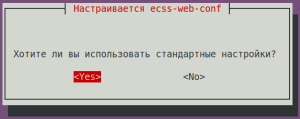 Image Modified Image Modified
|
Check the connectivity of the web interface http://10.0.20.41,user/password: admin/password. Not all functions are available at the moment, but the web interface should be working and the login successful.
...
Specify the port and address to which the server can be accessed in the configuration file:
| Configuring ssh for ecss1 (/etc/ssh/sshd_config) |
|---|
# This is the sshd server system-wide configuration file. See
# sshd_config(5) for more information. # This sshd was compiled with PATH=/usr/bin:/bin:/usr/sbin:/sbin # The strategy used for options in the default sshd_config shipped with
# OpenSSH is to specify options with their default value where
# possible, but leave them commented. Uncommented options override the
# default value. Port 2000
#AddressFamily any
ListenAddress 10.0.10.10
#ListenAddress :: <...> |
Restart ssh:
| Блок кода |
|---|
| language | bash |
|---|
| title | on both hosts |
|---|
|
sudo systemctl restart ssh.service |
...
| Раскрыть |
|---|
| title | Example of initial configuration via CoCon (CLI) |
|---|
|
Open CLI CoCon: | Блок кода |
|---|
| language | bash |
|---|
| title | ecss1 password = password |
|---|
| ssh admin@localhost -p 8023 |
A media resource is a description of the media server parameters required for operation. | Примечание |
|---|
To use the media resource and establish connections, it is necessary to activate it in the media resource creation command: /system/media/resource/declare (parameter "is active"=true) or /system/media/resource/set (parameter "active"=true), if activation was not performed during creation. Activation can also be performed through the web interface, application - MSR network terminations (MSR-registrars). |
| Раскрыть |
|---|
| declare The command to declare a media server connection to ECSS-10. To operate in preconfigured mode, one can pre-register media resources with known information. To do this, it is necessary to create a description of known media servers with all parameters specified, allowing to start working with the media server immediately after its registration. The command to create a media server configuration: Command path: /system/media/resource/declare Syntax: declare <node> by_contact <contact> <zone> <site> <is active> or declare <node> by_iface <msr> <acc_id> <iface> <zone> <site> <is active> Parameters: <node> — core node name; <contact> — contact uri of the declared media resource; <zone> — logical service zone of the MSR; <site> — MSR service network identifier; <is active> — media resource activity status, true/false values; <msr> — MSR name; <acc_id> — resource identifier number; <iface> — interface name. |
| Раскрыть |
|---|
| set A command for changing media resource settings. Command path: /system/media/resource/set Syntax: set <node|*> <contact> <active|zone|site> <value> Parameters: <node|*> — node name;
<contact> — contact uri of the declared media resource;
<active|zone|site> — activation | zone | site;
<value> — parameter value. |
Example: | Блок кода |
|---|
| /system/media/resource/declare core1@ecss1 contact net.20@msr.ecss1 default local true |
Result: | Без форматирования |
|---|
/system/media/resource/declare core1@ecss1 contact net.20@msr.ecss1 default local true
  Declared media resources
┌─────────────┬───────────────────────┬────────┬─────────┬───────┐
│    Node     │        Contact        │ Active │   Zone  │  Site │
├─────────────┼───────────────────────┼────────┼─────────┼───────┤
│ core1@ecss1 │ net.20@msr.ecss1      │ true   │ default │ local │
└─────────────┴───────────────────────┴────────┴─────────┴───────┘ |
| Раскрыть |
|---|
| info A command for viewing connection status information for a specific media resource. Command path: /system/media/resource/info Syntax: info <node> <contact> Parameters: <contact> — contact uri of the declared media resource;
<node> — node name. |
Пример: | Блок кода |
|---|
| /system/media/resource/info core1@ecss1 net.20@msr.ecss1
Media resource specific for node core1@ecss1:
┌─┬─────────────────┬─────────────────────┐
│F│ Parameter │ Value │
├─┼─────────────────┼─────────────────────┤
│r│ Contact │ net.20@msr.ecss1 │
│r│ Status │ registered │
│r│ Cc-status │ connected │
│r│ Cc-status uptime│ 00:16:48 │
│r│ Cc-id │ cb6599 │
│r│ Address │ 10.0.20.41:5700 │
│r│ Register time │ 2025/12/03 09:40:25 │
│r│ Expired │ 131 │
│r│ Iface │ net.20(10.0.20.41) │
│ │ Active │ true │
│ │ Zone │ default │
│ │ Site │ local │
│r│ MSR version │ 3.18.1.0.12 │
│r│ MSR load │ 0 │
│r│ MSR perf coef │ 1.0 │
└─┴─────────────────┴─────────────────────┘
Legend:
Column F - means Flag, values r - flag for readonly parameter |
| Раскрыть |
|---|
| list
A command for viewing a list of media resources in the ECSS-10 system. Command path: /system/media/resource/list Syntax: list [active | all | register] Parameters: active — display only active media resources (default);
register — display only registered media resources;
short — display minimal information;
all — display all declared media resources. By default, the command displays a list of registered media servers. |
Example: | Блок кода |
|---|
| /system/media/resource/list all
All media resource selected list specific:
┌─────────────┬───────────┬──────────────┬───────────┬──────┬────────┬───────────┬───────────┬─────────────────┬────────┬────────────┬────────┬─────────┬───────┬──────────────────┬────────────┬─────────┐
│ Node │ MSR │ MSR │ MSR │ MSR │ Cc-id │ Cc-status │ Cc-uptime │ Cc-address │ Iface │ Iface │ Active │ Zone │ Site │ Contact │ Status │ Expired │
│ │ │ version │ perf coef │ load │ │ │ │ │ name │ addr │ │ │ │ │ │ │
├─────────────┼───────────┼──────────────┼───────────┼──────┼────────┼───────────┼───────────┼─────────────────┼────────┼────────────┼────────┼─────────┼───────┼──────────────────┼────────────┼─────────┤
│ core1@ecss1 │ msr.ecss1 │ 3.18.1.0.12 │ 1.0 │ 0 │ 54faa9 │ connected │ 00:54:48 │ 10.0.20.41:5700 │ net.20 │ 10.0.20.41 │ true │ default │ local │ net.20@msr.ecss1 │ registered │ 129 │
└─────────────┴───────────┴──────────────┴───────────┴──────┴────────┴───────────┴───────────┴─────────────────┴────────┴────────────┴────────┴─────────┴───────┴──────────────────┴────────────┴─────────┘ |
/system/media/registrar/ - regisrtrar control commands for the MSR media manager
| Раскрыть |
|---|
| set A command for changing common and individual parameters. Command path: /system/media/registrar/set Syntax for setting common parameters: set common <FIELD> <VALUE> Parameters: <FIELD> — name of the parameter being configured; <VALUE> — value of the parameter being configured Where: - common — the type of parameter being set;
- <common parameter> — a common media registrar parameter for all nodes: registration-timeout;
- private — the type of parameter being set;
- <node name> — the name of the node on which the media registrarresides;
- <private parameter> — a media registrar parameter that is set on <node name>: is-active, listen-interface, and listen-port.
List of parameters available for configuration: - is-active — enables or disables the registrar (false - deactivates the registrar, the registrar stops receiving SIP traffic);
listen-interface — the name of the interface the registrar uses; listen-port — the port on which the registrar accepts registration requests (default 5000); registration-timeout — re-registration timer, range from 60 to 86400.
In the general settings you can set the registration time; by default it is 60 seconds. Example:
Set the registration time to 60 seconds: | Без форматирования |
|---|
/system/media/registrar/set common registration-timeout 60
Common parameter registration-timeout set to 60.
|
Syntax for configuring individual parameters: system/media/registrar/set private <CORE> <FIELD> <VALUE> Parameters: <CORE> — the core node for which the Registrar server is being configured; <FIELD> — the name of the configurable parameter; <VALUE> — the value of the configurable parameter. Configurable parameters: - is-active — whether the Registrar server is active, true | false;
- listen-ip — the IP address on which the Registrar server will accept connections (default 0.0.0.0);
- listen-port — the network port on which the Registrar server will accept connections (default 5000).
|
Example: Set the IP address for receiving connections from the media server: | Блок кода |
|---|
| /system/media/registrar/set private core1@ecss1 listen-ip 10.0.20.41
|
Result: | Без форматирования |
|---|
/system/media/registrar/set private core1@ecss1 listen-ip 10.0.20.41
Private parameter listen-ip set to 10.0.20.41 at node core1@ecss1. |
| Раскрыть |
|---|
| info Command for viewing the current Registrar server settings. Command path: /system/media/registrar/info |
Example: | Без форматирования |
|---|
/system/media/registrar/info
 Common parameters:
┌───────────────────────────┬───────┐
│         Parameter         │ Value │
├───────────────────────────┼───────┤
│ registration-timeout, sec │   180 │
└───────────────────────────┴───────┘
 Private parameters:
┌─────────────┬─────────┬───────────┬────────────┬─────────────┐
│    Node     │ Status  │ Is-active │ Listen-ip  │ Listen-port │
├─────────────┼─────────┼───────────┼────────────┼─────────────┤
│ core1@ecss1 │ active  │ true      │ 10.0.20.41 │        5000 │
└─────────────┴─────────┴───────────┴────────────┴─────────────┘
|
| Подсказка |
|---|
It is also possible to add media resources through the web configurator application — MSR-registrars. |
After all services are started, the nodes will take some time to establish communication. Once all nodes are loaded, the following information will be output when the system-status query is executed: | Без форматирования |
|---|
| /system-status
Checking...
┌─┬───────────────┬───────────────────────────┬────────────────┬──────────────┬──────┐
│ │ Node │ Release │ Erlang nodes │ Mnesia nodes │Uptime│
├─┼───────────────┼───────────────────────────┼────────────────┼──────────────┼──────┤
│ │core1@ecss1 │ecss-core-3.18.1.0.1657 │core1@ecss1 │not running │1h 23m│
│ │ds1@ecss1 │ecss-ds-3.18.1.0.1657 │ds1@ecss1 │ds1@ecss1 │1h 23m│
│ │md1@ecss1 │ecss-mediator-3.18.1.0.1657│md1@ecss1 │md1@ecss1 │1h 23m│
│ │mycelium1@ecss1│ecss-mycelium-3.18.1.0.1657│mycelium1@ecss1 │not running │1h 23m│
│ │sip1@ecss1 │ecss-pa-sip-3.18.1.0.1657 │sip1@ecss1 │sip1@ecss1 │1h 23m│
└─┴───────────────┴───────────────────────────┴────────────────┴──────────────┴──────┘
All services are started.
Active media resource selected list specific:
┌─────────────┬───────────┬──────────────┬───────────┬───────────┐
│ Node │ MSR │ MSR │ Cc-status │ Cc-uptime │
│ │ │ version │ │ │
├─────────────┼───────────┼──────────────┼───────────┼───────────┤
│ core1@ecss1 │ msr.ecss1 │ 3.18.1.0.12 │ connected │ 00:04:15 │
└─────────────┴───────────┴──────────────┴───────────┴───────────┘ |
In the example above, the nodes have started and the MSR have registered on the ecss-core node. Creating and configuring a SIP IP address group (IP-set)Configure the SIP adapter according to the specifications: | Блок кода |
|---|
| /cluster/adapter/sip1/sip/network/set ip_set test_set node-ip node = sip1@ecss1 ip = 10.0.20.41 |
| Блок кода |
|---|
| /cluster/adapter/sip1/sip/network/set ip_set test_set listen-ports list = [5060] |
Result: | Без форматирования |
|---|
| /cluster/adapter/sip1/sip/network/set ip_set test_set node-ip node = sip1@ecss1 ip = 10.0.20.41
Property "ip_set" successfully changed from:
to
test_set: no ports set
test_set: sip1@ecss1 10.0.20.41
test_set: dscp 0.
/cluster/adapter/sip1/sip/network/set ip_set test_set listen-ports list = [5060]
Property "ip_set" successfully changed from:
test_set: no ports set
test_set: sip1@ecss1 10.0.20.41
test_set: dscp 0
to
test_set: 5060
test_set: sip1@ecss1 10.0.20.41
test_set: dscp 0
|
Creating a domain and connecting an IP-setCreate a Domain (virtual PBX) and assign it the SIP adapter settings group (IP set) created above: | Блок кода |
|---|
| /domain/declare test_domain --add-domain-admin-privileges --add-domain-user-privileges |
| Блок кода |
|---|
| /domain/test_domain/sip/network/set ip_set [test_set] |
| Блок кода |
|---|
| /domain/declare test_domain --add-domain-admin-privileges --add-domain-user-privileges
New domain test_domain is declared
/domain/test_domain/sip/network/set ip_set [test_set]
Property "ip_set" successfully changed from:
[]
to
["test_set"]. |
After creating a domain, the system administrator should grant access to the Domain (virtual PBX) operator to manage services. To do this, use the "test_domain" command to allow the Domain (virtual PBX) operator to manage all services: | Блок кода |
|---|
| /cluster/storage/ds1/ss/access-list add test_domain * |
| Без форматирования |
|---|
| /cluster/storage/ds1/ss/access-list add test_domain *
Supplementary services successfully added in the domain test_domain. |
To enable subscribers to apply a service package immediately after creation, it is necessary to configure a licensed service package application policy. Create a license application policy named "new_sub" | Блок кода |
|---|
| language | bash |
|---|
| title | in CoCon user/pw = admin/password |
|---|
| /domain/test_domain/ss/licence/politics/declare new_sub "Set when creating a subscriber" |
| Без форматирования |
|---|
/domain/test_domain/ss/licence/politics/declare new_sub "Set when creating a subscriber"
Licence politic new_sub successfully declared. |
To set the name of the additional services package, use the following commands: | Блок кода |
|---|
| language | bash |
|---|
| title | in CoCon user/pw = admin/password |
|---|
| /cluster/storage/ds1/licence/show-licence 1 |
The following information is important: | Без форматирования |
|---|
| /cluster/storage/ds1/licence/show-licence 1
SSW ID < Name SSW ID >
Description ECSS ELM License
. . .
Supplementary Services licence package(s)
name 'ECSS-ADV'
limit 600000
description "The whole package of services"
SS list [1,2,3,4,5]
. . .
|
The service package name in this example is "ECSS-ADV". Add the license service package named "ECSS-FULL+" (that's how it's described in the license) to the created policy: | Блок кода |
|---|
| language | bash |
|---|
| title | in CoCon |
|---|
| /domain/test_domain/ss/licence/politics/package-add new_sub ECSS-ADV |
Result: | Без форматирования |
|---|
/domain/test_domain/ss/licence/politics/package-add new_sub ECSS-ADV
Licence packages ["ECSS-ADV"] successfully added to politic new_sub. |
The package has been added, but the policy is currently not active (cannot be applied to the subscriber). To activate the new_sub policy, run the following command: | Блок кода |
|---|
| language | bash |
|---|
| title | in CoCon |
|---|
| /domain/test_domain/ss/licence/politics/activate new_sub |
| Без форматирования |
|---|
/domain/test_domain/ss/licence/politics/activate new_sub
Licence politic new_sub successfully activated. |
Now we can use additional services when creating subscribers. |
