...
Example of drafting hardware requirements
Device | Required resource | Hardware product series |
|---|
MCL | MUL
|
|---|
Server 1 | 2500 | 15000 | Heavy |
After determining the requirements of the project, create a preliminary network map.
...
An option for storing information in a file system on physical media for servers
| 1 | Operating system boot partition (created automatically) | boot | raid 1: hdd1, hdd2 | boot | /boot | ext4 | 1 GB | Primary |
| 2 | Operating system root partition | root | raid 1: hdd1, hdd2 | root | / | ext4 | 30 GB | Logical |
| 3 | Local database information | mnesia | raid 1: hdd1, hdd2 | mnesia | /var/lib/ecss | ext4 | 10 GB | Logical |
| 4 | Distributed database for storing media resources | glusterfs | raid 1: hdd1, hdd2 |
или | or hdd3 | glusterfs | /var/lib/ecss/restfs | ext4 | Max GB | Logical |
| 5 | OS subsystem operation logs | log | raid 1: hdd1, hdd2 |
или | or hdd3 | log | /var/log | ext4 | 20 GB | Logical |
| 6 | ECSS subsystem operation logs | ecss_log | raid 1: hdd1, hdd2 |
или | or hdd3 | ecss_log | /var/log/ecss | ext4 | 20 GB | Logical |
| 7 | Databases | ecss_db | raid 1: hdd1, hdd2 |
или | or hdd3 | ecss_db | /srv/ecss/ecss-postgres-bdr-ssw/ | ext4 | 100–400 GB* | Logical |
| 8 | User files | home | raid 1: hdd1, hdd2 |
или | or hdd3 | home | /home | ext4 | 10 GB | Logical |
| Примечание |
|---|
* The recommended value for series Light, Light+, Midi is 100 GB. The recommended value for series Heavy is 200 GB, for Super Heavy is 400 GB. |
...
When installing the ecss-postgres-bdr-ssw package, the following questions will be asked:
| Questions ecss-postgres-bdr-ssw | Replies for ecss1 |
|---|
Пример| Example |
|---|
| Current IP address of the network interface. | Select an IP address from the list to use with Postgres | 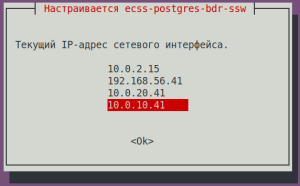 Image Modified Image Modified
|
| Installing in a cluster? | No (needs to be selected) | 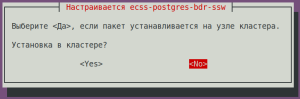 Image Modified Image Modified
|
| Без форматированияcode |
|---|
|
=======================================================
=======================================================
 ecss-postgres-bdr-ssw successfully installed/updated!
=======================================================
=======================================================


┏┓┏┓┏┓┏┳┓┏┓┳┓┏┓┏┓  ┳┓┳┓┳┓  ┏┓┏┓┓ ┏
┃┃┃┃┗┓ ┃ ┃┓┣┫┣ ┗┓  ┣┫┃┃┣┫  ┗┓┗┓┃┃┃
┣┛┗┛┗┛ ┻ ┗┛┛┗┗┛┗┛ ┻┛┻┛┛┗ ┗┛┗┛┗┻┛ |
...
During installation, it will be prompted to configure the parameters necessary for generating configuration files. Examples of replies are below.
| ecss-user questions | Replies for ecss1 | Example |
|---|
| Do you want to use the default settings? | Yes (default) | 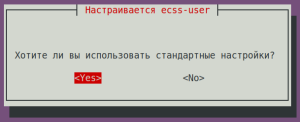 Image Modified Image Modified
|
| | |
| ecss-node questions | Replies for ecss1 | Example |
|---|
| Якорь |
|---|
| Идентификатор ECSS-узла |
|---|
| Идентификатор ECSS-узла |
|---|
|
ECSS Node ID in DNS format (cluster name configuring): (any unique name, in example abf.test)
| abf.test (needs to be entered)
| Подсказка |
|---|
ECSS_ID format
It must begin and end with a Latin letter or number, while dots and dashes may be used in the body. | Без форматирования |
|---|
[A-Za-z0-9][A-Za-z0-9.-][A-Za-z0-9] |
|
| 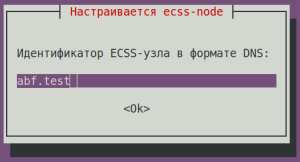 Image Modified Image Modified
|
Do you want to use the standard settings? | No (needs to be entered) | 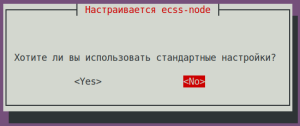 Image Modified Image Modified
|
Select the items you want to configure:
| ntp + cookie (needs to be entered) | 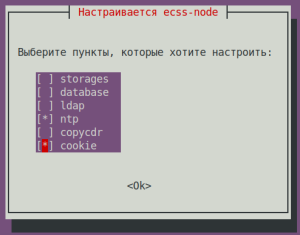 Image Modified Image Modified
|
Enter external NTP servers separated by a space: | ntp.ubuntu.com (default) | 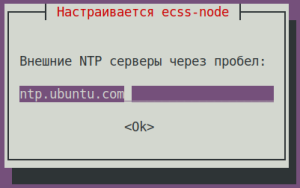 Image Modified Image Modified
|
NTP: Do you want to use the settings for the cluster? | No (needs to be entered) | 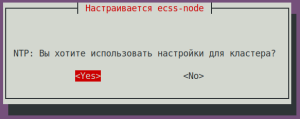 Image Modified Image Modified
|
NTP: Do you want to manually define the networks that should have access to NTP? | Yes (default) | 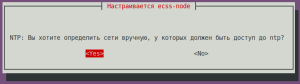 Image Modified Image Modified
|
NTP: Enter networks that should have access to NTP separated by a space: (in the example: 10.0.10.0|255.255.255.0 10.0.20.0|255.255.255.0) | 10.0.10.0|255.255.255.0 10.0.20.0|255.255.255.0 (needs to be entered) | 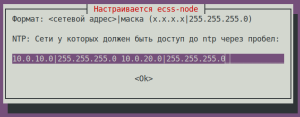 Image Modified Image Modified
|
Cookie for the core node: (specify a unique cookie for the core, in the example: ecss-core-example) | ecss-core-example (needs to be entered) | 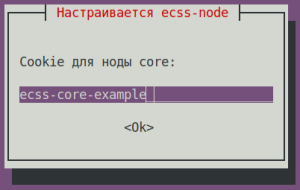 Image Modified Image Modified
|
Cookie for ds node: (specify a unique cookie for the ds, in the example: ecss-ds-example) | ecss-ds-example (needs to be entered) | 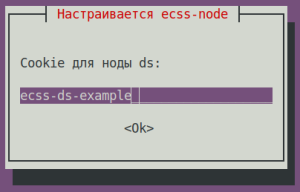 Image Modified Image Modified
|
Cookie for mediator node: (specify a unique cookie for the mediator, in the example: ecss-mediator-example)
| ecss-mediator-example (needs to be entered) | 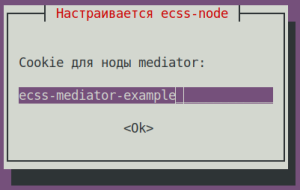 Image Modified Image Modified
|
Cookie for mediator pa-sip: (specify a unique cookie for the pa-sip, in the example: ecss-pa-sip-example)
| ecss-pa-sip-example (needs to be entered) | 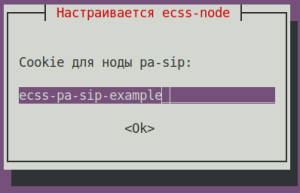 Image Modified Image Modified
|
Cookie for mycelium: (specify a unique cookie for the mycelium, in the example: ecss-mycelium-example)
| ecss-mycelium-example (needs to be entered) | 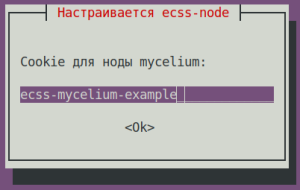 Image Modified Image Modified
|
Cookie for sorm: (specify a unique cookie for the sorm, in the example: ecss-sorm-example)
| ecss-sorm-example (needs to be entered) | 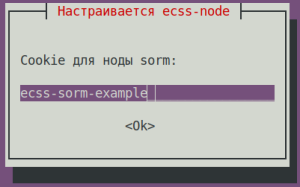 Image Modified Image Modified
|
| | |
| ecss-user questions | Replies for ecss1 | Example |
|---|
Maximum size of uncompressed dump in bytes.
| 8G (default) | 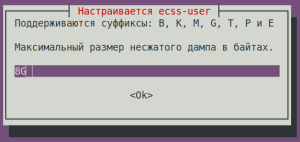 Image Modified Image Modified
|
| Maximum size of compressed dump in bytes. | 2G (default) | 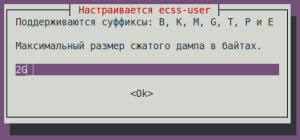 Image Modified Image Modified
|
The maximum size that the /var/lib/systemd/coredump directory can occupy is: | default (default) | 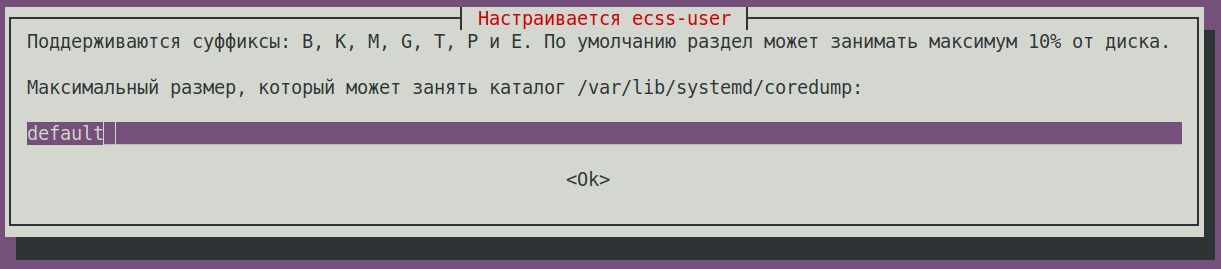 Image Modified Image Modified
|
Minimum amount of free disk space in bytes. | 30G (default) | 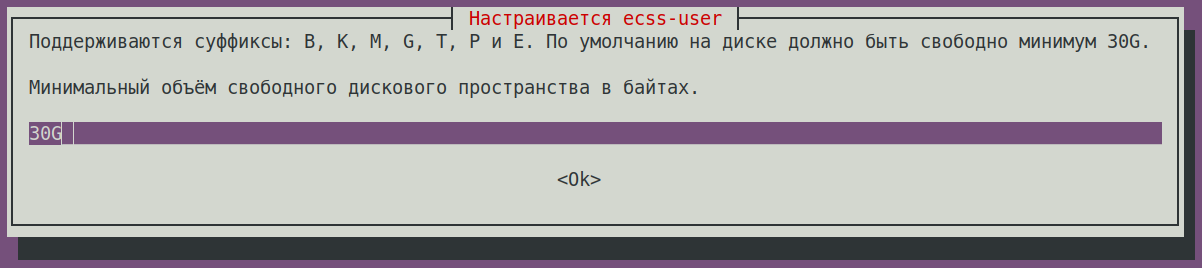 Image Modified Image Modified
|
Save to a safe place and delete the file /etc/ecss/ssl/ecss10root.key! | Ok (default) | 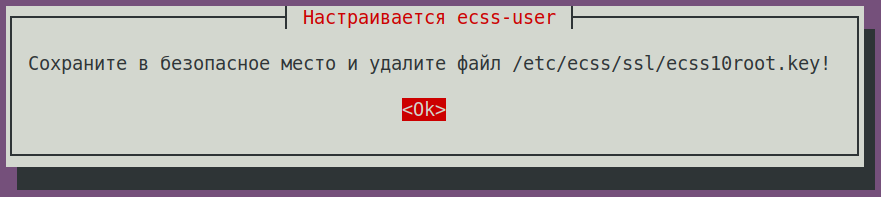 Image Modified Image Modified
|
Check the status of services with the following command:
...
Installing ecss-restfs. During installation, you'll be asked a series of questions to create the necessary configuration files. The installer will also prompt you to install and configure the Text2speech package from Yandex.
| ecss-restfs questions | Replies | Example |
|---|
| Do you want to use Text To Speeh (TTS service)? | No (default) | 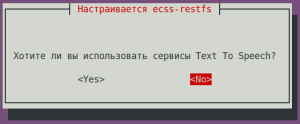 Image Modified Image Modified
|
| Do you want to configure phone book? | Yes (needs to be selected) | 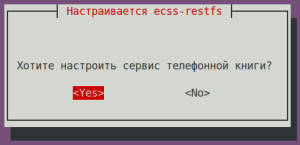 Image Modified Image Modified
|
| Do you want to configure carddav server? | No (default) | 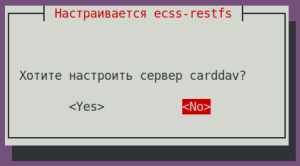 Image Modified Image Modified
|
Do you want to configure phone book (LDAP)?
| No (default) | 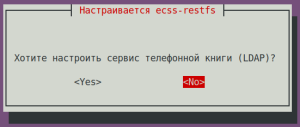 Image Modified Image Modified
|
| Do you want to configure phone book (SSW)? | No (default) | 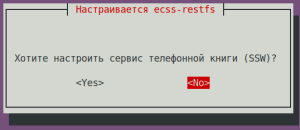 Image Modified Image Modified
|
| Do you want to configure speech recognition service? | No (default) | 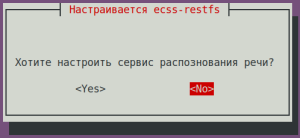 Image Modified Image Modified
|
| Do you want to configure phone book (POSTGRES)? | Yes (default) | 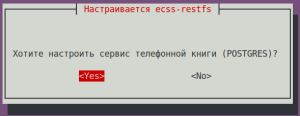 Image Modified Image Modified
|
| POSTGRES: postgres service: | localhost (default) | 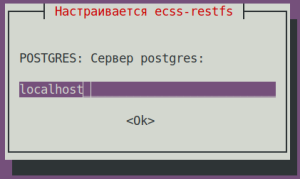 Image Modified Image Modified
|
| POSTGRES: Connection port: | 5439 (default) | 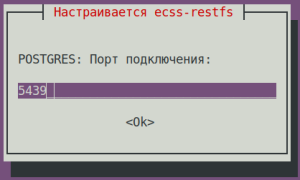 Image Modified Image Modified
|
| POSTGRES: Login: | postgres (default) | 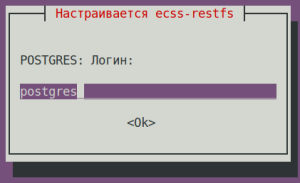 Image Modified Image Modified
|
| POSTGRES: Password: | postgres1 (default) | 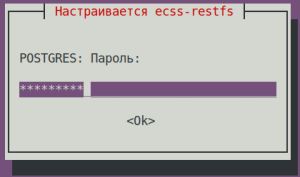 Image Modified Image Modified
|
| POSTGRES: database: | ecss_storekeeper_db (default) | 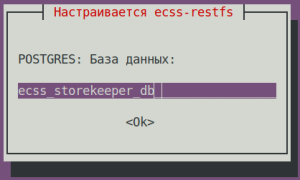 Image Modified Image Modified
|
| Enter a domain to search: | test.domain (default) | 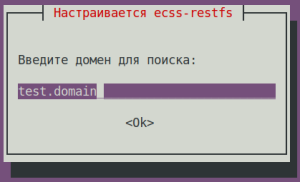 Image Modified Image Modified
|
| POSTGRES: Number of contacts requested: | 10000 (default) | 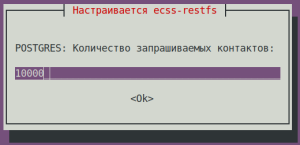 Image Modified Image Modified
|
| Do you want to enable transliteration for your phone book (LDAP)? | No (default) | 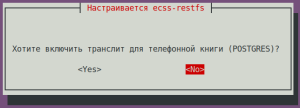 Image Modified Image Modified
|
| Select the items you want to customize: | proxy-filter (needs to be selected) | 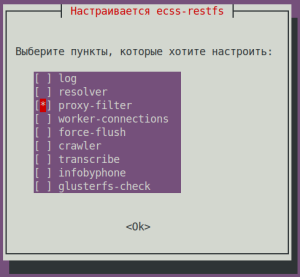 Image Modified Image Modified
|
Enable whitelist for api/proxy? | | 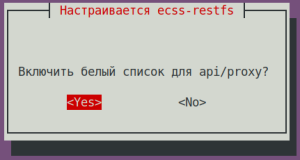 Image Modified Image Modified
|
| Подсказка |
|---|
| title | whitelist addresses to a file /etc/ecss/ecss-restfs/api-proxy.conf |
|---|
|
# -------------------------------------------------------------------
# API Filter File Format (api/proxy):
# - IP: 192.168.0.1
# - Domain: example.com
# - Wildcard: *.wildcard.com
# - Comments: lines starting with #
# Example:
# 192.168.0.1
# example.com
# # comment
# *.wildcard.com
# ------------------------------------------------------------------- |
...
For the media server (ecss-media-server/MSR), initial configuration is possible by writing parameters to a configuration file. To do this, configure transport bind-addr,mcc bind-addres:
| ecss-media-server questions | Replies for ecss1 |
|---|
| [ MSR SIP ] Enter bind-ip address | 10.0.20.41 (needs to be entered) |
| [MSR Control-Channel] Enter bind-ip address | 10.0.20.41 (needs to be entered) |
After creating the default configurations, perform a check:
...
Installing the ecss-web-conf package also automatically installs the ecss-subscriber-portal-ui package. The ECSS-10 Subscriber Portal application allows subscribers to independently manage services, view information on completed calls and active conferences, and configure their own IVR scripts for incoming calls.
| ecss-web-conf questions | Replies for both hosts | Example |
|---|
| Do you want to use the default settings? | Yes (default) | 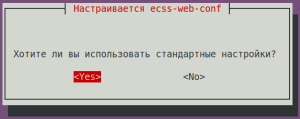 Image Modified Image Modified
|
Check the connectivity of the web interface http://10.0.20.41,user/password: admin/password. Not all functions are available at the moment, but the web interface should be working and the login successful.
Security
...
configuration. SSH
Configure the SSH server:
...
Specify the port and address to which the server can be accessed in the configuration file:
| Configuring ssh for ecss1 (/etc/ssh/sshd_config) |
|---|
# This is the sshd server system-wide configuration file. See
# sshd_config(5) for more information. # This sshd was compiled with PATH=/usr/bin:/bin:/usr/sbin:/sbin # The strategy used for options in the default sshd_config shipped with
# OpenSSH is to specify options with their default value where
# possible, but leave them commented. Uncommented options override the
# default value. Port 2000
#AddressFamily any
ListenAddress 10.0.10.10
#ListenAddress :: <...> |
Restart ssh:
| Блок кода |
|---|
| language | bash |
|---|
| title | on both hosts |
|---|
|
sudo systemctl restart ssh.service |
Adding
...
services
Installing all services specified in the license:
...
| Раскрыть |
|---|
| title | Example of initial configuration via CoCon (CLI) |
|---|
|
Open CLI CoCon: | Блок кода |
|---|
| language | bash |
|---|
| title | ecss1 password = password |
|---|
| ssh admin@localhost -p 8023 |
A media resource is a description of the media server parameters required for operation. | Примечание |
|---|
To use the media resource and establish connections, it is necessary to activate it in the media resource creation command: /system/media/resource/declare (parameter "is active"=true) or /system/media/resource/set (parameter "active"=true), if activation was not performed during creation. Activation can also be performed through the web interface, application - MSR network terminations (MSR-registrars). |
| Раскрыть |
|---|
| declare The command to declare a media server connection to ECSS-10. To operate in preconfigured mode, one can pre-register media resources with known information. To do this, it is necessary to create a description of known media servers with all parameters specified, allowing to start working with the media server immediately after its registration. The command to create a media server configuration: Command path: /system/media/resource/declare Syntax: declare <node> by_contact <contact> <zone> <site> <is active> or declare <node> by_iface <msr> <acc_id> <iface> <zone> <site> <is active> Parameters: <node> — core node name; <contact> — contact uri of the declared media resource; <zone> — logical service zone of the MSR; <site> — MSR service network identifier; <is active> — media resource activity status, true/false values; <msr> — MSR name; <acc_id> — resource identifier number; <iface> — interface name. |
| Раскрыть |
|---|
| set A command for changing media resource settings. Command path: /system/media/resource/set Syntax: set <node|*> <contact> <active|zone|site> <value> Parameters: <node|*> — node name;
<contact> — contact uri of the declared media resource;
<active|zone|site> — activation | zone | site;
<value> — parameter value. |
Example: | Блок кода |
|---|
| title | выполняется в performed in CoCon |
|---|
| /system/media/resource/declare core1@ecss1 contact net.20@msr.ecss1 default local true |
Result: | Без форматирования |
|---|
/system/media/resource/declare core1@ecss1 contact net.20@msr.ecss1 default local true
  Declared media resources
┌─────────────┬───────────────────────┬────────┬─────────┬───────┐
│    Node     │        Contact        │ Active │   Zone  │  Site │
├─────────────┼───────────────────────┼────────┼─────────┼───────┤
│ core1@ecss1 │ net.20@msr.ecss1      │ true   │ default │ local │
└─────────────┴───────────────────────┴────────┴─────────┴───────┘ |
| Раскрыть |
|---|
| info A command for viewing connection status information for a specific media resource. Command path: /system/media/resource/info Syntax: info <node> <contact> Parameters: <contact> — contact uri of the declared media resource;
<node> — node name. |
ПримерExample: | Блок кода |
|---|
| /system/media/resource/info core1@ecss1 net.20@msr.ecss1
Media resource specific for node core1@ecss1:
┌─┬─────────────────┬─────────────────────┐
│F│ Parameter │ Value │
├─┼─────────────────┼─────────────────────┤
│r│ Contact │ net.20@msr.ecss1 │
│r│ Status │ registered │
│r│ Cc-status │ connected │
│r│ Cc-status uptime│ 00:16:48 │
│r│ Cc-id │ cb6599 │
│r│ Address │ 10.0.20.41:5700 │
│r│ Register time │ 2025/12/03 09:40:25 │
│r│ Expired │ 131 │
│r│ Iface │ net.20(10.0.20.41) │
│ │ Active │ true │
│ │ Zone │ default │
│ │ Site │ local │
│r│ MSR version │ 3.18.1.0.12 │
│r│ MSR load │ 0 │
│r│ MSR perf coef │ 1.0 │
└─┴─────────────────┴─────────────────────┘
Legend:
Column F - means Flag, values r - flag for readonly parameter |
| Раскрыть |
|---|
| list
A command for viewing a list of media resources in the ECSS-10 system. Command path: /system/media/resource/list Syntax: list [active | all | register] Parameters: active — display only active media resources (default);
register — display only registered media resources;
short — display minimal information;
all — display all declared media resources. By default, the command displays a list of registered media servers. |
Example: | Блок кода |
|---|
| /system/media/resource/list all
All media resource selected list specific:
┌─────────────┬───────────┬──────────────┬───────────┬──────┬────────┬───────────┬───────────┬─────────────────┬────────┬────────────┬────────┬─────────┬───────┬──────────────────┬────────────┬─────────┐
│ Node │ MSR │ MSR │ MSR │ MSR │ Cc-id │ Cc-status │ Cc-uptime │ Cc-address │ Iface │ Iface │ Active │ Zone │ Site │ Contact │ Status │ Expired │
│ │ │ version │ perf coef │ load │ │ │ │ │ name │ addr │ │ │ │ │ │ │
├─────────────┼───────────┼──────────────┼───────────┼──────┼────────┼───────────┼───────────┼─────────────────┼────────┼────────────┼────────┼─────────┼───────┼──────────────────┼────────────┼─────────┤
│ core1@ecss1 │ msr.ecss1 │ 3.18.1.0.12 │ 1.0 │ 0 │ 54faa9 │ connected │ 00:54:48 │ 10.0.20.41:5700 │ net.20 │ 10.0.20.41 │ true │ default │ local │ net.20@msr.ecss1 │ registered │ 129 │
└─────────────┴───────────┴──────────────┴───────────┴──────┴────────┴───────────┴───────────┴─────────────────┴────────┴────────────┴────────┴─────────┴───────┴──────────────────┴────────────┴─────────┘ |
/system/media/registrar/ - regisrtrar control commands for the MSR media manager
| Раскрыть |
|---|
| set A command for changing common and individual parameters. Command path: /system/media/registrar/set Syntax for setting common parameters: set common <FIELD> <VALUE> Parameters: <FIELD> — name of the parameter being configured; <VALUE> — value of the parameter being configured Where: - common — the type of parameter being set;
- <common parameter> — a common media registrar parameter for all nodes: registration-timeout;
- private — the type of parameter being set;
- <node name> — the name of the node on which the media registrarresides;
- <private parameter> — a media registrar parameter that is set on <node name>: is-active, listen-interface, and listen-port.
List of parameters available for configuration: - is-active — enables or disables the registrar (false - deactivates the registrar, the registrar stops receiving SIP traffic);
listen-interface — the name of the interface the registrar uses; listen-port — the port on which the registrar accepts registration requests (default 5000); registration-timeout — re-registration timer, range from 60 to 86400.
In the general settings you can set the registration time; by default it is 60 seconds. Example:
Set the registration time to 60 seconds: | Без форматирования |
|---|
/system/media/registrar/set common registration-timeout 60
Common parameter registration-timeout set to 60.
|
Syntax for configuring individual parameters: system/media/registrar/set private <CORE> <FIELD> <VALUE> Parameters: <CORE> — the core node for which the Registrar server is being configured; <FIELD> — the name of the configurable parameter; <VALUE> — the value of the configurable parameter. Configurable parameters: - is-active — whether the Registrar server is active, true | false;
- listen-ip — the IP address on which the Registrar server will accept connections (default 0.0.0.0);
- listen-port — the network port on which the Registrar server will accept connections (default 5000).
|
Example: Set the IP address for receiving connections from the media server: | Блок кода |
|---|
| /system/media/registrar/set private core1@ecss1 listen-ip 10.0.20.41
|
Result: | Без форматирования |
|---|
/system/media/registrar/set private core1@ecss1 listen-ip 10.0.20.41
Private parameter listen-ip set to 10.0.20.41 at node core1@ecss1. |
| Раскрыть |
|---|
| info Command for viewing the current Registrar server settings. Command path: /system/media/registrar/info |
Example: | Без форматирования |
|---|
/system/media/registrar/info
 Common parameters:
┌───────────────────────────┬───────┐
│         Parameter         │ Value │
├───────────────────────────┼───────┤
│ registration-timeout, sec │   180 │
└───────────────────────────┴───────┘
 Private parameters:
┌─────────────┬─────────┬───────────┬────────────┬─────────────┐
│    Node     │ Status  │ Is-active │ Listen-ip  │ Listen-port │
├─────────────┼─────────┼───────────┼────────────┼─────────────┤
│ core1@ecss1 │ active  │ true      │ 10.0.20.41 │        5000 │
└─────────────┴─────────┴───────────┴────────────┴─────────────┘
|
| Подсказка |
|---|
It is also possible to add media resources through the web configurator application — MSR-registrars. |
After all services are started, the nodes will take some time to establish communication. Once all nodes are loaded, the following information will be output when the system-status query is executed: | Без форматирования |
|---|
| /system-status
Checking...
┌─┬───────────────┬───────────────────────────┬────────────────┬──────────────┬──────┐
│ │ Node │ Release │ Erlang nodes │ Mnesia nodes │Uptime│
├─┼───────────────┼───────────────────────────┼────────────────┼──────────────┼──────┤
│ │core1@ecss1 │ecss-core-3.18.1.0.1657 │core1@ecss1 │not running │1h 23m│
│ │ds1@ecss1 │ecss-ds-3.18.1.0.1657 │ds1@ecss1 │ds1@ecss1 │1h 23m│
│ │md1@ecss1 │ecss-mediator-3.18.1.0.1657│md1@ecss1 │md1@ecss1 │1h 23m│
│ │mycelium1@ecss1│ecss-mycelium-3.18.1.0.1657│mycelium1@ecss1 │not running │1h 23m│
│ │sip1@ecss1 │ecss-pa-sip-3.18.1.0.1657 │sip1@ecss1 │sip1@ecss1 │1h 23m│
└─┴───────────────┴───────────────────────────┴────────────────┴──────────────┴──────┘
All services are started.
Active media resource selected list specific:
┌─────────────┬───────────┬──────────────┬───────────┬───────────┐
│ Node │ MSR │ MSR │ Cc-status │ Cc-uptime │
│ │ │ version │ │ │
├─────────────┼───────────┼──────────────┼───────────┼───────────┤
│ core1@ecss1 │ msr.ecss1 │ 3.18.1.0.12 │ connected │ 00:04:15 │
└─────────────┴───────────┴──────────────┴───────────┴───────────┘ |
In the example above, the nodes have started and the MSR have registered on the ecss-core node. Creating and configuring a SIP IP address group (IP-set)Configure the SIP adapter according to the specifications: | Блок кода |
|---|
| /cluster/adapter/sip1/sip/network/set ip_set test_set node-ip node = sip1@ecss1 ip = 10.0.20.41 |
| Блок кода |
|---|
| /cluster/adapter/sip1/sip/network/set ip_set test_set listen-ports list = [5060] |
Result: | Без форматирования |
|---|
| /cluster/adapter/sip1/sip/network/set ip_set test_set node-ip node = sip1@ecss1 ip = 10.0.20.41
Property "ip_set" successfully changed from:
to
test_set: no ports set
test_set: sip1@ecss1 10.0.20.41
test_set: dscp 0.
/cluster/adapter/sip1/sip/network/set ip_set test_set listen-ports list = [5060]
Property "ip_set" successfully changed from:
test_set: no ports set
test_set: sip1@ecss1 10.0.20.41
test_set: dscp 0
to
test_set: 5060
test_set: sip1@ecss1 10.0.20.41
test_set: dscp 0
|
Creating a domain and connecting an IP-setCreate a Domain (virtual PBX) and assign it the SIP adapter settings group (IP set) created above: | Блок кода |
|---|
| /domain/declare test_domain --add-domain-admin-privileges --add-domain-user-privileges |
| Блок кода |
|---|
| /domain/test_domain/sip/network/set ip_set [test_set] |
| Блок кода |
|---|
| /domain/declare test_domain --add-domain-admin-privileges --add-domain-user-privileges
New domain test_domain is declared
/domain/test_domain/sip/network/set ip_set [test_set]
Property "ip_set" successfully changed from:
[]
to
["test_set"]. |
After creating a domain, the system administrator should grant access to the Domain (virtual PBX) operator to manage services. To do this, use the "test_domain" command to allow the Domain (virtual PBX) operator to manage all services: | Блок кода |
|---|
| /cluster/storage/ds1/ss/access-list add test_domain * |
| Без форматирования |
|---|
| /cluster/storage/ds1/ss/access-list add test_domain *
Supplementary services successfully added in the domain test_domain. |
To enable subscribers to apply a service package immediately after creation, it is necessary to configure a licensed service package application policy. Create a license application policy named "new_sub" | Блок кода |
|---|
| language | bash |
|---|
| title | in CoCon user/pw = admin/password |
|---|
| /domain/test_domain/ss/licence/politics/declare new_sub "Set when creating a subscriber" |
| Без форматирования |
|---|
/domain/test_domain/ss/licence/politics/declare new_sub "Set when creating a subscriber"
Licence politic new_sub successfully declared. |
To set the name of the additional services package, use the following commands: | Блок кода |
|---|
| language | bash |
|---|
| title | in CoCon user/pw = admin/password |
|---|
| /cluster/storage/ds1/licence/show-licence 1 |
The following information is important: | Без форматирования |
|---|
| /cluster/storage/ds1/licence/show-licence 1
SSW ID < Name SSW ID >
Description ECSS ELM License
. . .
Supplementary Services licence package(s)
name 'ECSS-ADV'
limit 600000
description "The whole package of services"
SS list [1,2,3,4,5]
. . .
|
The service package name in this example is "ECSS-ADV". Add the license service package named "ECSS-FULL+" (that's how it's described in the license) to the created policy: | Блок кода |
|---|
| language | bash |
|---|
| title | in CoCon |
|---|
| /domain/test_domain/ss/licence/politics/package-add new_sub ECSS-ADV |
Result: | Без форматирования |
|---|
/domain/test_domain/ss/licence/politics/package-add new_sub ECSS-ADV
Licence packages ["ECSS-ADV"] successfully added to politic new_sub. |
The package has been added, but the policy is currently not active (cannot be applied to the subscriber). To activate the new_sub policy, run the following command: | Блок кода |
|---|
| language | bash |
|---|
| title | in CoCon |
|---|
| /domain/test_domain/ss/licence/politics/activate new_sub |
| Без форматирования |
|---|
/domain/test_domain/ss/licence/politics/activate new_sub
Licence politic new_sub successfully activated. |
Now we can use additional services when creating subscribers. |
