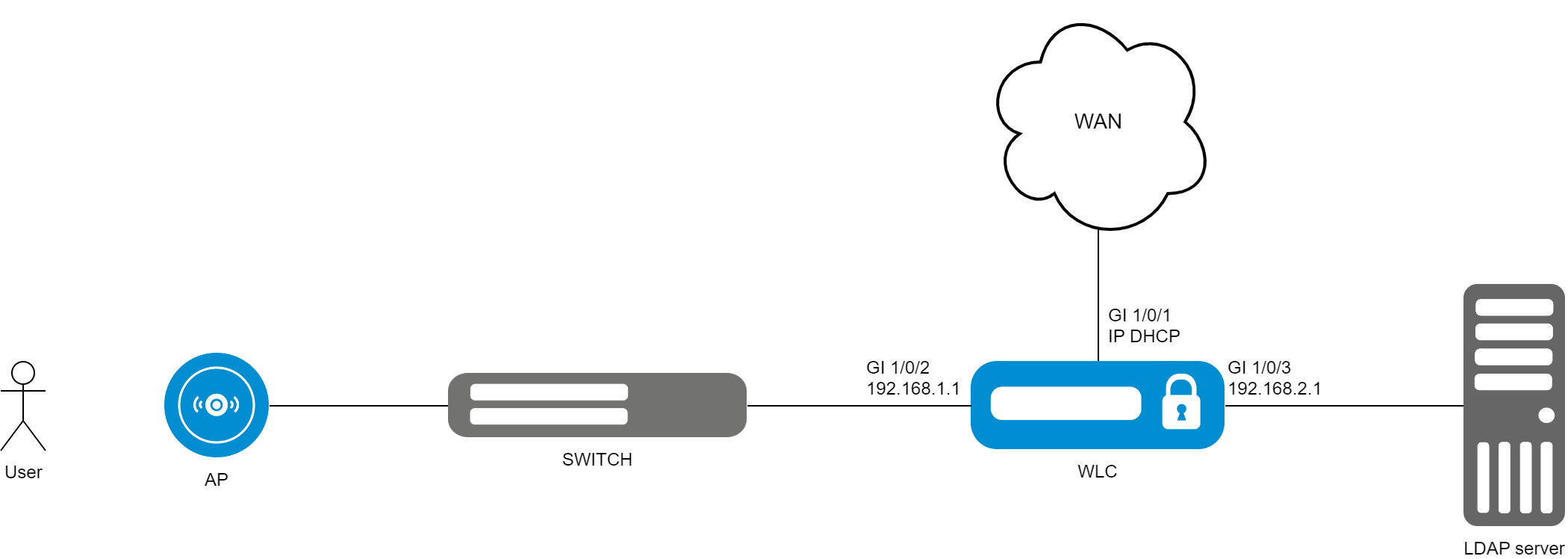
The current version supports LDAP authorization only in the mode of storing user accounting data on an LDAP server in an open form. |
To configure LDAP authorization for Wi-Fi users, you will need a pre-configured LDAP server (such as OpenLDAP) with the following parameters:
Before enabling LDAP user authorization, you must configure the ldap-server settings:
wlc(config)# ldap-server bind authenticate root-dn "cn=admin,dc=eltex,dc=ru" wlc(config)# ldap-server bind authenticate root-password ascii-text <Administrator password> wlc(config)# ldap-server host <LDAP server address> wlc(config-ldap-server)# exit |
The root-dn and root-password parameters are the parameters with which the LDAP server “Administrator” user was created: domain name and password, respectively. Ldap-server host is the address of the host where the LDAP server is installed.
Next, it is necessary to configure ldap-profile:
wlc(config)# aaa ldap-profile tester wlc(config-aaa-ldap-profile)# base-dn "ou=Users,dc=eltex,dc=ru" wlc(config-aaa-ldap-profile)# ldap-server host <LDAP server address> wlc(config-aaa-ldap-profile)# exit wlc(config)# |
The base-dn parameter in this case is the domain name of the user, which is set when the user is created in LDAP.
Then it is necessary to specify this profile in the local radius settings:
wlc(config)# radius-server local wlc(config-radius)# virtual-server default wlc(config-radius-vserver)# ldap-mode wlc(config-radius-vserver)# enable wlc(config-radius-vserver)# exit wlc(config-radius)# ldap-profile tester |
Commit and confirm the configuration:
wlc# commit wlc# confirm |
To test, an access point must be connected to the WLC and an SSID with Enterprise authorization must be configured.
Configuring user authorization using LDAP server is complete.