Download link esr2x.recovery-xm_1.14.uboot
Download link esr2x.recovery-xm_1.28.uboot
Link to download the archive of the intermediate version of the software ПО 1.20.4 build 6
Link to download the archive of the software version 1.28.1 build7
The instructions for updating the software to version 1.23.6 and higher for the ESR-20/21 models contain a warning about the need to update through the interim software version 1.20.4:
If the router's software version is 1.18.11 or 1.23 and higher, then esr2x.recovery-xm_1.28.uboot and 1.28.1 software must be used for recovery! |
If you ignore this step, after updating the main software to version 1.23.6 and higher, the router will reboot cyclically with the following log:
|
This log informs about an unsuccessful attempt to start the system using a secondary bootloader (u-boot).
This guide describes how to restore a successful boot of the secondary bootloader (u-boot) and update the software to an intermediate version.
To restore the u-boot boot, follow these steps:
L1:1.14.0.18 (30/08/2021 - 19:09:05) INFO: BL1: RAM 0x6517a800 - 0x65180000 INFO: Using crypto library 'mbed TLS' INFO: BL1: Start recovery process ... INFO: Send data using the xmodem from your terminal now ... CINFO: ... No Response CINFO: ... No Response CINFO: ... No Response CINFO: ... No Response |
An example of recovery is given based on the use of the minicom console terminal on Linux. For Windows, you can use the Tera Term v5.0 program. (An example is given at the end of the article). |
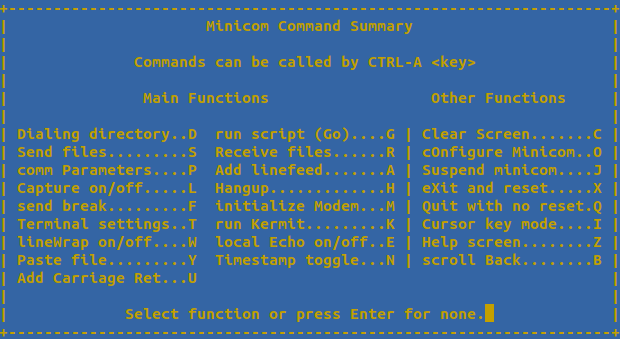
5. In the terminal, press the key combination "Ctrl"+"A"+"Z" and then press the "S" key to transfer the file.
6. Select "xmodem" (transfer the file via the x modem)
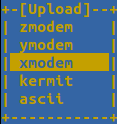
7. Select the location of the desired esr2x.recovery-xm_1.14.uboot file
8. Wait about 10 minutes for the file to be uploaded to the router.
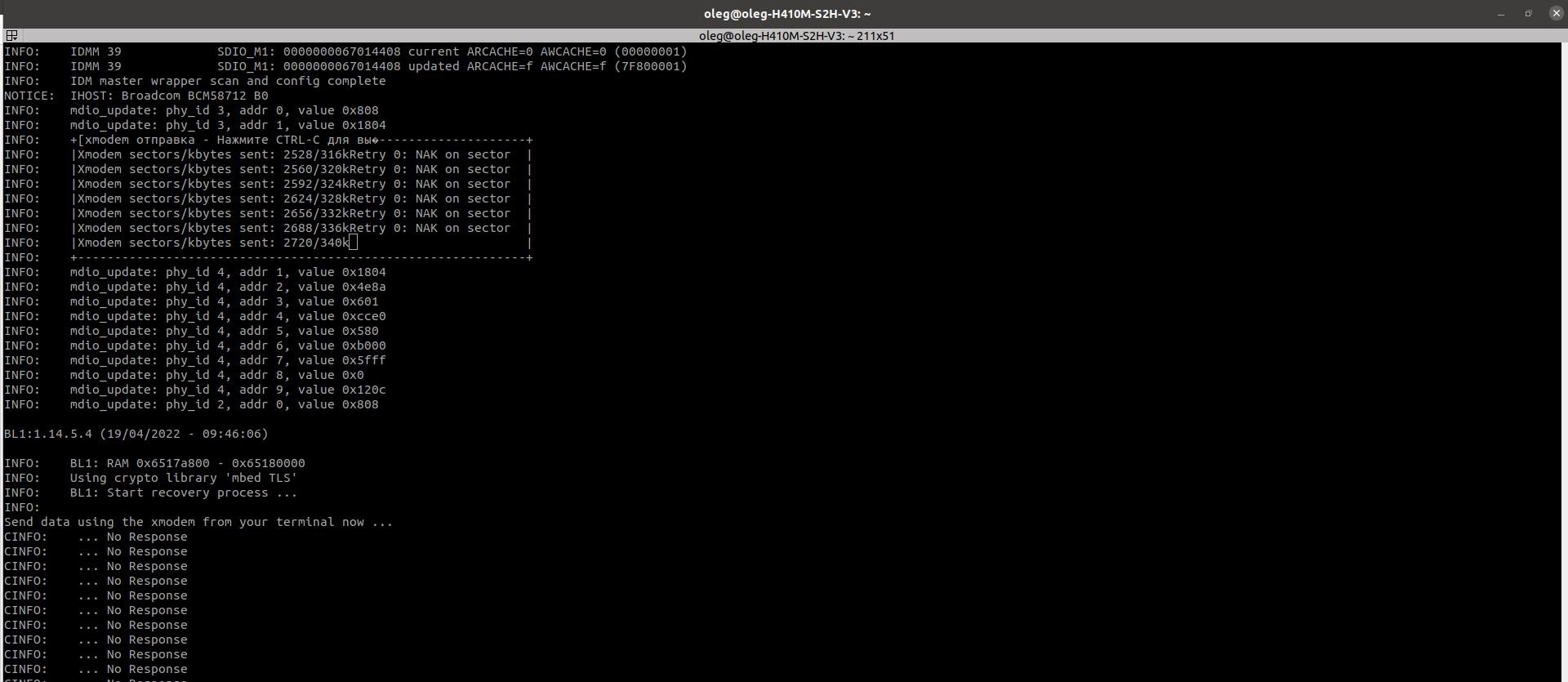
9. At the end of the download, press any key. The router will reboot: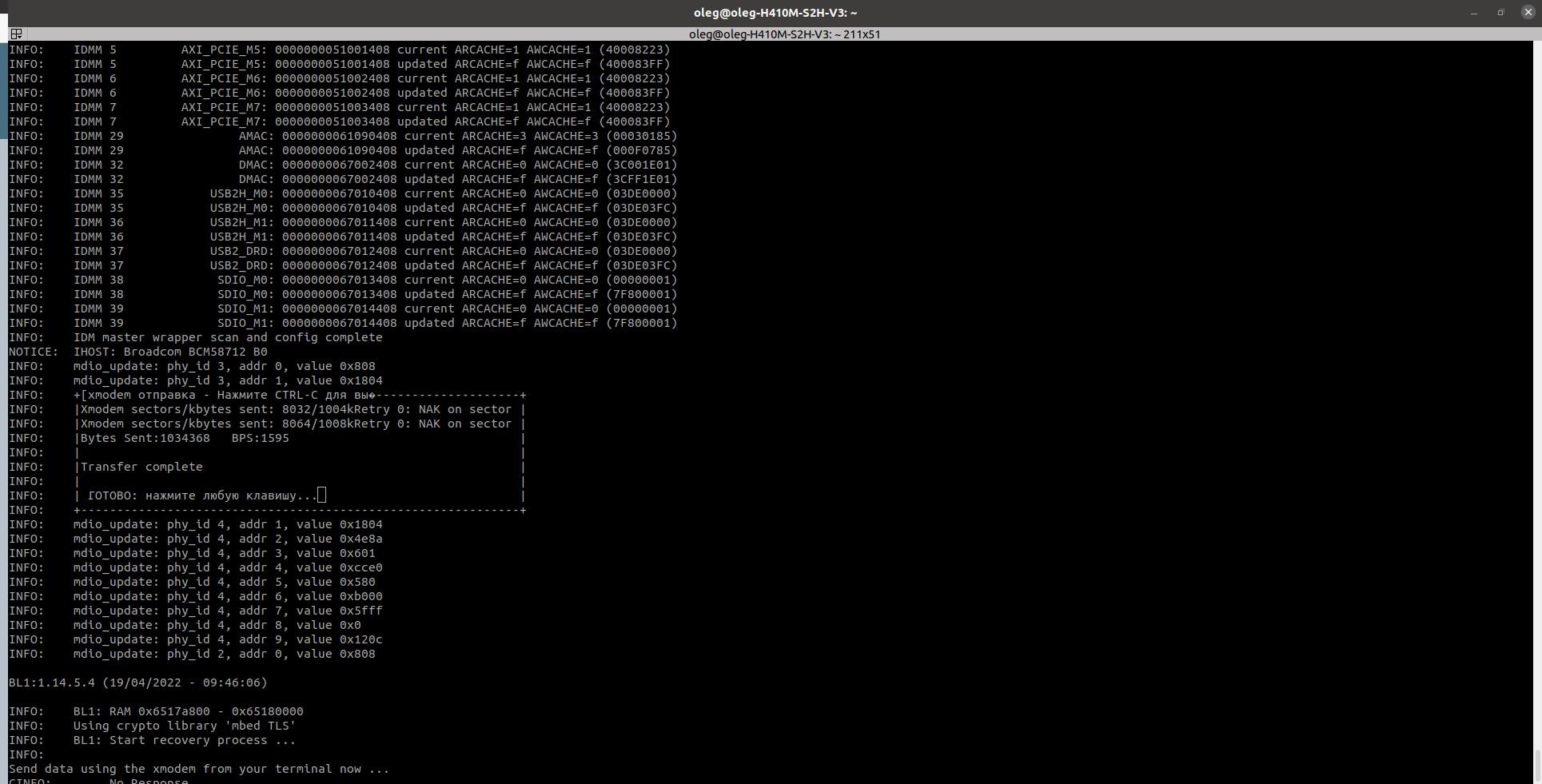
10. After restarting, the router will display a prompt prompt for u-boot recovery:
RECOVERY.u-boot> |
Please note that the network will not work for ESR-21 in this mode. (You won't be able to use tftp_update). |
11. Run the update command sequence shown below. The commands are given for the case of using USB FLASH.
RECOVERY.u-boot> usb_update_uboot esr2x-1.20.4-build6.uboot |
resetting USB... USB0: Initializing USB2 Host USB EHCI 1.00 scanning bus 0 for devices... 2 USB Device(s) found USB1: Initializing USB2 Host USB EHCI 1.00 scanning bus 1 for devices... 1 USB Device(s) found scanning usb for storage devices... 1 Storage Device(s) found reading esr2x-1.20.4-build6.uboot 1723838 bytes read in 140 ms (11.7 MiB/s) Download file 'esr2x-1.20.4-build6.uboot': OK Check U-Boot image ... OK SF: Detected MX25L12805 with page size 256 Bytes, erase size 64 KiB, total 16 MB ................................ SF: 2097152 bytes @ 0x80000 Erased: OK device 0 offset 0x80000, size 0x1a4dbe SF: 1723838 bytes @ 0x80000 Written: OK U-Boot update: OK |
RECOVERY.u-boot> usb_update_firmware esr2x-1.20.4-build6.firmware image1 |
resetting USB... USB0: Initializing USB2 Host USB EHCI 1.00 scanning bus 0 for devices... 2 USB Device(s) found USB1: Initializing USB2 Host USB EHCI 1.00 scanning bus 1 for devices... 1 USB Device(s) found scanning usb for storage devices... 1 Storage Device(s) found reading esr2x-1.20.4-build6.firmware 71816544 bytes read in 3718 ms (18.4 MiB/s) Download file 'esr2x-1.20.4-build6.firmware': OK Firmware update: OK |
RECOVERY.u-boot> boot_system image1 |
SF: Detected MX25L12805 with page size 256 Bytes, erase size 64 KiB, total 16 MB .. SF: 131072 bytes @ 0x2c0000 Erased: OK device 0 offset 0x2c0000, size 0x5 SF: 5 bytes @ 0x2c0000 Written: OK Set active image: OK |
RECOVERY.u-boot> reset |
12. As a result of the above actions, the router will be restored using software version 1.20.4.
To upgrade to the current software version, you must use the update instructions that are archived with the current software version.
1. You need to configure the connection to the router via the serial port.
Launching the Tera Term program. Go to the Settings menu ==>>> COM-port and set the necessary parameters.
The COM port number can be found through the Windows Device Manager: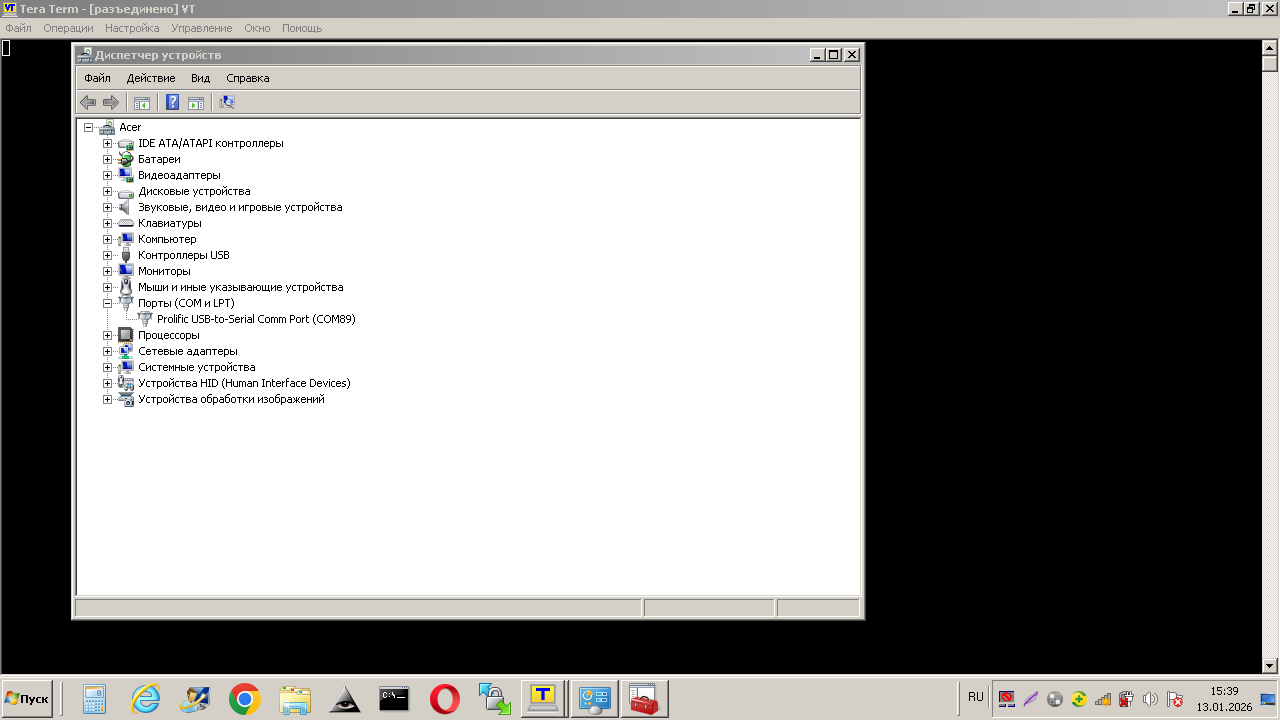
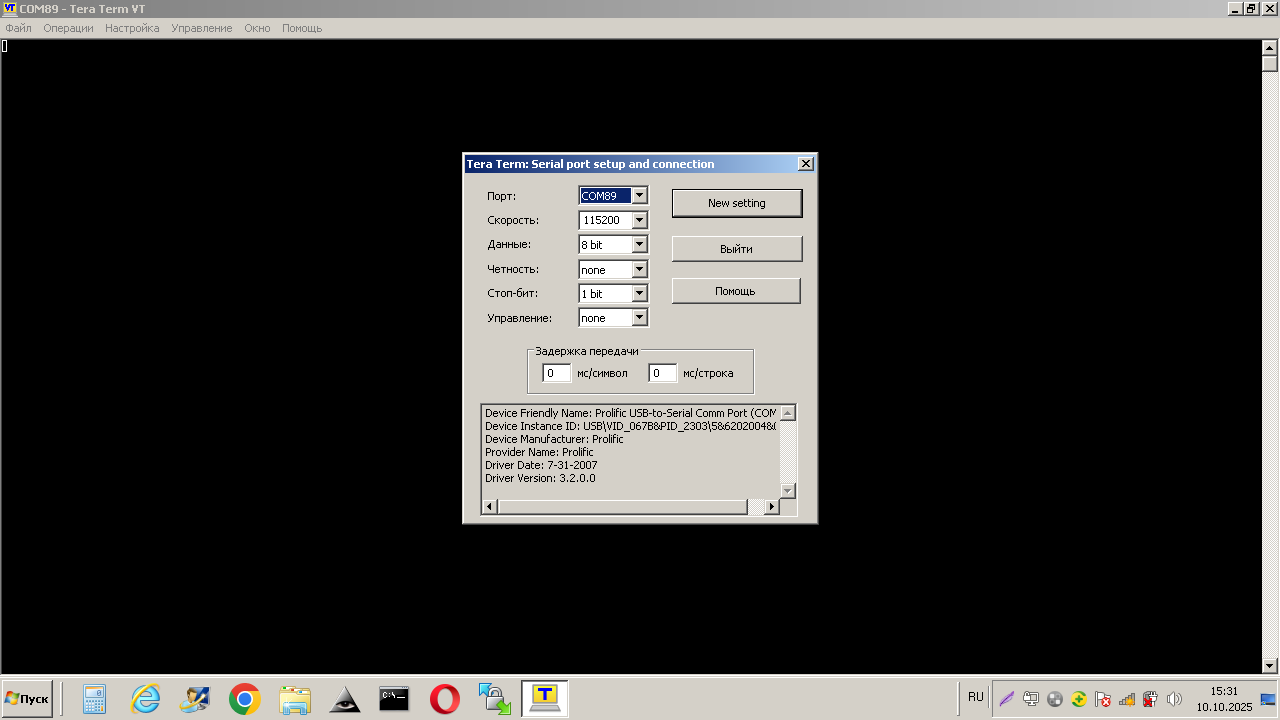
Next, save the settings (menu item Settings == >>> Save settings).
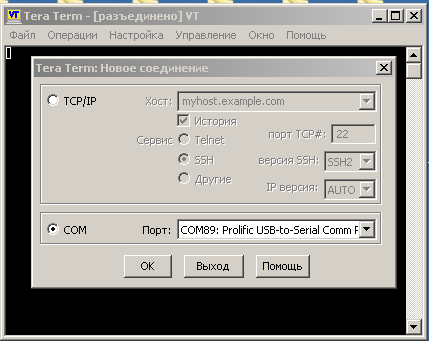
Setting up a new connection File ==>>> New connection and select the COM-port:
2. Turn off the power to the router.
3. Press and hold the F button.
4. Apply power to the device and wait for the suggestion to send data via X-modem.
5. Release the F button.
L1:1.14.0.18 (30/08/2021 - 19:09:05) INFO: BL1: RAM 0x6517a800 - 0x65180000 INFO: Using crypto library 'mbed TLS' INFO: BL1: Start recovery process ... INFO: Send data using the xmodem from your terminal now ... CINFO: ... No Response CINFO: ... No Response CINFO: ... No Response CINFO: ... No Response |
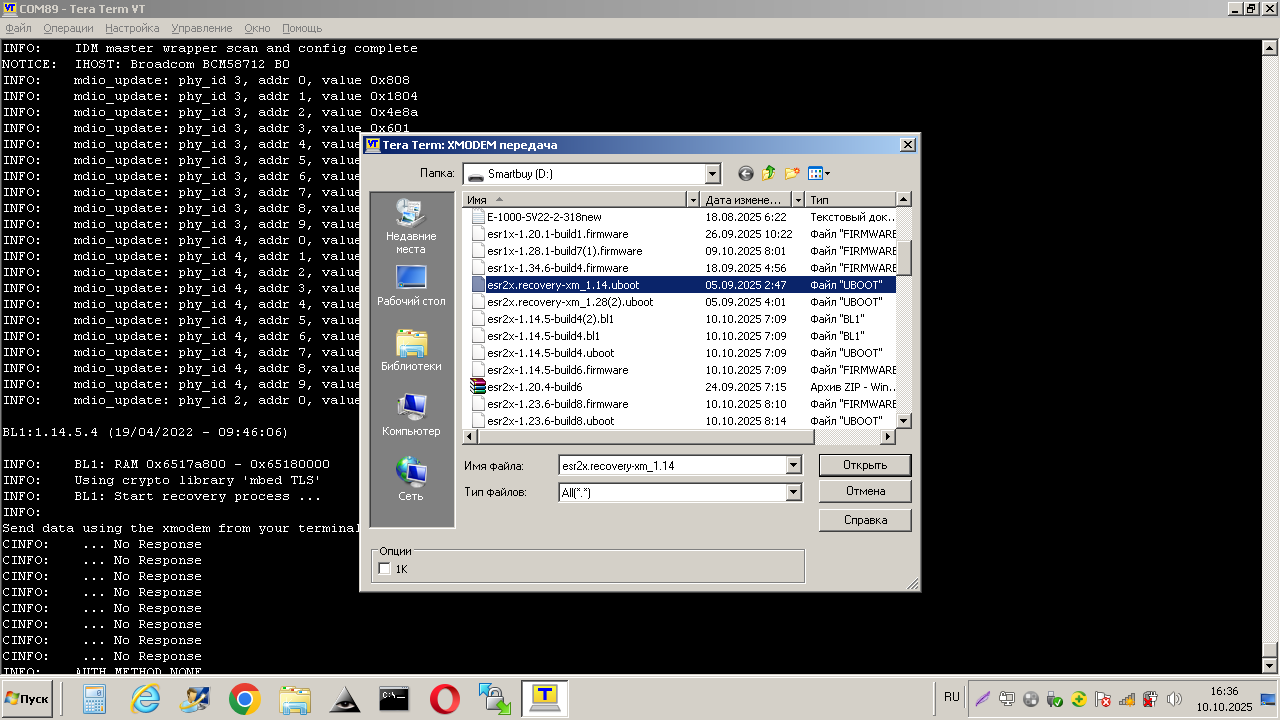
6. Transfer the recovery file to uboot. Go to the File menu ==>>> Transfer ==>>>XMODEM ==>>> Transfer. And select the file to transfer:
7. We wait about 10 minutes while the file is being transferred:
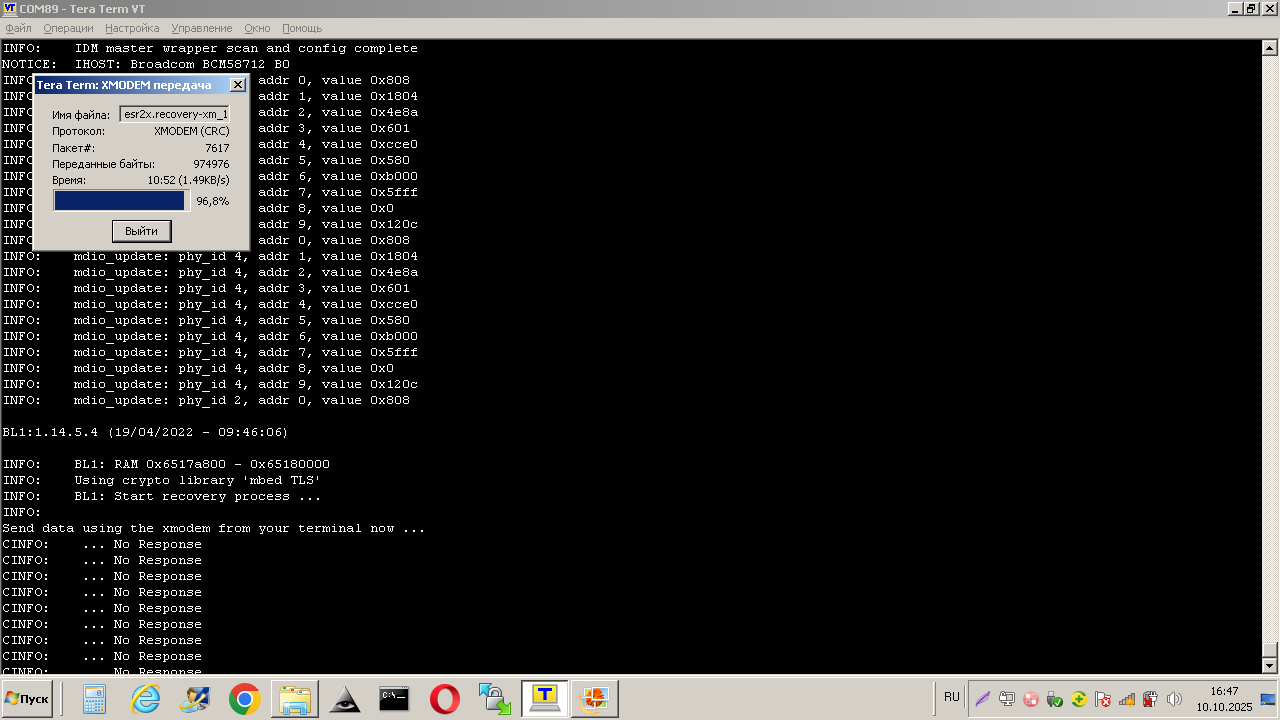
8. After the file transfer is complete, the ESR will reboot on its own. After downloading, the recovery uboot prompt appears:
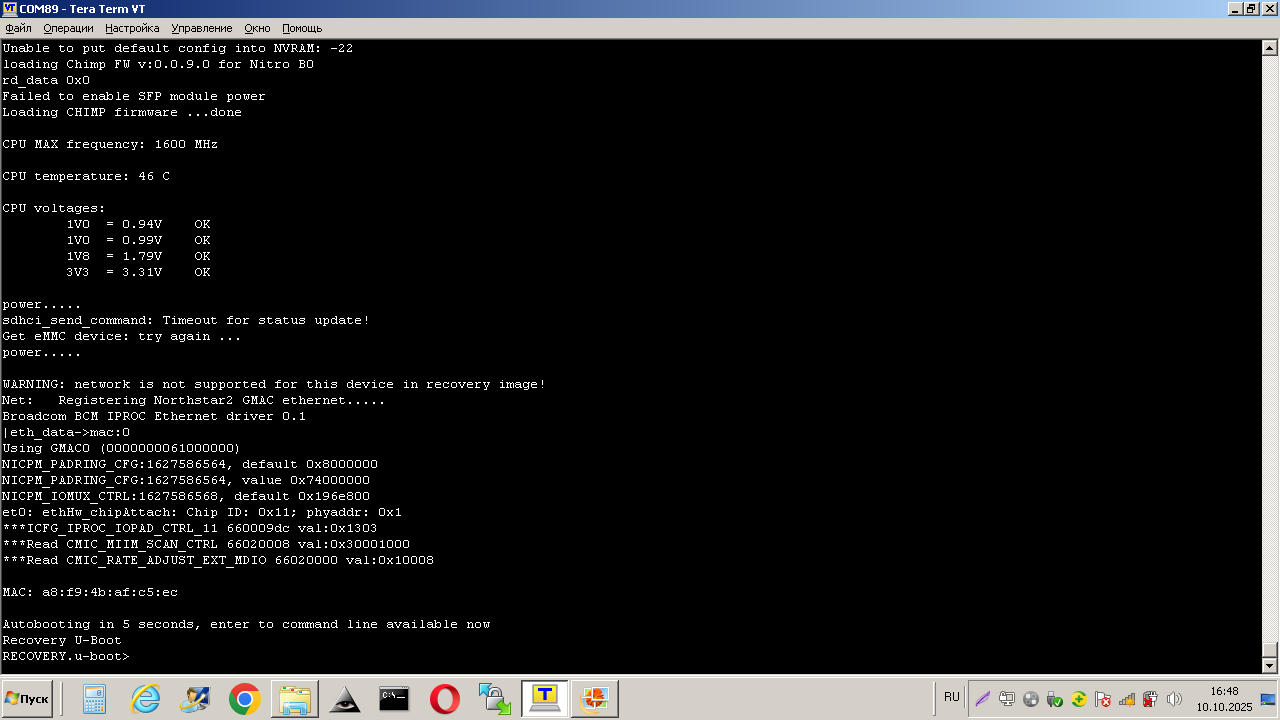
Please note that the network will not work for ESR-21 in this mode. (You won't be able to use tftp_update). |
9. Run the update command sequence shown below. The commands are given for the case of using USB FLASH.
RECOVERY.u-boot> usb_update_uboot esr2x-1.20.4-build6.uboot |
resetting USB... USB0: Initializing USB2 Host USB EHCI 1.00 scanning bus 0 for devices... 2 USB Device(s) found USB1: Initializing USB2 Host USB EHCI 1.00 scanning bus 1 for devices... 1 USB Device(s) found scanning usb for storage devices... 1 Storage Device(s) found reading esr2x-1.20.4-build6.uboot 1723838 bytes read in 140 ms (11.7 MiB/s) Download file 'esr2x-1.20.4-build6.uboot': OK Check U-Boot image ... OK SF: Detected MX25L12805 with page size 256 Bytes, erase size 64 KiB, total 16 MB ................................ SF: 2097152 bytes @ 0x80000 Erased: OK device 0 offset 0x80000, size 0x1a4dbe SF: 1723838 bytes @ 0x80000 Written: OK U-Boot update: OK |
RECOVERY.u-boot> usb_update_firmware esr2x-1.20.4-build6.firmware image1 |
resetting USB... USB0: Initializing USB2 Host USB EHCI 1.00 scanning bus 0 for devices... 2 USB Device(s) found USB1: Initializing USB2 Host USB EHCI 1.00 scanning bus 1 for devices... 1 USB Device(s) found scanning usb for storage devices... 1 Storage Device(s) found reading esr2x-1.20.4-build6.firmware 71816544 bytes read in 3718 ms (18.4 MiB/s) Download file 'esr2x-1.20.4-build6.firmware': OK Firmware update: OK |
RECOVERY.u-boot> boot_system image1 |
SF: Detected MX25L12805 with page size 256 Bytes, erase size 64 KiB, total 16 MB .. SF: 131072 bytes @ 0x2c0000 Erased: OK device 0 offset 0x2c0000, size 0x5 SF: 5 bytes @ 0x2c0000 Written: OK Set active image: OK |
RECOVERY.u-boot> reset |
10. As a result of the above actions, the router will be restored using software version 1.20.4.
To upgrade to the current software version, you must use the update instructions that are archived with the current software version.