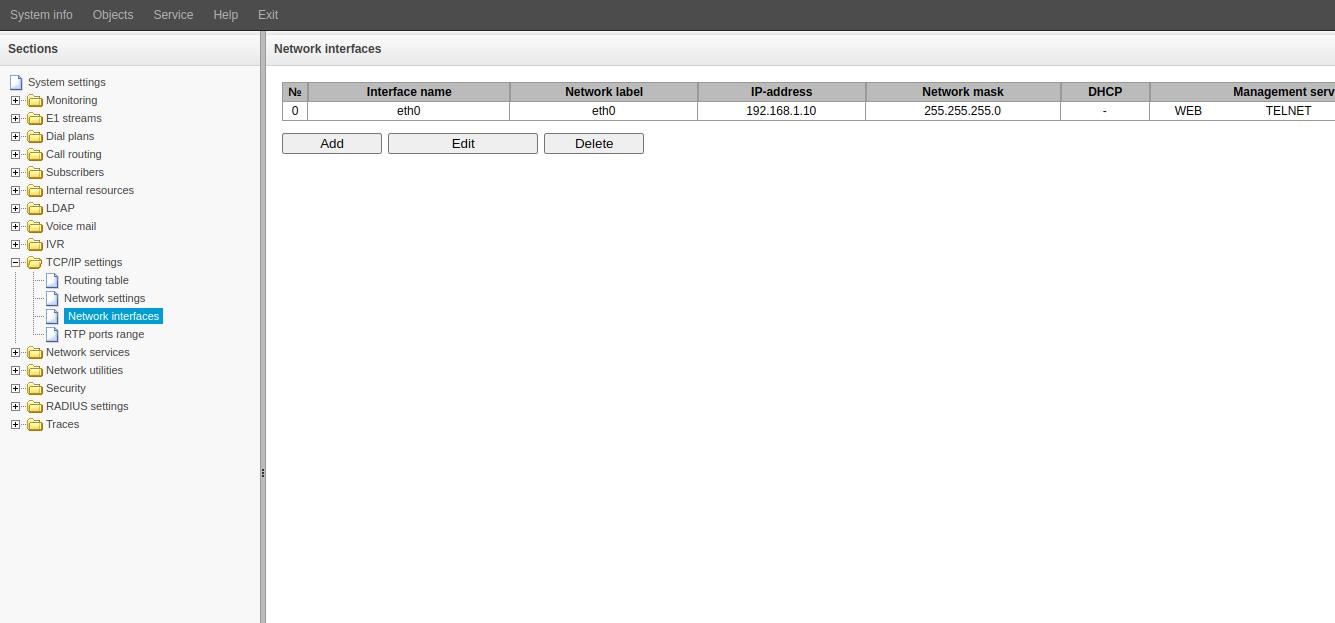
- Go to "TCP/IP settings" → "Network interfaces".
- Click the "Add" button.
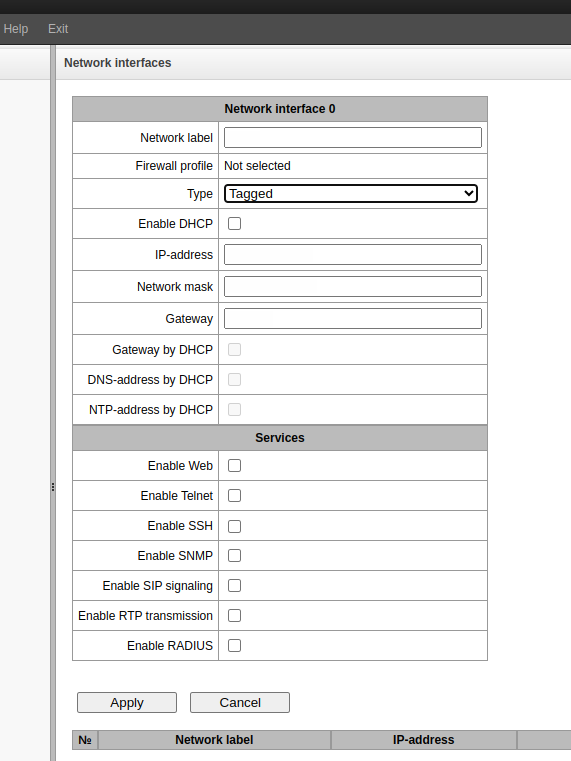
- In the "Type" field select "Tagged".

- Fill in the required fields:
- Network label
- VLAN ID
- IP address
- Network mask
- If necessary, fill in the "Gateway" field.
- Select the services that should run on this interface.
- Click the "Apply" button.