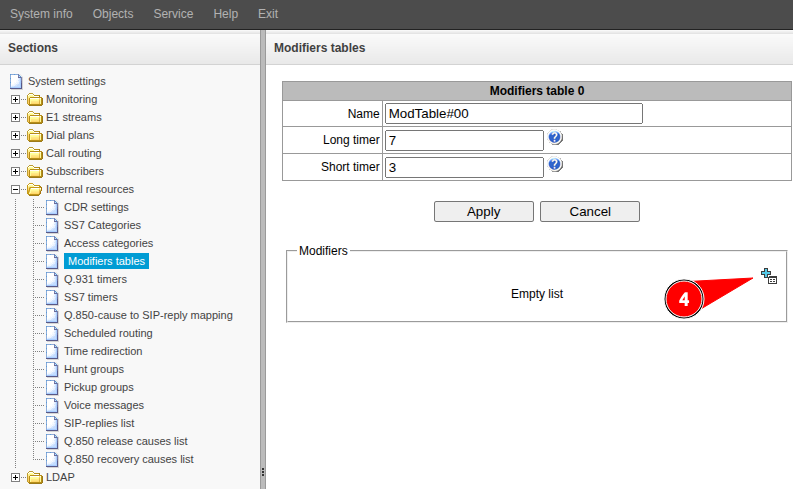
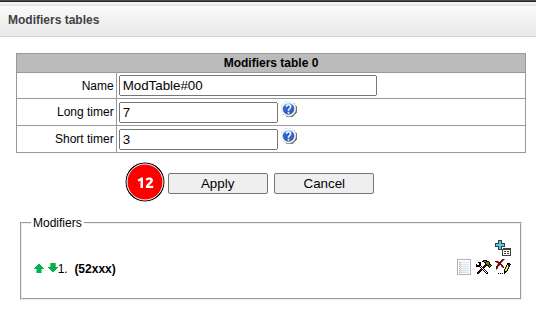
Go to the “Internal resources” → “Modifiers tables” menu.
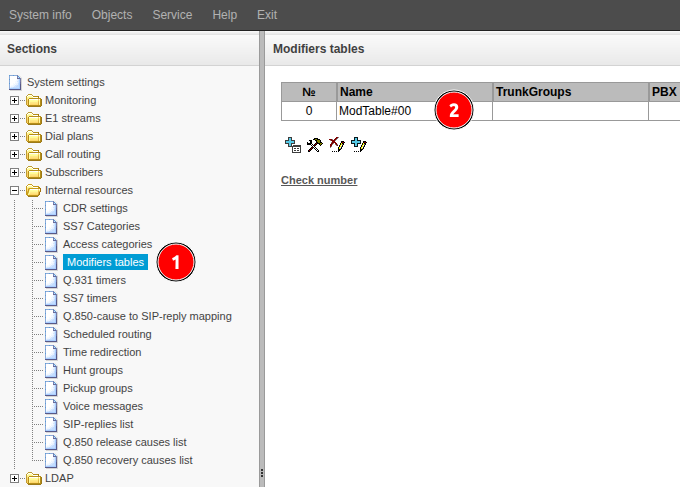
Double-click the required table row.
Go to the “Modifiers” section.
Click the button.
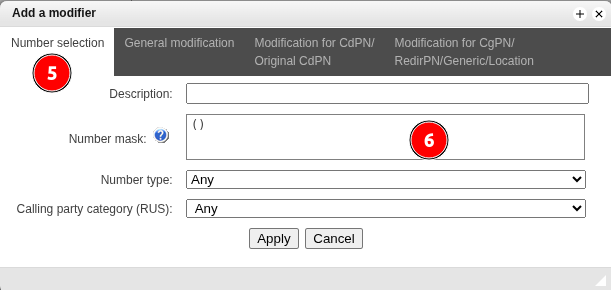
Go to the “Number selection” tab.
Fill in the “Number Mask” field. Specify the mask for the number to be modified. The syntax of the mask and examples of its operation are given in the sections “Description of the number mask and its syntax” and “Examples of mask operation” of the User Manual.
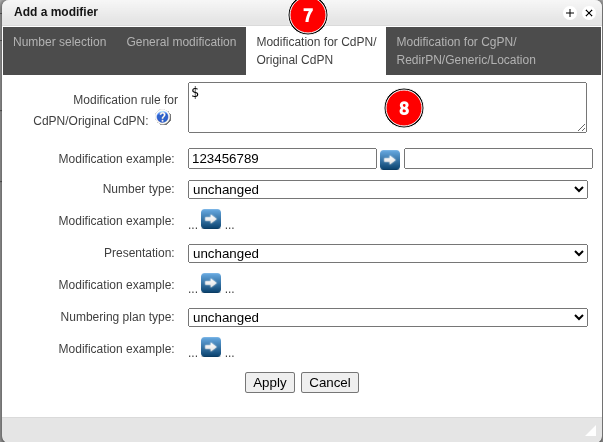
Go to the “Modification for CdPN/Original CdPN” tab.
If CdPN needs to be modified, fill in the “Modification rule for CdPN/Original CdPN” field. Specify the rule according to which the number will be modified. The syntax and examples of modification rules are given in the section “CgPN/RedirPN/Generic/Location modification tab” of the User Manual.
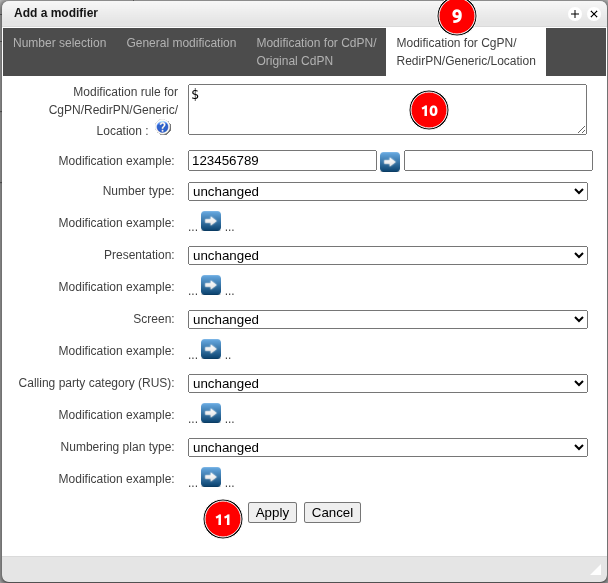
Go to the “CgPN/RedirPN/Generic/Location Modification” tab.
If CgPN needs to be modified, fill in the “Modification rule for CgPN/RedirPN/Generic/Location” field. Specify the rule according to which the number will be modified. The syntax and examples of modification rules are given in the section “CgPN/RedirPN/Generic/Location Modification Tab” of the User Manual.
Click the “Apply” button.
If you need to add modifiers, go to step 4 of this guide.