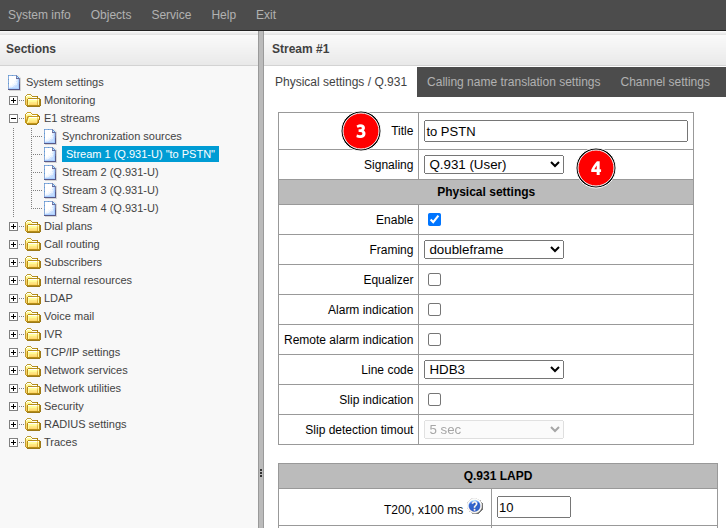
Select the necessaty stream: "Stream 1", "Stream 2", "Stream 3", or "Stream 4".
Chenge the "Title" value.
Select "Signaling" after getting approval of the other party.
If necessary, configure the parameters below.
If there are multiple E1 streams, repeat steps 2 through 5.
Configure synchronization
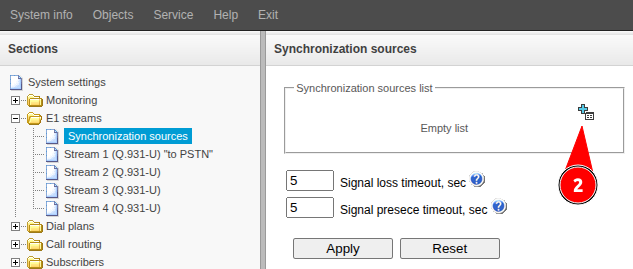
Go to the "E1 streams" → "Synchronization sources" menu.
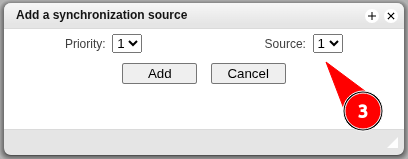
Click the button.
In the "Source" field, select the stream number from which synchronization will be performed.
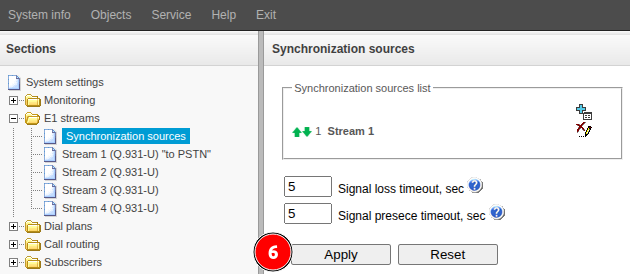
Click the "Add" button.
If multiple E1 streams from higher-level stations are used, you can add multiple synchronization sources by selecting a priority for each one and repeating steps 2 through 4. It is not recommended to specify the same priority for two or more streams.
 button.