Go to the "Call routing" → "TrunkGroups" menu.
Click the  button.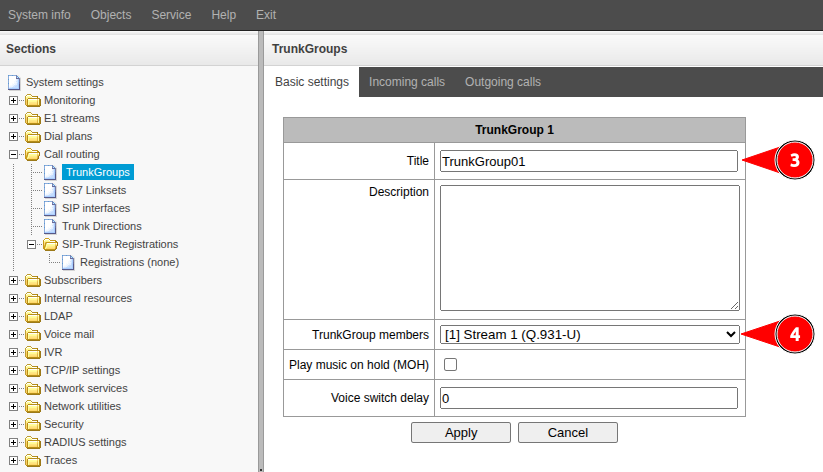
Fill in the "Title" field. Specify a name that characterizes the purpose of the direction being created.
Click the "Apply" button.
Go to the "Call routing" → "TrunkGroups" menu.
Click the button.
Fill in the "Title" field. Specify a name that characterizes the purpose of the direction being created.
Click the "Apply" button.
When you select "E1 stream channels" or "E1 streams from the OKS-7 line group" in the "TrunkGroup members" field, the dialog box will change to allow you to enter additional parameters. |