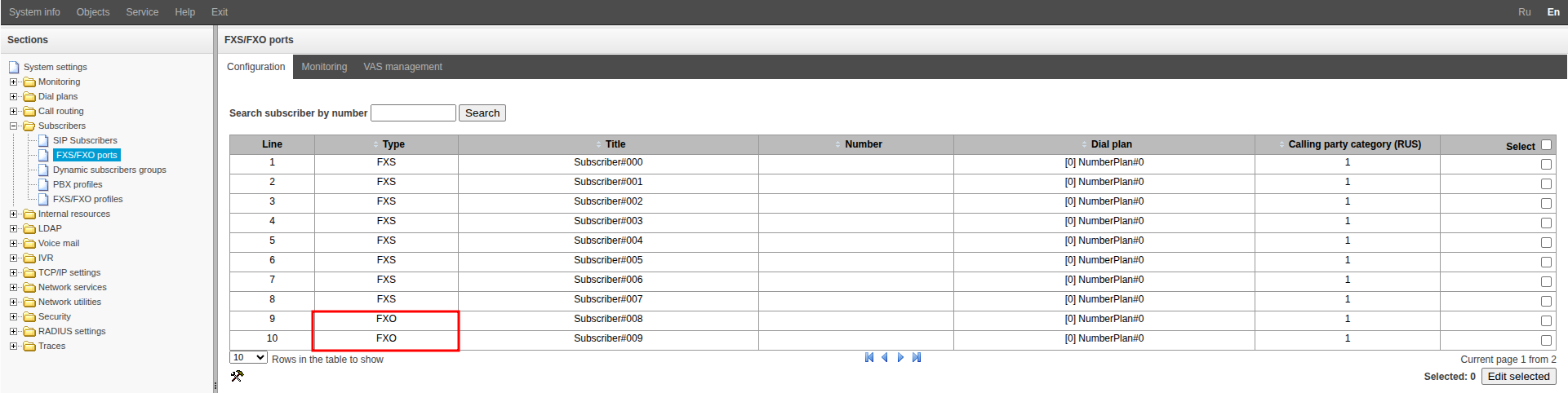
Go to the “Subscribers” → “FXS/FXO ports” menu.
Double-click to select one of the ports with “FXO” specified in the “Type” column.
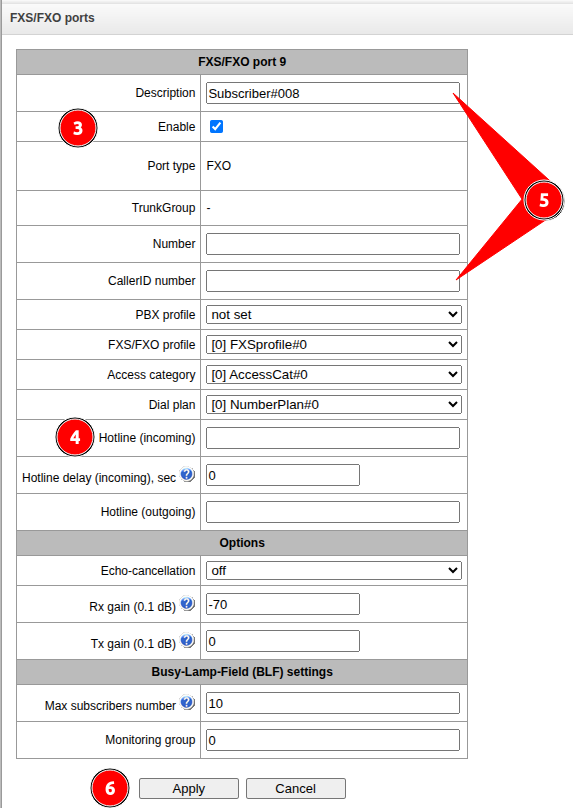
Check that the “Enable” checkbox is checked.
Fill in the “Hotline (incoming)” field.
Optionally, fill in the “Description” and “CallerID number” fields.
Click the “Apply” button.