PBX

Gateway

Linkset

SIP trunk

Netlink

E1 stream

E1 stream with active D-channel
General information
The SS7 stream stacking functionality allows for the stacking of multiple SMG devices to pass more than 16 E1 streams (up to 64*16) with SS7 signalling and a single signalling point code, with the organization of 1 to 16 SS7 E1 signalling links per SS7 linkset.
Netlink is a single network connection between two devices. It is used in SS7 stacking to transmit signalling traffic from a device with a D-channel to a device without D-channel. All local linksets configured on the devices are combined into a single ‘virtual’ linkset relative to the terminal or peer device. Therefore, the main SS7 parameters on them must match, except for the unique flow and channel numbering.
Netlink operates in two roles – client and server:
Within a single linkset, a device can act as both a client and a server simultaneously. Each enabled server occupies at least one Netlink connection on the device. There can be only one server per linkset on a single device. For the Netlink server to operate, working D-channels must be configured in the device’s linkset.
Features (limitations) of the current implementation
Schematic diagrams of possible configurations
Legend:
| PBX |
| Gateway |
| Linkset |
| SIP trunk |
| Netlink |
| E1 stream |
| E1 stream with active D-channel |
Partial connectivity
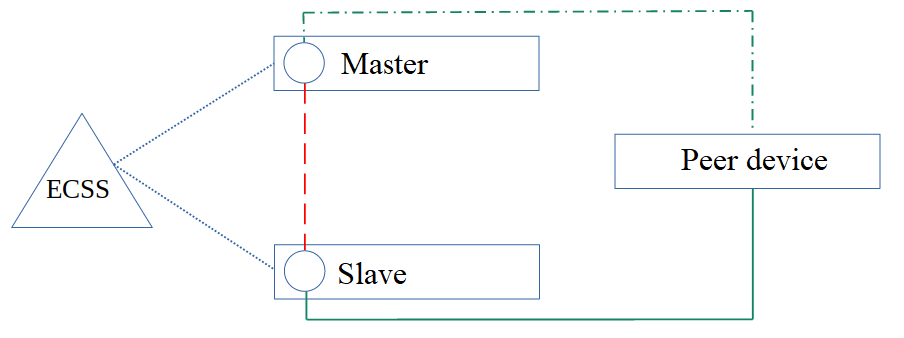
Full connectivity, single access point
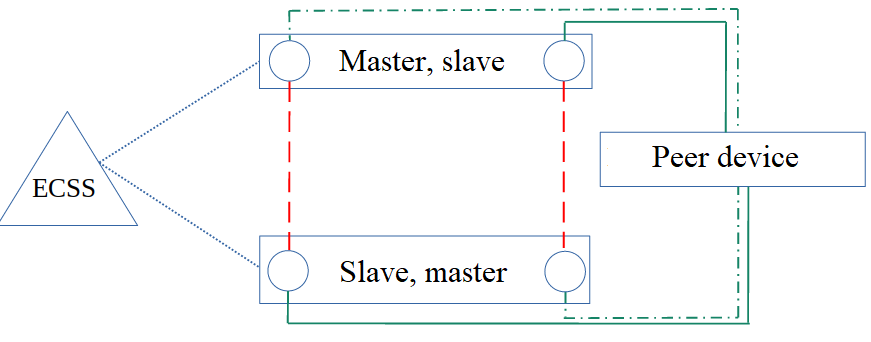
Full connectivity, a pair of peer devices
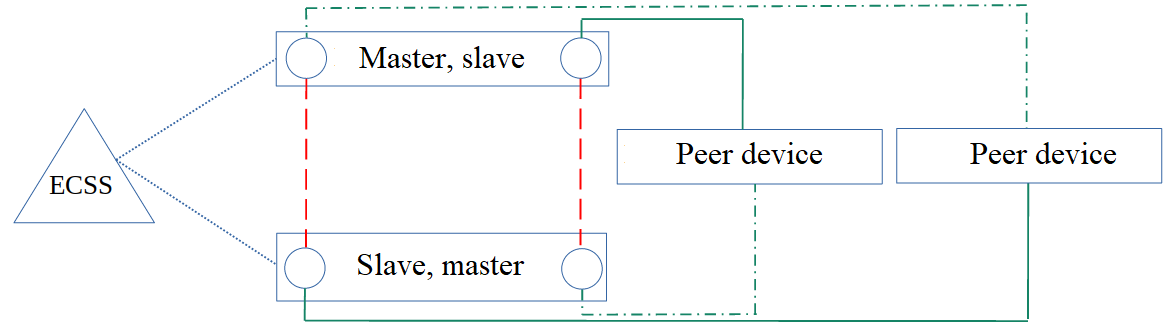
Various netlink configurations are possible within a single link set or multiple link sets. An SMG-SS7-NETLINK-MASTER licence is required for the device to operate in master mode. An SMG-SS7-NETLINK-SLAVE or SMG-SS7-NETLINK-MASTER licence is required for the device to operate in slave mode.
Description of the configuration and operation of SMG devices in a stack
1. Each device has its own IP address for operating via the SIP protocol and communicating with other devices.
2. In a partial connectivity configuration, one of the devices acts as the master, whilst the others act as slaves.
3. The following are configured on the master device:
3.1. SS7 line group;
3.2. network ID;
3.3. OPC/DPC:
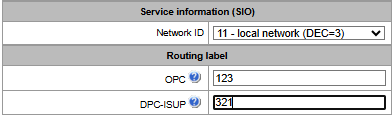
3.4. SS7 netlink in master mode (local interface and port) to connect slave devices:
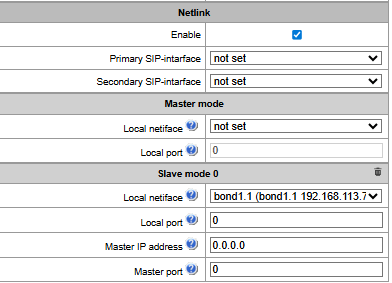
3.5. Е1 streams to connect with SS7 network;
3.6. SS7 Е1 signal links.
The master device must have at least one signal link. |
If a D-channel is configured on the slave device, the peer device may select it as the priority channel and ignore the signalling information carried on the master device’s streams, which may result in the master device’s CICs being ignored and not used during calls. To fix this situation, fully connected schemes should be used. In this case, regardless of the D-channel selected by the peer device, full information about all flows in the link set will be transmitted over all signalling links. |
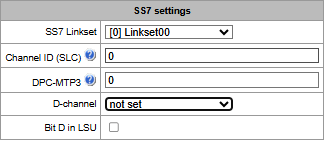
3.7. CIC numbering from 0 to 4096 (from 0 to 15 Е1 streams):
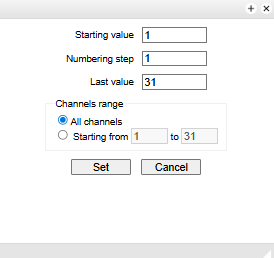
It is more convenient to manage groups of streams by selecting several streams at once that are to be assigned to a group. This includes the ability to set the CIC numbering for the entire group of streams at once.
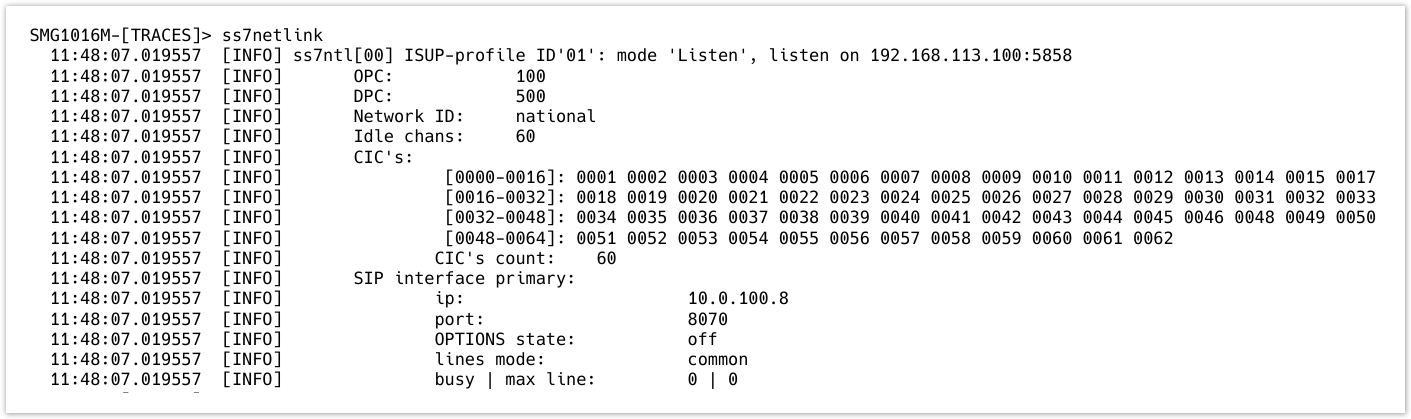
Once these steps have been completed, the master device will begin accepting connections on the interface and port specified in section 3.4. You can verify this as follows: connect to the CLI, then enter debug mode using the tracemode command and enter the ss7netlink command.
Example of the console output for the ss7netlink command executed on the master device:
4. The following are configured on the slave device:
4.1. SS7 line group;
4.2. network ID;
4.3. OPC/DPC:
The specified settings for all slave devices must be identical to those configured on the master device. |
4.5. to ensure the call balancer functions correctly, it is also necessary to create a trunk group and an associated SIP interface to which calls will be routed by the master device. The operating principle of the call balancer is described in the following section.
4.6. SS7 netlink in slave mode: local interface and port, IP address and port of the master device, as well as the primary and secondary SIP interfaces for receiving distributed calls:
4.7. Е1 streams to connect with SS7 network;
4.8. CIC numbering.
The CIC numbers on the slave devices must not overlap with those of the master device. If the number exceeds 4096, the ‘Use additional 3 bits for CIC’ option must be enabled on both the master and slave devices in the linkset. |
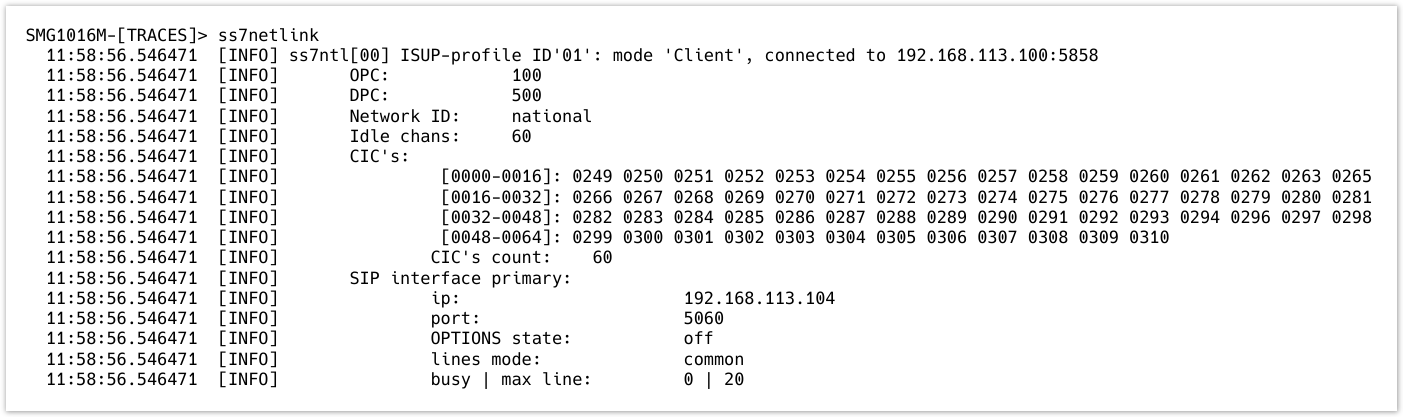
Once these steps have been completed, the slave device will establish a connection with the master device via the interface and port specified in section 4.4, using the master device’s IP address and port. This can also be verified in debug mode using the ss7netlink command.
Example of the console output for the ss7netlink command executed on the slave device:
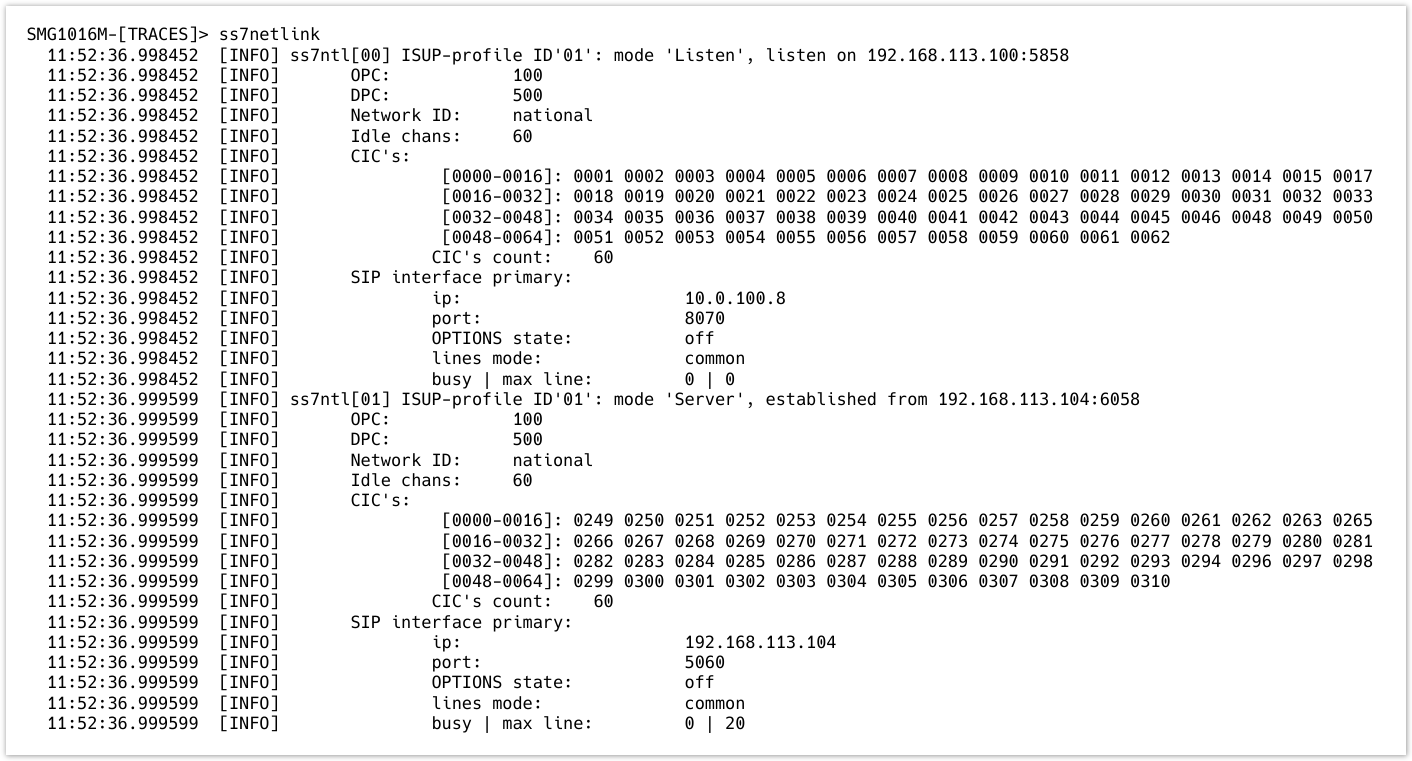
Now, in debug mode on the master device, you can see the connected slave device in the output of the `ss7netlink` command:
5. Непосредственное взаимодействие с сетью ОКС-7 производится только через основное устройство (ведущее).
6. Следующим шагом настраиваются SIP-интерфейсы, транковые группы и планы нумерации. В текущей реализации стекирования SMG каждое устройство маршрутизирует вызовы индивидуально, по настроенным у него правилам и ресурсам.
Для использования стека как единого устройства на каждом устройстве (ведущем и всех ведомых) необходимо настроить идентичные интерфейсы, транковые группы и планы нумерации. |
Принцип работы балансировщика стека ОКС-7
SS7 stack monitoring
Помимо отладочного режима нетлинка, состояние стека можно отслеживать в web-интерфейсе в разделе «Мониторинг». В мониторинге в табличном виде представлены все имеющиеся на устройстве нетлинки. Щелчком по имени раскрывается подробная информация о стеке.
Monitoring – SS7 stack monitoring
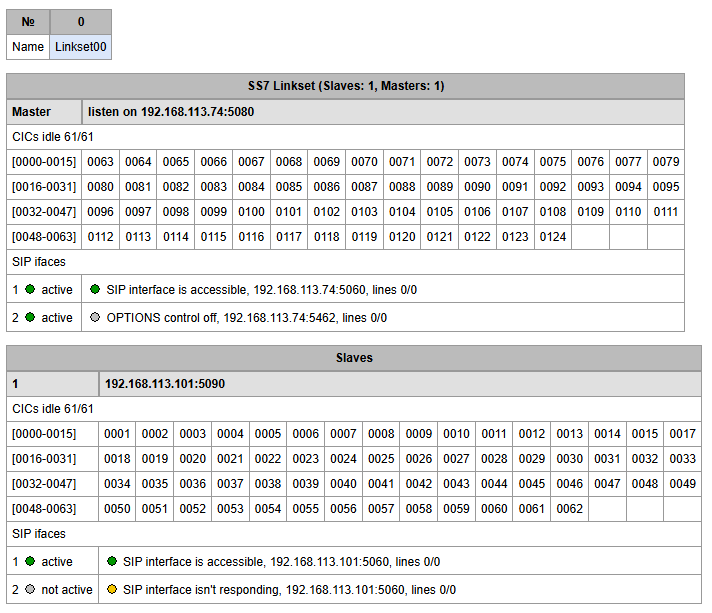
Master device monitoring
The first table shows the set of parameters for the master device:
The second table shows a set of parameters for the slave devices received by the master device:
Slave device monitoring
Monitoring – SS7 stack monitoring
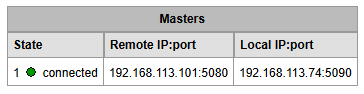
The first table shows the set of parameters for the slave device:
The second table shows the set of parameters for the master device:
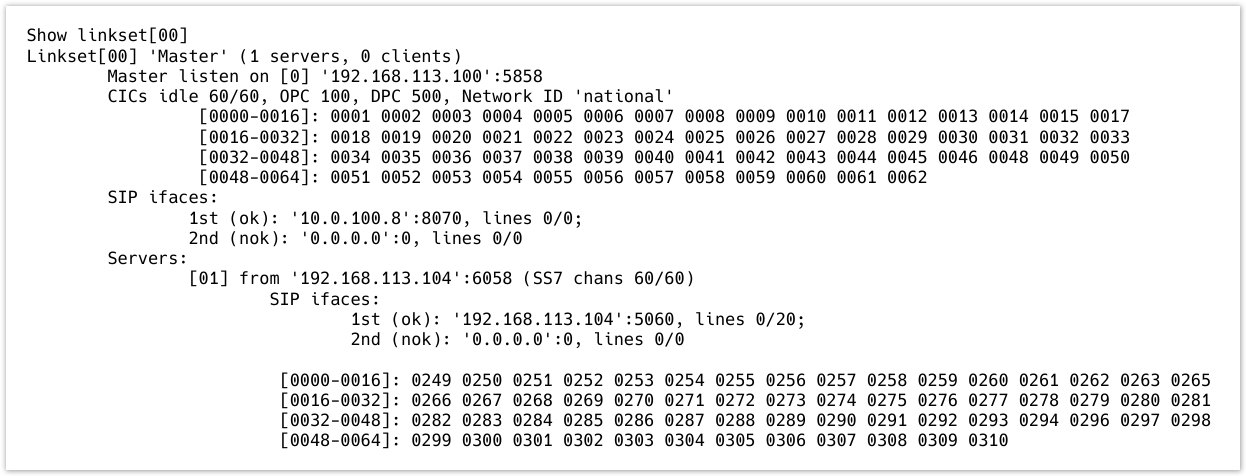
It is also possible to view the status of the master and slave devices in the CLI. To do this, enter management mode by entering the command management ss7netlink, followed by show linkset <Linkset>, where <Linkset> is the linkset number:
SMG> management Entering management mode. SMG-[MGMT]> ss7netlink SMG-[MGMT]-[SS7NETLINK]> show linkset 0 |
Example of the console output for the master device:
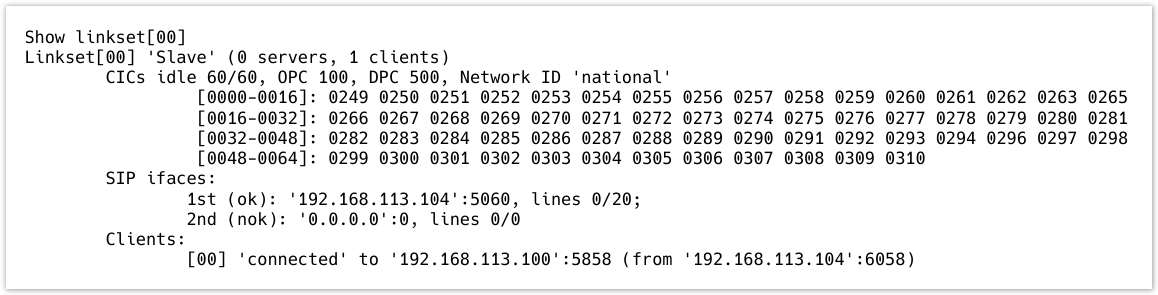
Example of the console output for the slave device: