ECSS-10 version 3.17 supports two licensing types: file-based licensing (with or without a token) and ELM licensing. Depending on the licensing type, different commands will be executed during the update. You can check which type is used on your SSW with the following command:
The output for file-based license is as follows:
The output for ELM license is as follows:
|
gluster volume for an update. sudo gluster volume set ecss_volume cluster.favorite-child-policy size |
sudo gluster volume set ecss_volume cluster.favorite-child-policy size volume set: success |
sudo gluster volume info Volume Name: ecss_volume Type: Replicate Volume ID: 4bc875b1-f966-44e2-9b3f-04f3a7af83f3 Status: Started Snapshot Count: 0 Number of Bricks: 1 x 2 = 2 Transport-type: tcp Bricks: Brick1: 10.0.10.51:/var/lib/ecss/glusterfs Brick2: 10.0.10.52:/var/lib/ecss/glusterfs Options Reconfigured: cluster.favorite-child-policy: size performance.client-io-threads: off nfs.disable: on transport.address-family: inet storage.fips-mode-rchecksum: on cluster.granular-entry-heal: on |
ecss-control tool on both servers.keepalived service on each host. keepalived on the second host (ecss2). In this case, both SIP-VRRP IP addresses will be on the first host (ecss1). Run the following command:sudo systemctl disable --now keepalived.service |
ifconfig command to check that all VRRP IP addresses are located on ecss1 (VRRP-SIP1/VRRP-SIP2):ifconfig |
sudo systemctl mask --now ecss-ds ecss-mycelium ecss-mediator ecss-core ecss-pa-sip ecss-sorm |
After the specified command is executed, the notification will appear.
These messages are not an error. Continue the procedure. |
The |
sudo ecss-control detach |
sudo ecss-control status |
sudo ecss-control detach detach host: ecss2, ip: 10.0.10.52 complete sudo ecss-control status locked ip: 10.0.10.52 |
sudo sh -c "echo deb [arch=amd64] http://archive.eltex.org/ssw/jammy/3.18 stable main extras external > /etc/apt/sources.list.d/eltex-ecss10-stable.list" |
sudo apt update |
| Make a full backup. |
psql -Upostgres -decss_storekeeper_db -h localhost -p5439 -c "SELECT node_local_dsn FROM bdr.bdr_nodes;" |
Default password is "postgres1" |
psql -Upostgres -decss_storekeeper_db -h localhost -p5439 -c "SELECT node_local_dsn FROM bdr.bdr_nodes;"
Password for user postgres:
                                    node_local_dsn
---------------------------------------------------------------------------------------
 host=10.0.10.51 port=5439 dbname=ecss_storekeeper_db user=postgres password=postgres1
 host=10.0.10.52 port=5439 dbname=ecss_storekeeper_db user=postgres password=postgres1
(2 rows)
|
sudo docker compose -f /srv/ecss/ecss-postgres-bdr-ssw/docker-compose.container.yml down |
sudo docker compose -f /srv/ecss/ecss-postgres-bdr-ssw/docker-compose.container.yml down [+] down 2/2 ✔ Container ecss-postgres-bdr-ssw-postgres-container-1 Removed ✔ Network ecss-postgres-bdr-ssw_default Removed |
sudo apt remove ecss-postgres-bdr-ssw |
Execut the remove command, not purge, because 'remove' saves the 'volumes' directory containing the database tables. |
sudo apt remove ecss-postgres-bdr-ssw Reading package lists… Ready . . . The following packages will be DELETED: ecss-postgres-bdr-ssw . . . Would you like to continue? [Y/N] y Removing ecss-postgres-bdr-ssw (17.1.0.59+ssw) … |
sudo apt install ecss-postgres-bdr-ssw |
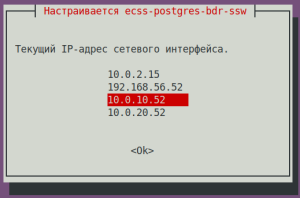
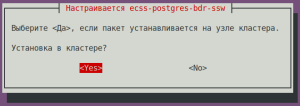
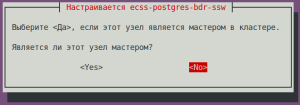
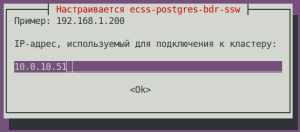
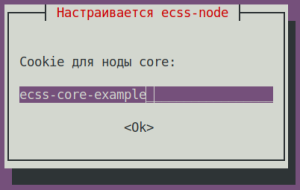
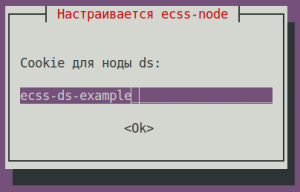
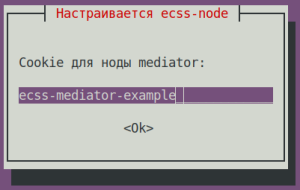
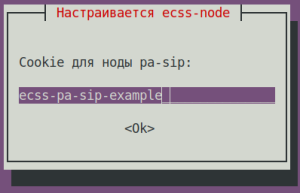
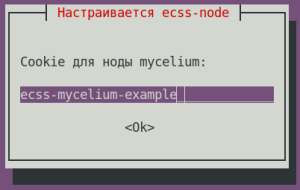
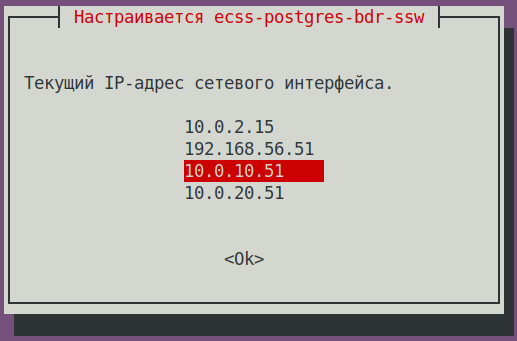
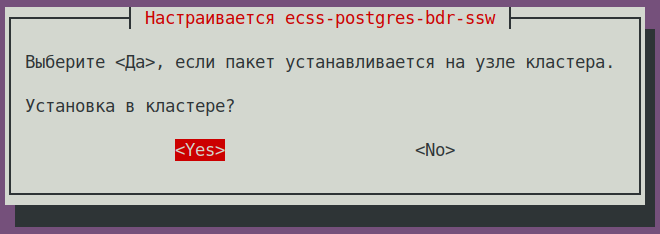
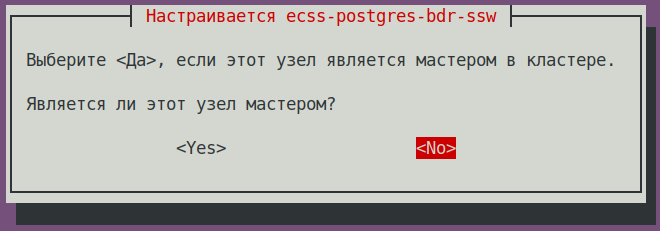
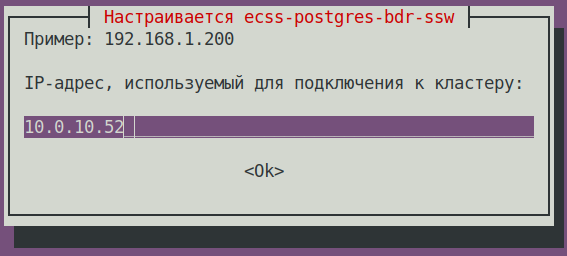
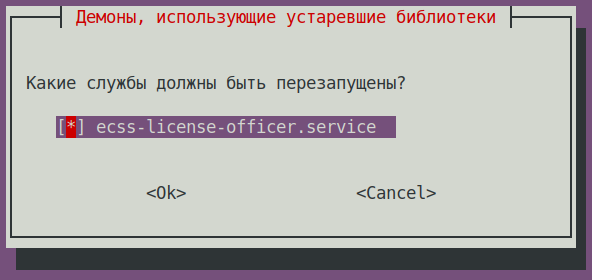
During installation, you will be asked the same questions as during the initial installation: |
|
sudo apt install ecss-postgres-bdr-ssw . . . ============================= Checking replication status ============================= BDR replication is configured correctly: the data matches. . . . ======================================================= ======================================================= ecss-postgres-bdr-ssw successfully installed/updated! ======================================================= ======================================================= ┏┓┏┓┏┓┏┳┓┏┓┳┓┏┓┏┓ ┳┓┳┓┳┓ ┏┓┏┓┓ ┏ ┃┃┃┃┗┓ ┃ ┃┓┣┫┣ ┗┓ ┣┫┃┃┣┫ ┗┓┗┓┃┃┃ ┣┛┗┛┗┛ ┻ ┗┛┛┗┗┛┗┛ ┻┛┻┛┛┗ ┗┛┗┛┗┻┛ |
docker ps |
docker ps CONTAINER ID IMAGE COMMAND CREATED STATUS PORTS NAMES 80ef72d3b125 git.eltex.loc:4567/ecss/ecss-postgresbdr:3.18 "/docker-entrypoint.…" 8 minutes ago Up 8 minutes 0.0.0.0:5439->5432/tcp, [::]:5439->5432/tcp ecss-postgres-bdr-ssw-postgres-container-1 |
ecss-dns-env package:sudo apt install ecss-dns-env |
ecss-user package:sudo apt install ecss-user |
ecss-utils package:sudo apt install ecss-utils |
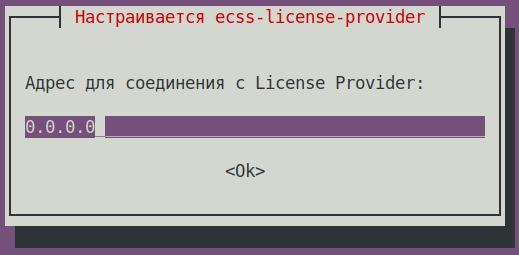
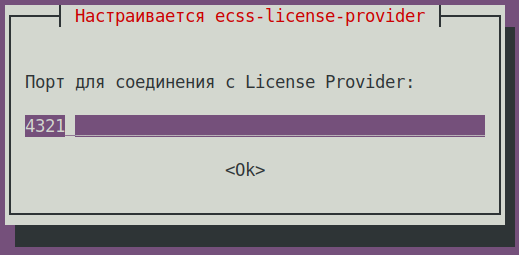
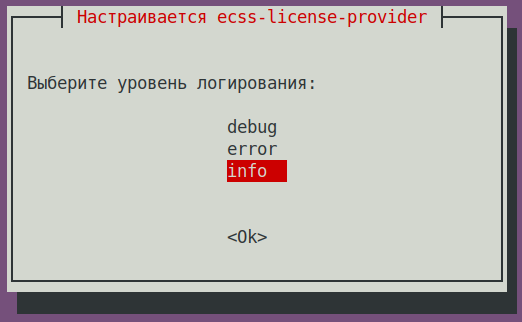
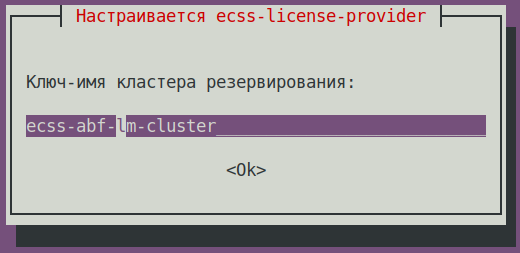
Install the License Provider package:
When installing the
The data is saved to the
License Provider (LP) configuration The The information is saved to the The config.yaml file contains general settings for connecting to the ELM server and information about licenses: what licenses to take, where to take them from, and where to send them, all this information should be configured manually.
ecss-elm-adapter configuration file used in the version 3.17 /etc/ecss/ecss-elm-adapter/config.env:
In the
ecss_nodes block. You must specify the details of the services that will receive the license. A service is defined by three parameters:
Restart the
|
No addditional actions required. |
sudo apt install ecss-node |
|
sudo systemctl unmask ecss-ds ecss-mycelium ecss-mediator ecss-core ecss-pa-sip ecss-sorm |
sudo systemctl enable ecss-ds ecss-mycelium ecss-mediator ecss-core ecss-pa-sip ecss-sorm |
Before starting the SSW nodes, change the cluster name (to any other name—just make sure it doesn’t match that of a neighbor (ecss1) or any other potential PBX in your network, otherwise it will try to connect to it). To do this, in the
|
ecss-myceliumsudo systemctl start ecss-mycelium |
ecss-dssudo systemctl start ecss-ds |
ecss-coresudo systemctl start ecss-core |
ecss-mediatorsudo systemctl start ecss-mediator |
Do not start PA-SIP yet |
system-status command in CoCon:/system-status Checking... ┌─┬───────────────┬────────────────────────┬───────────────┬────────────┬──────┐ │ │ Node │ Release │ Erlang nodes │Mnesia nodes│Uptime│ ├─┼───────────────┼────────────────────────┼───────────────┼────────────┼──────┤ │ │core1@ecss2 │ecss-core-3.18.0.217 │core1@ecss2 │not running │1m 28s│ │ │ds1@ecss2 │ecss-ds-3.18.0.217 │ds1@ecss2 │ds1@ecss2 │1m 32s│ │ │md1@ecss2 │ecss-mediator-3.18.0.217│md1@ecss2 │md1@ecss2 │1m 23s│ │ │mycelium1@ecss2│ecss-mycelium-3.18.0.217│mycelium1@ecss2│not running │1m 37s│ │ │sorm1@ecss2 │ecss-sorm-3.18.0.217 │sorm1@ecss2 │not running │1m 56s│ └─┴───────────────┴────────────────────────┴───────────────┴────────────┴──────┘ All services are started. Active media resource selected list specific: ┌─────────────┬───────────┬─────────────┬───────────┬───────────┐ │ Node │ MSR │ MSR │ Cc-status │ Cc-uptime │ │ │ │ version │ │ │ ├─────────────┼───────────┼─────────────┼───────────┼───────────┤ │ core1@ecss2 │ msr.ecss1 │ 3.17.1.0.27 │ connected │ 00:00:14 │ │ │ msr.ecss2 │ 3.17.1.0.27 │ connected │ 00:00:16 │ └─────────────┴───────────┴─────────────┴───────────┴───────────┘ |
Disable the ecss-elm-adapter service on ecss1 using the command below:
Configure SSW connection to License Provider by running the command below in CoCon, (in the example License Provider is installed in a cluster, host IPs are 10.0.10.51 and 10.0.10.52. Port value is taken from the
After command execution check the connection status using the following command:
All hosts should have the alive=true status. One should have the "current" status.
If status of one of the License Provider hosts is current, a request for uploading the license to SSW can be sent using the following command:
|
No additional actions are required. |
ecss-restfs.| Accept all new configuration files by choosing Y. |
sudo apt install ecss-restfs |
ecss-media-server package.sudo apt install ecss-media-server |
ecss-media-resources package.sudo apt install ecss-media-resources |
ecss-web-conf package.sudo apt install ecss-web-conf |
Check the list of installed services using the following command:
Based on the results of running the command, reinstall packages with version 17.1.*. In this example — Updating the
Updating the
Updating the
Updating the
Updating the
|
Delete the no longer used ecss-elm-adapter package using the following command:
|
No additional actions are required |
keepalived service.keepalived service, the ecss-pa-sip service should be started:sudo systemctl start ecss-pa-sip |
sudo systemctl enable --now keepalived |
Starting the |
sudo systemctl disable --now keepalived.service |
ifconfig command to make sure that all VRRP addresses (VRRP IP-SIP1 / VRRP IP-SIP2) are located on ecss2.ifconfig |
| Do a complete backup |
sudo systemctl mask --now ecss-ds ecss-mycelium ecss-mediator ecss-core ecss-pa-sip ecss-sorm |
After executing the command the following notification will appear.
These messages are not an error. Continue the procedure. |
The |
sudo ecss-control attach |
psql -Upostgres -decss_storekeeper_db -h localhost -p5439 -c "SELECT node_local_dsn FROM bdr.bdr_nodes;" |
psql -Upostgres -decss_storekeeper_db -h localhost -p5439 -c "SELECT node_local_dsn FROM bdr.bdr_nodes;"
Password for user postgres:
                                    node_local_dsn
---------------------------------------------------------------------------------------
 host=10.0.10.51 port=5439 dbname=ecss_storekeeper_db user=postgres password=postgres1
 host=10.0.10.52 port=5439 dbname=ecss_storekeeper_db user=postgres password=postgres1
(2 rows)
|
sudo docker compose -f /srv/ecss/ecss-postgres-bdr-ssw/docker-compose.container.yml down |
sudo docker compose -f /srv/ecss/ecss-postgres-bdr-ssw/docker-compose.container.yml down [+] down 2/2 ✔ Container ecss-postgres-bdr-ssw-postgres-container-1 Removed ✔ Network ecss-postgres-bdr-ssw_default Removed |
sudo apt remove ecss-postgres-bdr-ssw |
Run remove, not purge, because remove saves the volumes directory containing the database tables. |
sudo apt remove ecss-postgres-bdr-ssw Reading packet lists… Ready . . . The following packets will be REMOVED: ecss-postgres-bdr-ssw . . . Do you want to continue? [y/n] y Removing ecss-postgres-bdr-ssw (17.1.0.59+ssw) … |
sudo apt install ecss-postgres-bdr-ssw |
During the installation the same questions will be asked as during the initial installation: |
|
sudo apt install ecss-postgres-bdr-ssw . . . ============================= Checking replication status ============================= BDR replication is configured correctly: the data matches. . . . ======================================================= ======================================================= ecss-postgres-bdr-ssw successfully installed/updated! ======================================================= ======================================================= ┏┓┏┓┏┓┏┳┓┏┓┳┓┏┓┏┓ ┳┓┳┓┳┓ ┏┓┏┓┓ ┏ ┃┃┃┃┗┓ ┃ ┃┓┣┫┣ ┗┓ ┣┫┃┃┣┫ ┗┓┗┓┃┃┃ ┣┛┗┛┗┛ ┻ ┗┛┛┗┗┛┗┛ ┻┛┻┛┛┗ ┗┛┗┛┗┻┛ |
docker ps |
docker ps CONTAINER ID IMAGE COMMAND CREATED STATUS PORTS NAMES f53bd28c78ff git.eltex.loc:4567/ecss/ecss-postgresbdr:3.18 "/docker-entrypoint.…" 3 minutes ago Up 3 minutes 0.0.0.0:5439->5432/tcp, [::]:5439->5432/tcp ecss-postgres-bdr-ssw-postgres-container-1 |
ecss-dns-env package.sudo apt install ecss-dns-env |
| When updating, accept all new configuration files using Y. |
ecss-user package:sudo apt install ecss-user |
ecss-utils package:sudo apt install ecss-utils |
Install the License Provider package:
When istalling the
Данные сохраняются в файле
Configuring License Provider (LP) The Information is saved to the The
ecss-elm-adapter configuration file used in the version 3.17 /etc/ecss/ecss-elm-adapter/config.env:
It is necessary to specify the ELM servers list to which you wnat to connect to obtain licenses, in the
Example:
The ecss_nodes block. This block must specify the details of the services that will receive the license. A service is specified by three parameters:
Restart the
|
No additional actions are required |
ecss-node package:sudo apt install ecss-node |
|
sudo systemctl unmask ecss-ds ecss-mycelium ecss-mediator ecss-core ecss-pa-sip |
sudo systemctl enable ecss-ds ecss-mycelium ecss-mediator ecss-core ecss-pa-sip |
Before starting the SSW nodes, change thename of the cluster to the name specified for the ecss2 server (in step 3.4). To do that, in the
|
sudo systemctl start ecss-mycelium |
/system-status Checking... ┌─┬───────────────┬────────────────────────┬───────────────────────────────┬─────────────────────┬───────┐ │ │ Node │ Release │ Erlang nodes │ Mnesia nodes │Uptime │ ├─┼───────────────┼────────────────────────┼───────────────────────────────┼─────────────────────┼───────┤ │ │core1@ecss2 │ecss-core-3.18.0.249 │core1@ecss1,core1@ecss2 │not running │12m 12s│ │ │ds1@ecss2 │ecss-ds-3.18.0.249 │ds1@ecss1,ds1@ecss2 │ds1@ecss1,ds1@ecss2 │12m 12s│ │ │md1@ecss2 │ecss-mediator-3.18.0.249│md1@ecss1,md1@ecss2 │md1@ecss1,md1@ecss2 │12m 12s│ │ │mycelium1@ecss1│ecss-mycelium-3.18.0.249│mycelium1@ecss1,mycelium1@ecss2│not running │12m 14s│ │ │mycelium1@ecss2│ecss-mycelium-3.18.0.249│mycelium1@ecss1,mycelium1@ecss2│not running │12m 13s│ │ │sip1@ecss2 │ecss-pa-sip-3.18.0.249 │sip1@ecss1,sip1@ecss2 │sip1@ecss1,sip1@ecss2│12m 13s│ └─┴───────────────┴────────────────────────┴───────────────────────────────┴─────────────────────┴───────┘ All services are started. Active media resource selected list specific: ┌─────────────┬───────────┬─────────────┬───────────┬───────────┐ │ Node │ MSR │ MSR │ Cc-status │ Cc-uptime │ │ │ │ version │ │ │ ├─────────────┼───────────┼─────────────┼───────────┼───────────┤ │ core1@ecss2 │ msr.ecss1 │ 3.17.1.0.27 │ connected │ 00:10:50 │ │ │ msr.ecss2 │ 3.18.0.7 │ connected │ 00:10:51 │ └─────────────┴───────────┴─────────────┴───────────┴───────────┘ |
sudo systemctl start ecss-ds |
/system-status Checking... ┌─┬───────────────┬────────────────────────┬───────────────────────────────┬─────────────────────┬───────┐ │ │ Node │ Release │ Erlang nodes │ Mnesia nodes │Uptime │ ├─┼───────────────┼────────────────────────┼───────────────────────────────┼─────────────────────┼───────┤ │ │core1@ecss2 │ecss-core-3.18.0.249 │core1@ecss1,core1@ecss2 │not running │12m 12s│ │ │ds1@ecss1 │ecss-ds-3.18.0.249 │ds1@ecss1,ds1@ecss2 │ds1@ecss1,ds1@ecss2 │12m 14s│ │ │ds1@ecss2 │ecss-ds-3.18.0.249 │ds1@ecss1,ds1@ecss2 │ds1@ecss1,ds1@ecss2 │12m 12s│ │ │md1@ecss2 │ecss-mediator-3.18.0.249│md1@ecss1,md1@ecss2 │md1@ecss1,md1@ecss2 │12m 12s│ │ │mycelium1@ecss1│ecss-mycelium-3.18.0.249│mycelium1@ecss1,mycelium1@ecss2│not running │12m 14s│ │ │mycelium1@ecss2│ecss-mycelium-3.18.0.249│mycelium1@ecss1,mycelium1@ecss2│not running │12m 13s│ │ │sip1@ecss2 │ecss-pa-sip-3.18.0.249 │sip1@ecss1,sip1@ecss2 │sip1@ecss1,sip1@ecss2│12m 13s│ └─┴───────────────┴────────────────────────┴───────────────────────────────┴─────────────────────┴───────┘ All services are started. Active media resource selected list specific: ┌─────────────┬───────────┬─────────────┬───────────┬───────────┐ │ Node │ MSR │ MSR │ Cc-status │ Cc-uptime │ │ │ │ version │ │ │ ├─────────────┼───────────┼─────────────┼───────────┼───────────┤ │ core1@ecss2 │ msr.ecss1 │ 3.17.1.0.27 │ connected │ 00:10:50 │ │ │ msr.ecss2 │ 3.18.0.7 │ connected │ 00:10:51 │ └─────────────┴───────────┴─────────────┴───────────┴───────────┘ |
ecss-mediator, ecss-pa-sip, and ecss-core services using the following commands:sudo systemctl start ecss-core |
sudo systemctl start ecss-mediator |
sudo systemctl start ecss-pa-sip |
/system-status Checking... ┌─┬───────────────┬────────────────────────┬───────────────────────────────┬─────────────────────┬───────┐ │ │ Node │ Release │ Erlang nodes │ Mnesia nodes │Uptime │ ├─┼───────────────┼────────────────────────┼───────────────────────────────┼─────────────────────┼───────┤ │ │core1@ecss1 │ecss-core-3.18.0.249 │core1@ecss1,core1@ecss2 │not running │12m 14s│ │ │core1@ecss2 │ecss-core-3.18.0.249 │core1@ecss1,core1@ecss2 │not running │12m 12s│ │ │ds1@ecss1 │ecss-ds-3.18.0.249 │ds1@ecss1,ds1@ecss2 │ds1@ecss1,ds1@ecss2 │12m 14s│ │ │ds1@ecss2 │ecss-ds-3.18.0.249 │ds1@ecss1,ds1@ecss2 │ds1@ecss1,ds1@ecss2 │12m 12s│ │ │md1@ecss1 │ecss-mediator-3.18.0.249│md1@ecss1,md1@ecss2 │md1@ecss1,md1@ecss2 │12m 14s│ │ │md1@ecss2 │ecss-mediator-3.18.0.249│md1@ecss1,md1@ecss2 │md1@ecss1,md1@ecss2 │12m 12s│ │ │mycelium1@ecss1│ecss-mycelium-3.18.0.249│mycelium1@ecss1,mycelium1@ecss2│not running │12m 14s│ │ │mycelium1@ecss2│ecss-mycelium-3.18.0.249│mycelium1@ecss1,mycelium1@ecss2│not running │12m 13s│ │ │sip1@ecss1 │ecss-pa-sip-3.18.0.249 │sip1@ecss1,sip1@ecss2 │sip1@ecss1,sip1@ecss2│12m 14s│ │ │sip1@ecss2 │ecss-pa-sip-3.18.0.249 │sip1@ecss1,sip1@ecss2 │sip1@ecss1,sip1@ecss2│12m 13s│ └─┴───────────────┴────────────────────────┴───────────────────────────────┴─────────────────────┴───────┘ All services are started. Active media resource selected list specific: ┌─────────────┬───────────┬─────────────┬───────────┬───────────┐ │ Node │ MSR │ MSR │ Cc-status │ Cc-uptime │ │ │ │ version │ │ │ ├─────────────┼───────────┼─────────────┼───────────┼───────────┤ │ core1@ecss1 │ msr.ecss1 │ 3.17.1.0.27 │ connected │ 00:10:51 │ │ │ msr.ecss2 │ 3.18.0.7 │ connected │ 00:10:48 │ │ core1@ecss2 │ msr.ecss1 │ 3.17.1.0.27 │ connected │ 00:10:50 │ │ │ msr.ecss2 │ 3.18.0.7 │ connected │ 00:10:51 │ └─────────────┴───────────┴─────────────┴───────────┴───────────┘ |
keepalived service.sudo systemctl enable --now keepalived |
Configure the SSW connection to the License Provider using the following command in CoCon (in this example, the License Provider is installed in a cluster, and the host IP addresses are 10.0.10.51 and 10.0.10.52, The default port value from the
After execution, check the connection status with the following command:
All hosts must have a status of alive=true. One must be “current.”
If the status for one of the License Provider hosts is shown as “current,” you can send a request to upload the license to the SSW using the following command:
|
No additional actions are required |
ecss-restfs package:sudo apt install ecss-restfs |
ecss-media-server package:sudo apt install ecss-media-server |
sudo dpkg-reconfigure ecss-media-server |
/etc/ecss/ecss-media-server/config.xml file if needed:
|
ecss-media-resources package:sudo apt install ecss-media-resources |
ecss-web-conf package:sudo apt install ecss-web-conf |
Check the installed services list using the following command:
After executing teh command reinstall the packages taht have the 17.1.* version. In this example – Updating the
Updating the
Updating the
|
Delete the ecss-elm-adapter package that's no longer used, via the following command:
|
No additional actions are required. |