Installation of NAICE as a QCOW2 image has been supported since version 1.1. |
In version 1.1, NAICE installation using a QCOW2 image is supported only in single-host mode (without high availability). Building a cluster from two separate single-host NAICE installations is not possible. |
By default, the system image is installed with the following minimum parameters:
If necessary, the system parameters can be increased to the recommended values:
QCOW2 image based on Ubuntu 24.04 naice-v1.2-3237-ubuntu-24.04.qcow2
QCOW2 image based on RedOS 7.3 naice-v1.2-3237-redos-7.3.qcow2
After the virtual machine is deployed, log in to the system:
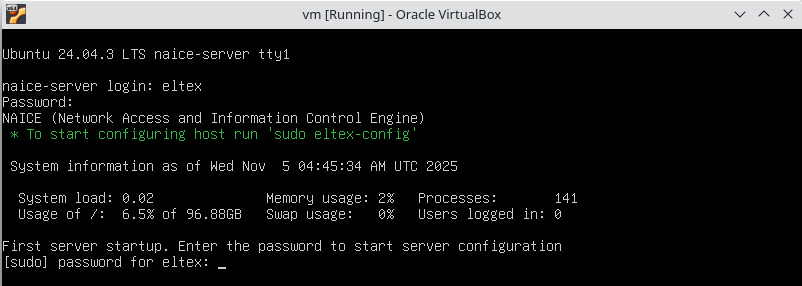
(Optional) After logging in, the NAICE server configuration process is started. During the configuration, you can set the following parameters:
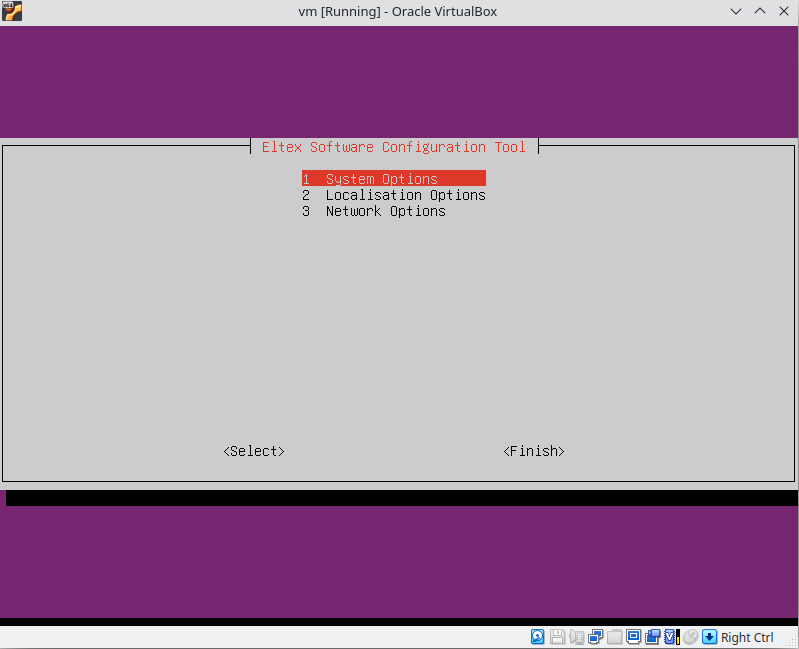
After all required parameters have been configured, click the Finish button. The following message will appear upon completion of the installation:

If the basic settings listed in step 7 need to be reconfigured (for example, to change the IP address), run the configurator again with the following command:
sudo eltex-config |
After the OVA image is installed, two web interfaces are available:
1) OVA web interface at the following address.
https://<NAICE installation IP address>:8000 |
This web interface is intended to simplify the initial setup and configuration of the NAICE software.
Default login credentials:
By default, the web interface runs in Read-Only mode. To switch to editing mode, click the E button in the upper right corner of the screen and select Edit Mode.
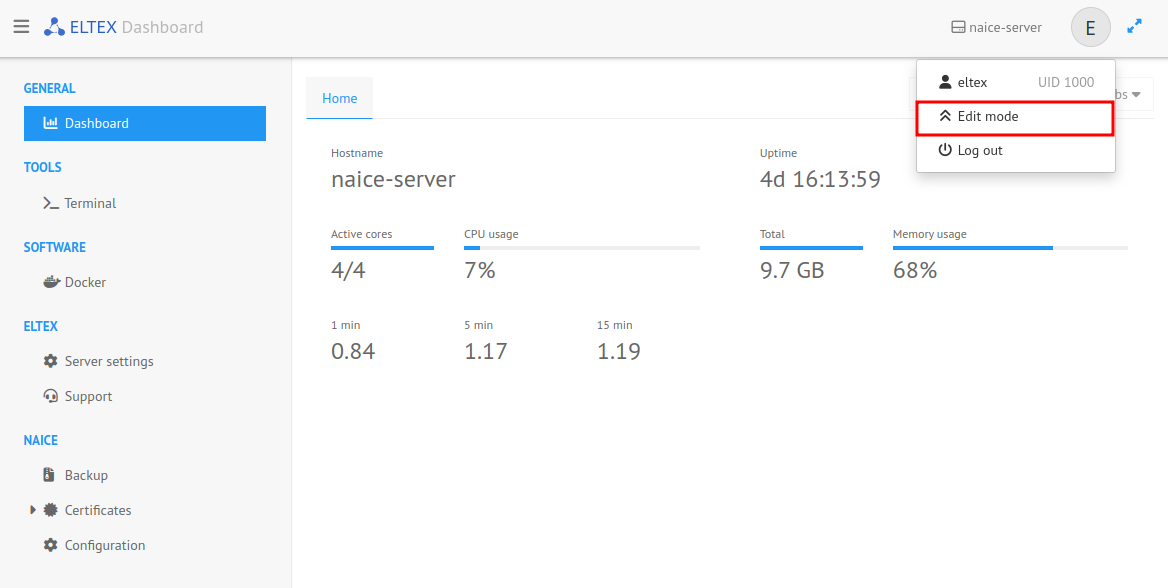
2) NAICE web interface.
https://<NAICE installation IP address> |
Default login credentials: