
Only for TAU-16.IP, TAU-24.IP, TAU-32M.IP, TAU-36.IP, TAU-72.IP.
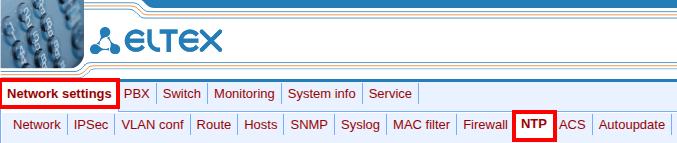
- Go to the TAU web interface, select the “Network settings” → “NTP” menu.
- “Enable NTP” – activate the checkbox for NTP synchronization.
- “NTP server” – IP or FQDN address of the NTP server with which synchronization will be performed.
- “Enable synchronization” – check the checkbox to enable periodic time synchronization.
- “Synchronization period” – the time period between synchronizations.
- “Zone info” – select the time zone.
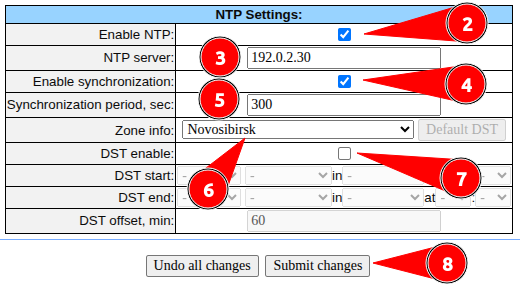
- “DST enable” – enable and configure the transition to daylight saving time.
- Click the “Submit changes” button.