
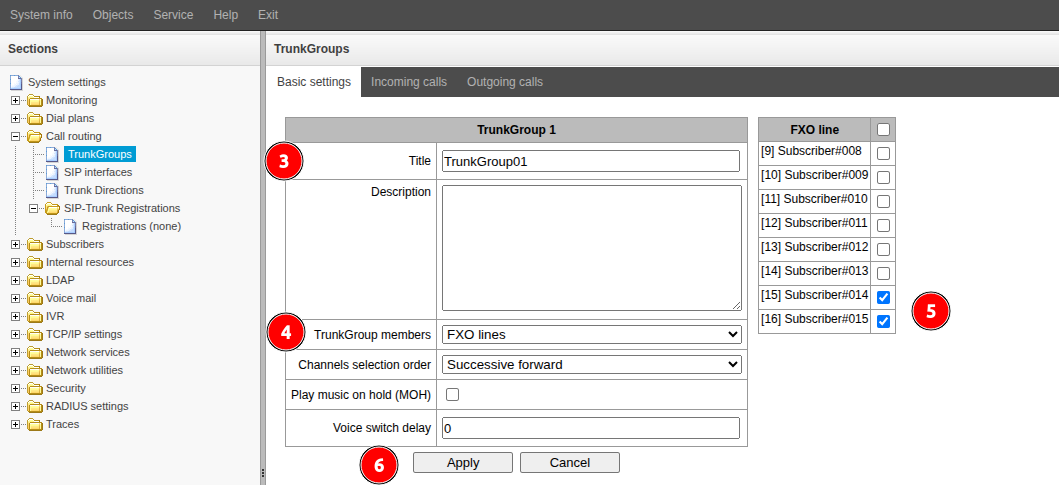
Go to the "Call routing" → "TrunkGroups" menu.
CLick the
 button.
 Fill in the "Title" field. Specify a name that describes the purpose of the route you are creating.
- In the “TrunkGroup members” field, select "FXO lines".
- In the “FXO line” block, select the FXO ports that will be included in this group.
Click the “Apply” button.
Обзор
Инструменты контента
Приложения