Configuring the stream
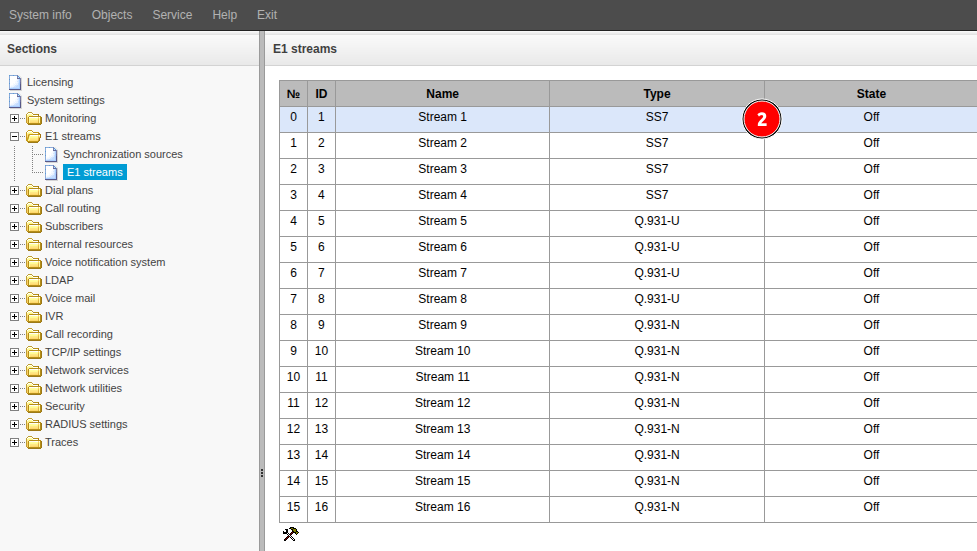
Go to the “E1 streams” → “E1 streams” menu.
- Double-click on the desired stream in the table.
- Change the “Title” field.
- Select “Signaling” after agreeing with the other party.
- Activate the checkbox in the “Enable” field.
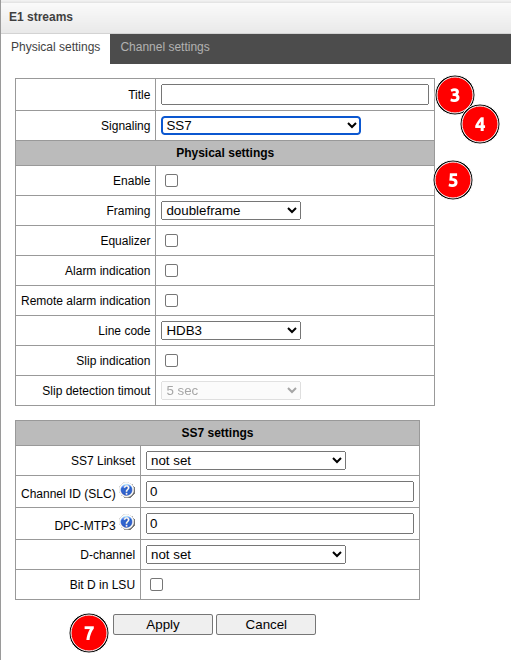
- If necessary, configure the parameters below.
- Click the “Apply” button.
If there are multiple E1 streams, repeat steps 2 through 7.
Synchronization settings
- Go to the "E1 streams" → "Synchronization sources" menu.
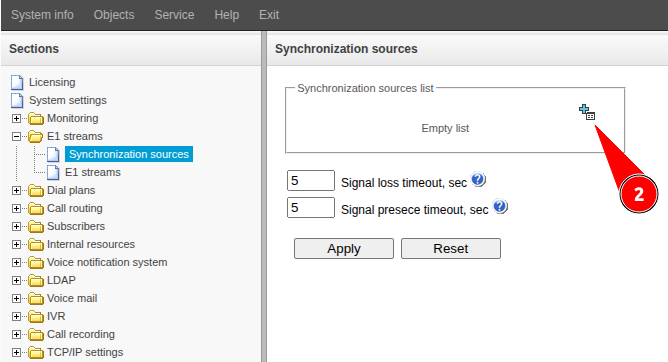
- Click the
 button.
 - In the "Source" field, select the stream number from which synchronization will be performed.
- Click the "Add" button.
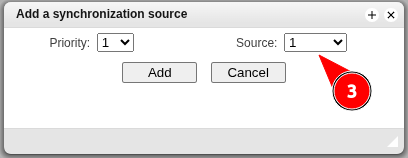
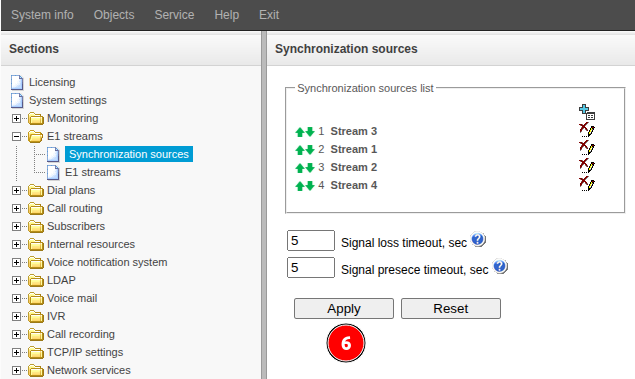
- If you are using multiple E1 streams from higher-level stations, you can add multiple synchronization sources by selecting a priority for each one and repeating steps 2 through 4. It is not recommended to assign the same priority to two or more streams.
- Click the "Apply" button.