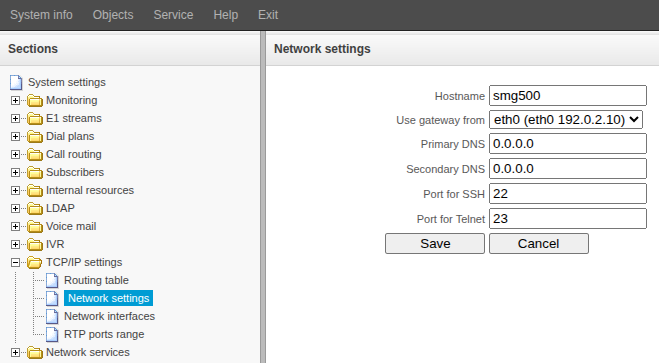
- Go to "TCP/IP settings" → "Network settings".
- If multiple network interfaces are configured on the SMG, check and, if necessary, select the interface from the “Use gateway from” field for which the default gateway will be selected.
- Change the following fields if necessary:
- Primary DNS
- Secondary DNS
- If necessary, change the SSH and Telnet access ports.
- Click the "Save" button.