...
| Блок кода |
|---|
sudo apt install -y ecss-dns-env |
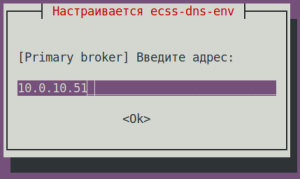
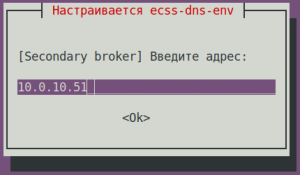
Настройщик предложит выбрать разделы для настройки по вопросам ниже. Нужно выбрать broker. (для примера The configurator will prompt you to select the sections to configure based on the questions below. Select a broker. (For example, 10.0.10.51).
| Вопрос ecss-dns-env question | Ответы для Answers for ecss1 | |
|---|
| [Primary broker] Введите адрес Enter the address ([Primary broker] Enter ip) | 10.0.10.51 (необходимо ввестиneeds to be entered) | |
| [Secondary broker] Введите адрес Enter the address ([Secondary broker] Enter ip) | 10.0.10.51 (необходимо ввестиneeds to be entered) | |
| Предупреждение |
|---|
|
If there will be a need to adjust the IP addresses later, use the following commandВ случае последующей коррекции IP-адресов следует использовать команду: | Блок кода |
|---|
| sudo dpkg-reconfigure ecss-dns-env |
|
...
Installing Postgres
| Предупреждение |
|---|
|
Перед установкойBefore installing ecss-postgres-bdr-ssw в системе, в apt sources, должен быть добавлен docker для этого выполнить следующие команды, docker should be added to apt sources. To do that, run the following commands:
| Блок кода |
|---|
| title | на новом on a new ssw |
|---|
| sudo install -m 0755 -d /etc/apt/keyrings |
| Блок кода |
|---|
| title | на новом on a new ssw |
|---|
| sudo curl -fsSL https://download.docker.com/linux/ubuntu/gpg -o /etc/apt/keyrings/docker.asc |
| Блок кода |
|---|
| title | на новом on a new ssw |
|---|
| sudo chmod a+r /etc/apt/keyrings/docker.asc |
| Блок кода |
|---|
| title | на новом on a new ssw |
|---|
| sudo sh -c "echo 'deb [arch=amd64 signed-by=/etc/apt/keyrings/docker.asc] https://download.docker.com/linux/ubuntu jammy stable' >> /etc/apt/sources.list.d/docker.list" |
| Блок кода |
|---|
| language | bash |
|---|
| title | на новом on a new ssw |
|---|
| sudo apt update && sudo apt upgrade |
|
Установка пакета Installing the ecss-postgres-bdr-ssw package
Выполнить установку пакета
Install the ecss-postgres-bdr-ssw package:
| Блок кода |
|---|
| language | bash |
|---|
| title | на новом on a new ssw |
|---|
|
sudo apt install ecss-postgres-bdr-ssw |
При конфигурации пакета When configuring the ecss-postgres-bdr-ssw будут заданы вопросыpackage, the following questions will be asked:
| Вопросы ecss-postgres-bdr-ssw questions | Ответы для Answers for ecss1 | ПримерExample |
|---|
Текущий IP-адрес сетевого интерфейса
(Выбрать адрес ранее используемый Current IP address of the network interface
(Select the address used earlier by MySQL). | Выбрать из списка IP-адрес для работы с Postgres | 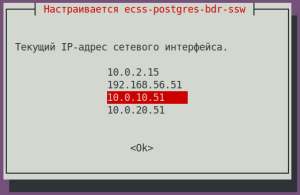 Image Removed Image Removed
| Select an IP address for working with Postgres from the list | Image Added
|
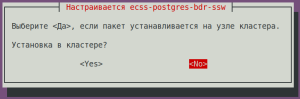
| Install on a clusterУстановка в кластере? | No (необходимо выбрать (needs to be selected) | |
| Без форматированияcode |
|---|
|
. . .
==================
 Create databases
==================
CREATE DATABASE
CREATE DATABASE
CREATE EXTENSION
CREATE EXTENSION
===================================
 Creating Postgres Exporter Schema
===================================
Node IP: localhost
CREATE SCHEMA
GRANT
CREATE FUNCTION
CREATE VIEW
GRANT
CREATE FUNCTION
CREATE VIEW
GRANT
CREATE EXTENSION
CREATE FUNCTION
CREATE VIEW
GRANT
=======================================================
=======================================================
 ecss-postgres-bdr-ssw successfully installed/updated!
=======================================================
=======================================================
┏┓┏┓┏┓┏┳┓┏┓┳┓┏┓┏┓  ┳┓┳┓┳┓  ┏┓┏┓┓ ┏
┃┃┃┃┗┓ ┃ ┃┓┣┫┣ ┗┓  ┣┫┃┃┣┫  ┗┓┗┓┃┃┃
┣┛┗┛┗┛ ┻ ┗┛┛┗┗┛┗┛ ┻┛┻┛┛┗ ┗┛┗┛┗┻┛ |
| Раскрыть |
|---|
| title | В случае использования файлового лицензированияIf a file-based license is used |
|---|
|
| Информация |
|---|
| title | В случае использования файлового лицензирования | If a file-based license is used |
|---|
| No additional actions are necessary for this stepНа данном шаге никаких дополнительных действий выполнять не требуется. |
|
| Раскрыть |
|---|
| title | В случае использования ELM лицензирования | If the ELM licensing is used |
|---|
|
Install the License Provider packageУстановить пакет License Provider: | Блок кода |
|---|
| sudo apt install ecss-license-provider |
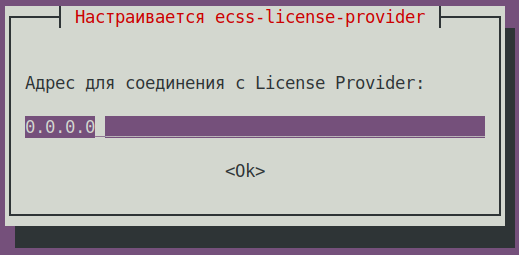
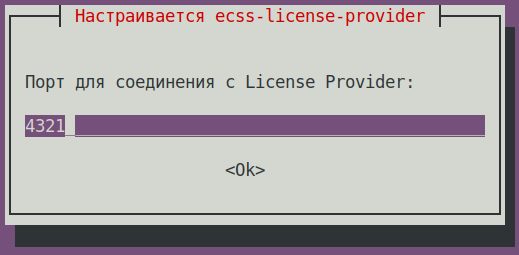
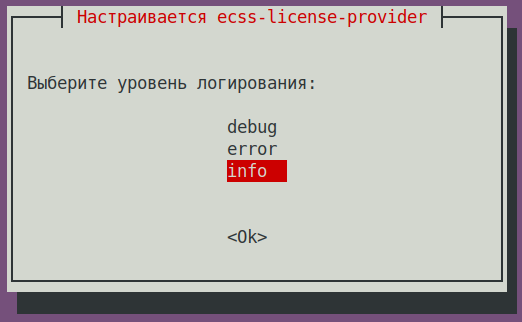
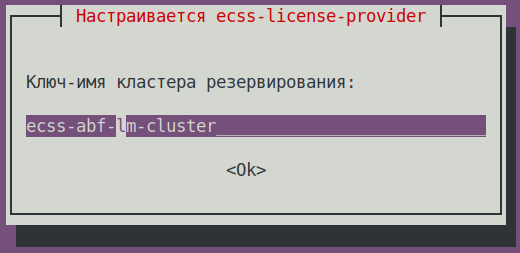
При установке пакета When istalling the ecss-license-provider будут заданы вопросыpackage, the following questions will be asked: | ВопросыQuestions | ОтветыAnswers | ПримерыExamples |
|---|
Адрес для соединения с License Provider :
License Provider listen ip: | 0.0.0.0 (значение по умолчаниюdefault value) | | Порт для соединения c License Provider:
License Provider listen port: | 4321 (значение по умолчаниюdefault value) | Выберите уровень логирования: | | Log level: | info (значение по умолчаниюdefault value),
возможные вариантыpossible options: debug, error, info | | Ключ-имя кластера резервирования:
License Provider cluster key:
| specify a unique nameуказать уникальное имя
ecss-lm-cluster (значение по умолчаниюdefault value) | Подсказка |
|---|
| Менеджеры с одинаковыми именами попытаются собраться в кластер и резервировать друг друга Managers with identical names will try to form a cluster for mutual redundancy. |
| |
Данные сохраняются в файле The data is saved to the /etc/ecss/ecss-license-provider/config.env file: | Без форматирования |
|---|
ECSS_LM_HOST=0.0.0.0
ECSS_LM_PORT=4321
ECSS_LM_LOG_LEVEL=info
RELEASE_COOKIE=ecss-abf-lm-cluster |
Конфигурация License Provider (LP) configuration Сервис The ecss-license-provider использует два конфигурационных файла: service uses two configuration files: /etc/ecss/ecss-license-provider/config.env и and /etc/ecss/ecss-license-provider/config.yaml. В файл Information is saved to the config.env информация сохраняется в момент установки пакета file during the ecss-license-provider package installation. Config.yaml файл содержит основные настройки для подключения к ELM-серверу, откуда брать лицензии, какие лицензии, и куда их потом передавать, все это нужно сконфигурировать вручнуюThe config.yaml file contains main settings for connecting to the ELM server: where to take licenses from, which licenses to take, and where to send them. All of this should be configured manually. | Блок кода |
|---|
| title | информация в файле после установкиinformation in the file after installation |
|---|
| elm_addresses: []
licenses: []
ecss_nodes: [] |
Для заполнения данных полей откройте файл конфигурации To fill in these fields open the ecss-elm-adapter используемого в версии configuration file used in the version 3.17 ssw /etc/ecss/ecss-elm-adapter/config.env:
| Блок кода |
|---|
| сat /etc/ecss/ecss-elm-adapter/config.env
ELM_HOST=elm.eltex-co.ru
ELM_PORT=8099
ECSS_PRODUCT_ID=ECSS2000000
ECSS_LICENSE_KEY=ssw987654
LOG_LEVEL=info
LICENCE_FAIL_TIMER_SECONDS=10
LICENCE_PULL_TIMER_SECONDS=360 |
В поле elm_adresses нужно прописать список серверов ELM, к которым мы хотим подключаться для получения лицензий. Первый адрес в списке используется как основной. Дополнительные строки с адресами работают как резерв.
примерIt is necessary to specify the ELM servers list to which you wnat to connect to obtain licenses. First address in the list is used as the main one. Additional lines contain backup addresses:
- "elm.eltex-co.ru:8099"
- "192.168.111.22:8099"
- "elm-3.eltex.loc:8099"
Дальше задаются сами лицензии в поле licenses
Then licenses are specified in the licenses field. - id может быть любой, главное чтоб был уникальный у каждой лицензии. Влияет только на адрес лицензии на самом License Provider (например The id can be anything, as long as it is unique for each license. It only affects the license address on the License Provider itself (e.g., 0, 1, 2, 3).
- kind. Для For SSW поддерживается только , only SSW (заглавными буквамиin uppercase) is supported.
- type выбирается какis set to elm, если запрашивать данную лицензию нужно с ELM-сервера. Если нужно использовать файловую лицензию SSW, то тип выбирается как if this license is to be requested from the ELM server. If you need to use an SSW file-based license, set the type to ecss_license.
- приfor the elm типе необходимо задать поляtype, you must specify the license_key иand product_id для идентификации лицензииfields to identify the license.
- приfor the ecss_license типе задается полеtype, specify the license, содержащее ключ статичной лицензии field containing the static license key.
| Примечание |
|---|
Параметры The license_key = ECSS_LICENSE_KEYи and product_id = ECSS_PRODUCT_IDдолжны быть согласованы с данными, ранее загруженными на ELM-сервере. |
Блок parameters must match the data previously uploaded to the ELM server. |
The ecss_nodes block. В нем нужно задать данные сервисов, которые будут получать лицензию. Сервис задается тремя параметрамиThis block must specify the details of the services that will receive the license. A service is specified by three parameters: идентификатор сервиса. В случае с SSW должен совпадать с- the service identifier. For SSW, this must match the ECSS_ID
лицензируемого - of the SSW being licensed.
- kind -
тип лицензируемого сервиса. По аналогии с блоком лицензий, поддерживаются типы- the type of service being licensed. Similar to the licenses block, the SSW
и- and AUP types are supported.
Для SSW поддерживается только SSW- For SSW, only SSW is supported.
- license_id -
идентификатор лицензии, которая будет отправляться на данный сервис. Соответствует идентификаторам лицензии из блока licenses- the identifier of the license that will be sent to this service. It corresponds to the license identifiers from the licenses block.
| Примечание |
|---|
Два SSW с разными Two SSWs with different ECSS_ID не могут получить одну и ту же лицензию, конфигурация с таким распределением будет помечена некорректной.
Кроме того, два SSW с одинаковыми ECSS_ID не смогут одновременно получать одну и ту же лицензию с одного License Provider, поэтому крайне важно корректно устанавливать свой ECSS_ID и делать его уникальным как минимум в зоне видимости используемого License Provider.IDs cannot receive the same license; a configuration with such an assignment will be marked as invalid
In addition, two SSWs with the same ECSS_ID cannot simultaneously obtain the same license from a single License Provider; therefore, it is extremely important to set your ECSS_ID correctly and ensure that it is unique, at least within the scope of the License Provider you are using. |
| Примечание |
|---|
The ECSS_ID specified in the | | Примечание |
|---|
ECSS_ID указанный в файле /etc/ecss/ecss-license-provider/config.yaml , должен совпадать с file must match the ECSS_ID ( идентификатор ECSS -узла) которое указываем при установке пакета node identifier) that you specify when installing the ecss-node package |
| Предупреждение |
|---|
При обновлении, имя нового ECSS-узла When updating, be sure to specify a new ECSS node name (ECSS_ID) нужно обязательно указывать отличное от имени старого ECSS-узла. В противном случае при их совпадении сервис ecss-mycelium не активируетсяthat is different from the old ECSS node name. Otherwise, if the names match, the ecss-mycelium service will not be enabled. |
| Подсказка |
|---|
Формат ECSS_ID:
Начинается и заканчивается обязательно латинской буквой или цифрой, в теле же могут использоваться точки и тире format.
It must begin and end with a Latin letter or number; periods and dashes may be used within the text. | Без форматирования |
|---|
[A-Za-z0-9][A-Za-z0-9.-][A-Za-z0-9] |
|
| Блок кода |
|---|
| title | Пример: файла config.yaml на основе данных из файла /etc/ecss/ecss-elm-adapter/config.envExample of a config.yaml file based on data from the file |
|---|
| elm_addresses:
- "elm.eltex-co.ru:8099"
licenses:
- id: 0
kind: SSW
type: elm
license_key: "ssw987654"
product_id: "ECSS2000000"
ecss_nodes:
- id: test.update
kind: ssw
license_id: 0 |
Выполнить перезагрузку сервиса Restart the ecss-license-provider.service для обновления конфигурации из файла service service for updating configuration from the /etc/ecss/ecss-license-provider/config.yaml следующей командой file using the following command: | Блок кода |
|---|
| title | если кластер, то на обоих хостахon both hosts if there is a cluster |
|---|
| sudo systemctl restart ecss-license-provider.service |
|
...
Installing ecss-node
Установка обязательного пакета ecss-node включает в себя установку и первоначальную настройку основных подсистемInstalling the required ecss-node package includes the installation and initial configuration of the core subsystems.
| Примечание |
|---|
В системе уже должен быть установлен пакет The ecss-postgres-bdr-ssw package must already be installed on the system |
To install the ecss-node package, run the following commandДля установки пакета ecss-node выполните команду:
| Блок кода |
|---|
| language | bash |
|---|
| title | на новом on a new ssw |
|---|
|
sudo apt install -y ecss-node |
Во время установки пакета создается пользователь ssw, от имени которого запускаются все сервисы ecss*. Создаются необходимые каталоги, выполняется настройка DNS, идет настройка SSL-сертификатов.
| Подсказка |
|---|
При установке также будет установлен пакет ecss-user |
Во время установки будет предложено настроить параметры, необходимые для формирования конфигурационных файлов, примеры ответов следует ниже.
During installation, a user named ssw is created, under whose account all ecss* services are run. The necessary directories are created, DNS configuration is performed, and SSL certificates are configured.
| Подсказка |
|---|
The ecss-user package will also be installed during this process |
During installation, you will be prompted to configure the parameters needed to generate the configuration files; examples of responses are provided below.
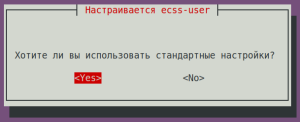
| ecss-user questions | Answers for ecss1 | Example |
|---|
Do you want to use the default settings?
| Yes (default value |
| Вопросы ecss-user | Ответы для ecss1 | Пример |
|---|
Хотите ли вы использовать стандартные настройки? Yes (значение по умолчанию) | |
| |
| Вопросы ecss-node questions | Ответы для Answers for ecss1 | ПримерExample |
| Якорь |
|---|
| Идентификатор ECSS-узла |
|---|
| Идентификатор ECSS-узла |
|---|
|
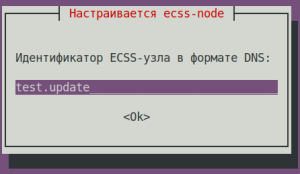
Идентификатор ECSS-узла в формате DNS (Настройка имени кластера): (любое уникальное имя, в примере test.updateECSS node identifier in DNS format (cluster name configuration): (any unique name; test.update is used in the example)
| Предупреждение |
|---|
При обновлении, имя нового ECSS-узла нужно обязательно указывать отличное от имени старого ECSS-узла. В противном случае при их совпадении сервис ecss-mycelium не активируетсяWhen updating, the name of the new ECSS node must be different from that of the old ECSS node. Otherwise, if the names match, the ecss-mycelium service will not be enabled. |
| Примечание |
|---|
Идентификатор ECSS-узла должен совпадать с ECSS_ID указанном в файле конфигурации провайдера лицензий - The ECSS node identifier must match the ECSS_ID specified in the license provider’s configuration file – /etc/ecss/ecss-license-provider/config.yaml. |
| test.update (необходимо ввестиneeds to be entered)
| Подсказка |
|---|
Формат ECSS_ID :
Начинается и заканчивается обязательно латинской буквой или цифрой, в теле же могут использоваться точки и тиреformat:
Must begin and end with a Latin letter or digit; periods and hyphens may be used in the middle. | Без форматирования |
|---|
[A-Za-z0-9][A-Za-z0-9.-][A-Za-z0-9] |
|
| |
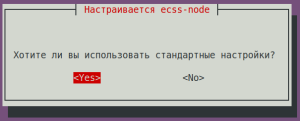
| Хотите ли вы использовать стандартные настройкиDo you want to use the default settings? | Yes (значение по умолчаниюdefault value) | |
| |
| Вопросы ecss-user questions | Ответы для Answers for ecss1 | Пример | Example |
|---|
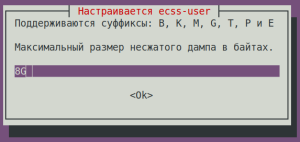
| Maximum size of an uncompressed core dump in bytesМаксимальный размер несжатого дампа в байтах. | 8G (значение по умолчаниюdefault value) | |
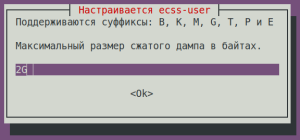
| Максимальный размер сжатого дампа в байтахMaximum size of a compressed core dump in bytes. | 2G (значение по умолчаниюdefault value) | |
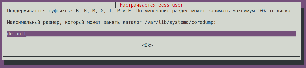
| Максимальный размер, который может занять каталог Maximum size that the /var/lib/systemd/coredump directory can occupy: | default (значение по умолчаниюdefault value) | Минимальный объем свободного дискового пространства в байтах. |
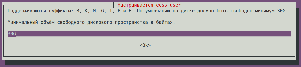
| Minimum amount of free disk space in bytes. | 30G (значение по умолчаниюdefault value) | |
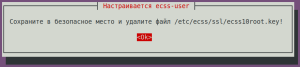
Сохраните в безопасное место и удалите файл Save the /etc/ecss/ssl/ecss10root.key file to a safe location and delete it! | Ok (значение по умолчаниюdefault value) | |
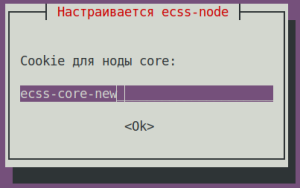
Cookie для ноды for the core node: | ecss-core (необходимо ввестиneeds to be entered) | |
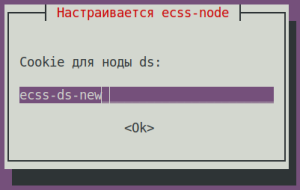
Cookie для ноды for the ds node: | ecss-ds (необходимо ввестиneeds to be entered) | |
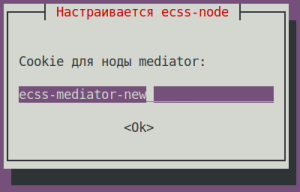
Cookie для ноды for the mediator node: | ecss-mediator (необходимо ввестиneeds to be entered) | |
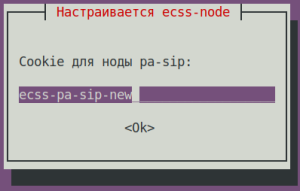
Cookie для ноды for the pa-sip node: | ecss-pa-sip (необходимо ввестиneeds to be entered) | |
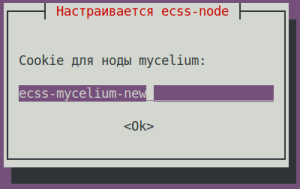
Cookie для ноды for the mycelium node: | ecss-mycelium (необходимо ввестиneeds to be entered) | |
Cookie для ноды sorm: | ecss-sorm (необходимо ввести) | 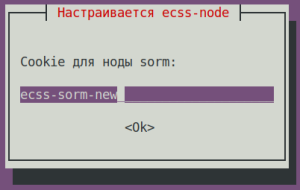 Image Removed Image Removed
|
Проверить информацию о состоянии синхронизации c NTP, используется команда ntpq –p . Если использовать дополнительный ключ –n, вместо имени сервера будет указан IP-адресTo check the NTP synchronization status, use the `ntpq -p` command. If you use the additional `-n` option, the IP address will be displayed instead of the server name:
| Без форматирования |
|---|
ntpq -p
     remote           refid      st t when poll reach   delay   offset  jitter
==============================================================================
*185.125.190.56 17.253.28.253 2 u 45 64 1 83.893 +0.470 2.177 |
Остановить сервисыStop the following services::
| Блок кода |
|---|
| title | на новом on a new ssw |
|---|
|
sudo systemctl stop ecss-core ecss-pa-sip ecss-ds ecss-mediator ecss-mycelium |
Создать Create a backup для for oasys (скопировать БД Mnesia со старого на новый Copy Mnesia database from old to new ecss1), выполнить следующие командыrun the following commands:
| Блок кода |
|---|
| title | на новом on a new ssw |
|---|
|
cd /var/lib/ecss/oasys/ |
| Блок кода |
|---|
| title | на новом on a new ssw |
|---|
|
sudo rsync -a <Ваш<Your_пользователь>@<IPuser>@<IP_add_of_an_старогоold_сервера>server>:/var/lib/ecss/oasys/Mnesia.ds1@ecss1/ Mnesia.ds1@ecss1/
|
| Блок кода |
|---|
| title | на новом on a new ssw |
|---|
|
sudo rsync -a <Ваш<Your_пользователь>@<IPuser>@<IP_add_старого_сервера>of_an_old_server>:/var/lib/ecss/oasys/Mnesia.md1@ecss1/ Mnesia.md1@ecss1/ |
| Блок кода |
|---|
| title | на новом on a new ssw |
|---|
|
cd ~ |
Перезапустить сервисы SSWRestart the SSW services:
| Блок кода |
|---|
| title | на новом on a new ssw |
|---|
|
sudo systemctl restart ecss-core ecss-pa-sip ecss-ds ecss-mediator ecss-mycelium |
Если лицензия поддерживает СОРМ3, то запустить также сервис ecss-sorm.
| Блок кода |
|---|
|
sudo systemctl start ecss-sorm |
Проверить статус сервисов, для этого выполнить в CoCon команду system-status:
To check the status of the services, run the system-status command in CoCon:
| Блок кода |
|---|
|
| Без форматирования |
|---|
|
/system-status
Checking...
┌─┬───────────────┬─────────────────────────┬───────────────┬────────────┬──────┐
│ │     Node      │         Release         │ Erlang nodes  │Mnesia nodes│Uptime│
├─┼───────────────┼─────────────────────────┼───────────────┼────────────┼──────┤
│ │core1@ecss1    │ecss-core-3.18.0.271     │core1@ecss1    │not running │3m 55s│
│ │ds1@ecss1      │ecss-ds-3.18.0.271       │ds1@ecss1      │ds1@ecss1   │4m 40s│
│ │md1@ecss1      │ecss-mediator-3.18.0.271 │md1@ecss1      │md1@ecss1   │3m 50s│
│ │mycelium1@ecss1│ecss-mycelium-3.18.0.271 │mycelium1@ecss1│not running │5m 28s│
│ │sip1@ecss1     │ecss-pa-sip-3.18.0.271   │sip1@ecss1     │sip1@ecss1  │3m 45s│
│ │sorm1@ecss1    │ecss-sorm-3.18.0.271     │sorm1@ecss1    │not running │1m 55s│
└─┴───────────────┴─────────────────────────┴───────────────┴────────────┴──────┘ |
...
Licensing modes.
...
File-based licensing
| Раскрыть |
|---|
| title | В случае использования файлового лицензированияIf a file-based license is used |
|---|
|
| Информация |
|---|
| title | В случае использования файлового лицензирования | If a file-based license is used |
|---|
| No additional actions are necessaryНикаких дополнительных действий выполнять не требуется. |
| Без форматирования |
|---|
/cluster/storage/ds1/licence/list-licence
┌──┬───────────────────┬────────────────┬──────┬────────────────────────────────────────────┬────────────────────┬────────────┐
│Id│Creation date(UTC) │     SSW ID     │Active│                Description                 │Expiration date(UTC)│ Time left  │
├──┼───────────────────┼────────────────┼──────┼────────────────────────────────────────────┼────────────────────┼────────────┤
│1 │31.10.2025 14:16:00│ECSS 010070     │*     │Eltex SC softswitch                         │31.12.2026 23:59:59 │224d 21h 31m│
│0 │                   │ECSS DEFAULT    │      │Default licence                             │                    │            │
└──┴───────────────────┴────────────────┴──────┴────────────────────────────────────────────┴────────────────────┴────────────┘ |
|
...
ELM
...
service licensing
| Раскрыть |
|---|
| title | В случае использования ELM лицензирования | If the ELM licensing is used |
|---|
|
Configure the SSW connection to the License Provider using the following command in CoCon (in this example, the License Provider is installed on the ecss1 host, hosts IPadd is Выполнить конфигурацию подключения SSW к License Provider следующей командой в CoCon, (в примере License Provider установлен на хосте ecss1, IPadd хостов 10.0.10.51. Значение порта из файла Port value from the /etc/ecss/ecss-license-provider/config.env по умолчанию file is 4321 by default): | Блок кода |
|---|
| title | выполняется в performed in CoCon |
|---|
| /system/licence/manager/set --hosts [https://10.0.10.51:4321] |
После выполнения проверить статус подключения командойAfter execution, check the connection status with the following command: | Блок кода |
|---|
| title | выполняется в performed in CoCon |
|---|
| /system/licence/manager/show-status
┌───────────────────────┬───────┬─────┐
│ Host │Current│Alive│
├───────────────────────┼───────┼─────┤
│https://10.0.10.51:4321│* │true │
└───────────────────────┴───────┴─────┘ |
Хост должен иметь статус alive=true. И быть «current». отображает к какому хосту подключён SSW. Если есть подключение, указывается *, если нет - ничего не указано.- indicates which host the SSW is connected to. If there is a connection, * is displayed; if not, nothing is displayed.
- Alive - displays the host’s availability status
Alive - отображает статус доступности хоста | Информация |
|---|
| title | Подключение к Connecting to the License Manager |
|---|
| Отсутствие подключения к License Provider \ ELM будет равноценно отсутствию доступа к токену, что приведёт к критическим авариям, переходу в аварийный режим по истечении которого, если связь не будет восстановлена, система перейдёт на Default-лицензию. Данное поведение применимо только при работе в elm-режиме. |
Если статус к одному из хостов License Provider показан current, можно посылать запрос на загрузку лицензии на SSW командойA lack of connection to the License Provider or ELM is equivalent to a lack of access to the token, which will lead to critical failures and a transition to emergency mode; after a certain period, if the connection is not restored, the system will switch to the Default license. This behavior applies only when operating in ELM mode. |
If the status for one of the License Provider hosts is shown as “current,” you can send a request to upload the license to the SSW using the following command: | Блок кода |
|---|
| title | выполняется в performed in CoCon |
|---|
| /cluster/storage/ds1/licence/request |
| Блок кода |
|---|
| /cluster/storage/ds1/licence/request
Licence received
[******* ] 6s 2ms
Success: Licence parameters applied |
| Блок кода |
|---|
| /cluster/storage/ds1/licence/list-licence
┌──┬───────────────────┬────────────┬──────┬────────────────┬────────────────────┬────────────────────┬─────────┐
│Id│Creation date(UTC) │ SSW ID │Active│ Description │Comm. Exp. Date(UTC)│Expiration date(UTC)│Time left│
├──┼───────────────────┼────────────┼──────┼────────────────┼────────────────────┼────────────────────┼─────────┤
│1 │14.04.2026 11:18:34│ECSS2000000 │* │ECSS ELM License│09.04.2027 16:26:34 │06.06.2026 10:49:12 │1d 6h 59m│
│0 │01.01.1990 00:00:00│ECSS DEFAULT│ │Default licence │ │ │ │
└──┴───────────────────┴────────────┴──────┴────────────────┴────────────────────┴────────────────────┴─────────┘ |
|
...
Installing ecss-restfs, ecss-media-server, ecss-web-conf
...
packages
Next, install the ecss-restf package, followed by Далее устанавливаются пакеты ecss-restf затем ecss-media-server, ecss-media-resources, , ecss-web-conf и другие в любом порядке, and others in any order:
ecss-restfs
| Блок кода |
|---|
| language | bash |
|---|
| title | на новом on a new ssw |
|---|
|
sudo apt install -y ecss-restfs |
УстановкаInstalling ecss-restfs. При установке пакета
When installing the ecss-restfs будет предложено задать параметры конфигурации. Ответы на вопросы приведены ниже. Также инсталлятор предложит установить и настроить пакет Text2speech от Yandex.
...
Использование функции TTS (Use TTS service)
...
Настройка телефонной книги (Configure phone book)
...
Настроить сервис определения речи (Configure speech recognition service)
...
Ничего не выбирать
...
package, you will be prompted to specify configuration options. The answers to these questions are provided below.
| ecss-restfs questions | Answers |
|---|
Use TTS service | No (default value) |
Configure phone book | No (default value) |
Configure speech recognition service | No (default value) |
Select nothing | Ok |
After installing the ecss-restfs package, check for the presence of the voice guide’s WAV files in the после установки пакета ecss-restfs проверьте наличие wav файлов автоинформатора в директории /var/lib/ecss/restfs/system/sounds/ командой directory using the command:
| Блок кода |
|---|
|
ll /var/lib/ecss/restfs/system/sounds/ |
наличие wav-файлов в указанной выше директории говорит о корректности установки пакета The presence of WAV files in the directory specified above indicates that the ecss-restfs package was installed correctly
| Информация |
|---|
The absence of WAV files in the directory specified above indicates a problem with the installation of the ecss-restfs package. To resolve this, run the following command |
| Информация |
|---|
Отсутствия wav файлов в указанной выше директории, директории свидетельствует о проблеме при установке пакета ecss-restfs. Для ее решения выполните команду: | Блок кода |
|---|
sudo apt --fix-broken install |
и повторите команду проверкиand repeat the verification command: | Блок кода |
|---|
ll /var/lib/ecss/restfs/system/sounds/ |
|
осталось проверить доступность этих файлов извне. Для проверки выполните команду:Next, you need to make sure that these files are accessible from outside. To do so, run the following command: Installing ecss-restfs.
| Блок кода |
|---|
wget http://ecss1:9990/system/sounds/ai_you.wav |
...
| Блок кода |
|---|
|
wget http://ecss1:9990/system/sounds/ai_you.wav
--2026-04-18 17:43:29--  http://ecss1:9990/system/sounds/ai_you.wav
Resolving ecss1 (ecss1)... 127.0.1.1, 10.0.10.51
Connecting to ecss1 (ecss1)|127.0.1.1|:9990... connected.
HTTP request sent, awaiting response... 200 OK
Length: 11670 (11K) [audio/x-wav]
Saving to: ‘ai_you.wav’

ai_you.wav                                  100%[========================================================================================>]  11,40K  --.-KB/s    in 0s

2026-04-18 17:43:29 (301 MB/s) - ‘ai_you.wav’ saved [11670/11670] |
проверочный файл можно удалитьYou can delete the test file
Перенести записи разговоров со старого сервера на новый, выполнив следующую командуTransfer the call recordings from the old server to the new one by running the following command:
| Блок кода |
|---|
| title | на новом on a new ecss1 |
|---|
|
sudo rsync -a <ваш<your_пользователь>@<IPuser>@<IP_add_of_старогоan_old_ecss1>:/var/lib/ecss/restfs/domain/ /var/lib/ecss/restfs/domain/ |
| Блок кода |
|---|
|
abf@ecss1:/var/lib/ecss/restfs/domain$ ls -la /var/lib/ecss/restfs/domain
итого 8
drwxr-xr-x 2 www-data www-data 4096 апрapr 22 18:21 .
drwxr-xr-x 7 www-data www-data 4096 маяmay 28 15:07 ..

abf@ecss1:/var/lib/ecss/restfs/domain$ sudo rsync -a abf@10.0.10.10:/var/lib/ecss/restfs/domain/ /var/lib/ecss/restfs/domain/

abf@ecss1:/var/lib/ecss/restfs/domain$ ls -la test_domain/records/2026_05_28
итого 610
drwxrwxrwx 2 www-data www-data  4096 маяmay 28 14:56 .
drwxrwxrwx 3 www-data www-data  4096 маяmay 28 14:27 ..
-rw-r--r-- 1 www-data www-data 71892 маяmay 28 14:27 2026-05-28_14-27-02_t_42009-42007.pcm
-rw-rw-rw- 1 www-data www-data    86 маяmay 28 14:27 2026-05-28_14-27-02_t_42009-42007.pcm.meta
-rw-r--r-- 1 www-data www-data 71892 маяmay 28 14:31 2026-05-28_14-31-19_o_42007-42009.pcm
-rw-rw-rw- 1 www-data www-data    86 маяmay 28 14:31 2026-05-28_14-31-19_o_42007-42009.pcm.meta
-rw-r--r-- 1 www-data www-data 63904 маяmay 28 14:55 2026-05-28_14-55-24_o_42007-42009.pcm
-rw-rw-rw- 1 www-data www-data    86 маяmay 28 14:55 2026-05-28_14-55-24_o_42007-42009.pcm.meta
-rw-r--r-- 1 www-data www-data 39940 маяmay 28 14:55 2026-05-28_14-55-31_o_42007-42009.pcm
-rw-rw-rw- 1 www-data www-data    86 маяmay 28 14:55 2026-05-28_14-55-31_o_42007-42009.pcm.meta
-rw-r--r-- 1 www-data www-data 15976 маяmay 28 14:55 2026-05-28_14-55-37_o_42007-42009.pcm
-rw-rw-rw- 1 www-data www-data    86 маяmay 28 14:55 2026-05-28_14-55-37_o_42007-42009.pcm.meta
-rw-r--r-- 1 www-data www-data 79880 маяmay 28 14:55 2026-05-28_14-55-48_o_42007-42009.pcm
-rw-rw-rw- 1 www-data www-data    86 маяmay 28 14:55 2026-05-28_14-55-48_o_42007-42009.pcm.meta
-rw-r--r-- 1 www-data www-data 55916 маяmay 28 14:56 2026-05-28_14-55-59_o_42007-42009.pcm
-rw-rw-rw- 1 www-data www-data    86 маяmay 28 14:55 2026-05-28_14-55-59_o_42007-42009.pcm.meta
-rw-r--r-- 1 www-data www-data 47928 маяmay 28 14:56 2026-05-28_14-56-04_o_42007-42009.pcm
-rw-rw-rw- 1 www-data www-data    86 маяmay 28 14:56 2026-05-28_14-56-04_o_42007-42009.pcm.meta
-rw-r--r-- 1 www-data www-data 31952 маяmay 28 14:56 2026-05-28_14-56-28_t_42009-42007.pcm
-rw-rw-rw- 1 www-data www-data    86 маяmay 28 14:56 2026-05-28_14-56-28_t_42009-42007.pcm.meta
-rw-r--r-- 1 www-data www-data 31952 маяmay 28 14:56 2026-05-28_14-56-37_t_42009-42007.pcm
-rw-rw-rw- 1 www-data www-data    86 маяmay 28 14:56 2026-05-28_14-56-37_t_42009-42007.pcm.meta
-rw-r--r-- 1 www-data www-data 95856 маяmay 28 14:56 2026-05-28_14-56-42_t_42009-42007.pcm
-rw-rw-rw- 1 www-data www-data 86 маяmay 28 14:56 2026-05-28_14-56-42_t_42009-42007.pcm.meta |
...
| Блок кода |
|---|
| language | bash |
|---|
| title | на новом on a new ssw |
|---|
|
sudo apt install -y ecss-media-server |
Для медиасервера For the media server (ecss-media-server/MSR) можно выполнить начальную настройку с записью параметров в файл конфигурации,
для этого нужно провести конфигурацию transport , you can perform the initial setup by writing the parameters to a configuration file,
to do this, you need to configure transport bind-addr, mcc bind-addresaddress:
Укажите IP-адреса старого SSW версии Specify the IP address of the old SSW version 3.17 (в примере 10.0.20.41 in the example).
| Вопросы ecss-media-server questions | Ответы для Answers for ecss1 |
|---|
| [ MSR SIP SIP ] Введите Enter the bind-ip адрес address (Enter) | 10.0.20.41 (необходимо ввести (needs to be entered) |
| [MSR Control-Channel] Введите Enter the bind-ip -адресaddress | 10.0.20.41 (необходимо ввести) (needs to be entered) |
After generating the default configurations, run the following checkПосле формирования конфигураций по умолчанию выполните проверку:
| Блок кода |
|---|
cat /etc/ecss/ecss-media-server/config.xml |
Внутри лежит конфигурация для Inside is the configuration for msr: config.xml, в директории ; in the conf.d лежит конфигурация directory is the default.xml configuration.
По своей сути Essentially, default.xml — это дополнение xml is an extension of config.xml , которое определяет секцию аккаунтов. Это сделано для того, чтобы после обновлений пакета данная конфигурация оставалась неизменной. Вид config.xml представлен здесь: файл конфигурации.that defines the accounts section. This is done to ensure that this configuration remains unchanged after package updates.
| Блок кода |
|---|
<?xml version="1.0" encoding="utf-8"?>
<config date="09:24:23 03.12.2025">
  <general log-level="3" log-rotate="yes" max-calls="2148" max-vid-calls="100" max-in-group="512" load-sensor="media" load-delta="10" calls-delta="100" spool-dir-size="100M" log-name="msr.log" log-path="/var/log/ecss/media-server" use-srtp="disabled" enable-ice-transport="no" ice-update="no" aggressive-ice="yes" stun-server="" suspicious-mode="no"/>
  <transport bind-addr="10.0.20.41" port="5040" transport="udp+tcp"/>
  <!-- By default configured public TURN-server -->
  <turn-server use-turn="no" host="numb.viagenie.ca" user="webrtc@live.com" password="muazkh"/>
  <media mixer-clock-rate="8000" use-vad="no" cng-level="0" jb-size="60" rtcp-timeout="0" rtp-timeout="350" udp-src-check="no" cn-multiplier="3" port-start="12000" port-range="4496" tias-in-sdp="no" thread-cnt="2" vid-enc-threads="2" vid-dec-threads="2" video-conf-layout="evenly" keyframe-interval="1000" vid-decode-delay="100" silent-codec-switch="yes" silence-threshold="-30" dtmf-flash-disable="no" video-dscp="0" other-dscp="0" dummy-video-src="/usr/share/ecss-media-server/video/dummy_video.yuv" video-enc-width="640" video-enc-height="360" finalsilence="1000" rtcp-stat-dump="yes" dtmf-tg-fpc-loop="10" dtmf-tg-fit="1" dtmf-tg-fot="2" dtmf-tg-volume="12288"/>
  <codec pcma="1" pcmu="2" ilbc="0" gsm="0" g722="3" g726="0" g729="0" speex="0" l16="0" g7221="0" opus="0" h264="1" h263-1998="2" t38="1" tel-event-pt="0"/>
  <accounts>
    <!-- <dynamic msr_name="msr.name"
            realm="sip:127.0.0.1:5000"
            dtmf_mode="rfc+inband+info"
            auth_name="user"
            auth_password="password" /> -->
  </accounts>
  <pbyte>
    <mcc bind-addr="10.0.20.41" port="5700"/>
  </pbyte>
  <conf_dir path="/etc/ecss/ecss-media-server/conf.d"/>
  <metrics enable="yes" use-pushgateway="yes" pushgateway-addr="127.0.0.1:9091" push-interval="5" port="8100" msr_name="msr2"/>
  <rtp>
    <auto addr-v4=""/>
  </rtp>
</config>
|
по умолчанию , после инсталляции By default, after installation, ECSS-10 активизирует только кодеки - enables only the following codecs: pcma, pcmu, g722, h264, h263-1998, and t38. Остальные имеют статус =0 = выкл. Если хотите активизировать остальные кодеки, в редакторе nano измените приоритет с 0 на цифру приоритета (уровень приоритета не должен повторятся для сервиса The rest have a status of 0 (disabled). If you want to enable the remaining codecs, use the nano editor to change the priority from 0 to the desired priority number (the priority level must not be duplicated for the audio/video/fax service).
sudo nano /etc/ecss/ecss-media-server/config.xml
| Подсказка |
|---|
|
чтобы активизировать все кодеки
строчку -To enable all codecs
the line:
<codec pcma="1" pcmu="2" ilbc="0" gsm="0" g722="3" g726="0" g729="0" speex="0" l16="0" g7221="0" opus="0" h264="1" h263-1998="2" t38="1" tel-event-pt="0"/>
привести к виду -should be changed to:
<codec pcma="1" pcmu="2" ilbc="6" gsm="4" g722="3" g726="11" g729="5" speex="7" l16="8" g7221="9" opus="10" h264="1" h263-1998="2" t38="1" tel-event-pt="0"/> |
| Предупреждение |
|---|
Недопустимо указывать у разных кодеков одинаковый приоритет, для примера g722It is not allowed to specify the same priority for different codecs; for example, g722="5" g729="5". В этом случае они будут работать некорректно/игнорироваться.
За исключением "0" - выключено.In this case, they will not work correctly or will be ignored.
The exception is “0” – which means disabled. |
Take a look at the accounts section (the default.xml fileРассмотрим секцию аккаунтов (файл default.xml):
| Блок кода |
|---|
|
cat /etc/ecss/ecss-media-server/conf.d/default.xml
|
Проверить корректность данныхCheck the correctness of the data.
| Блок кода |
|---|
| title | Настройка Configuring msr для for ecss1(/etc/ecss/ecss-media-server/conf.d/default.xml) |
|---|
|
<?xml version="1.0"?>
<config>
    <accounts>
        <dynamic msr_name="msr.ecss1" realm="sip:10.0.20.41:5000" dtmf_mode="rfc+inband+info" auth_name="user" auth_password="password">
            <via dynamic-ifaces="no">
                <iface name="net.20" ip="10.0.20.41"/>
            </via>
        </dynamic>
    </accounts>
</config> |
В ней указаны текущие настройки, согласно которым происходит регистрация msr на core.
It specifies the current settings used to register the MSR on the core.
The main parameters here are msr_name and Основными параметрами здесь являются: msr_name и realm:
- msr_name — параметр, определяющий название msr. (рекомендуется задавать название msr. и к какому хосту он принадлежит, например a parameter that defines the name of the MSR. (it is recommended to specify the MSR name and the host it belongs to, for example, msr.ecss1);
- realm — определяет адрес для регистрации на ядре. Точка входа по умолчанию: порт 5000, адрес: specifies the address for registration on the core. The default entry point is port 5000, address 127.0.0.1.
После изменения конфигурации файлов After modifying the /etc/ecss/ecss-media-server/config.xml и and /etc/ecss/ecss-media-server/conf.d/default.xml необходимо выполнить перезапуск сервиса configuration files, you should restart the ecss-media-server, чтобы изменения вступили в силу, следующей командой service for the changes to take effect using the following command:
| Блок кода |
|---|
sudo systemctl restart ecss-media-server |
| Подсказка |
|---|
Вы увидите сообщениеYou will see the following message: | Информация |
|---|
Job for ecss-media-server.service failed because the control process exited with error code.
See "systemctl status ecss-media-server.service" and "journalctl -xeu ecss-media-server.service" for details. |
Мы указали рабочие IP адреса для media сервиса, а они пока закреплены за старым ecss1. После переключения IP адресов сервис запустится автоматическиThe operational IP addresses for the media service are specified, but they are currently still assigned to the old ecss1. After switching the IP addresses, the service will start automatically. |
ecss-web-conf
| Блок кода |
|---|
| title | на новом on a new ssw |
|---|
|
sudo apt install ecss-web-conf |
Web-конфигуратор позволяет сделать управление системой более наглядным и комфортным. Установка web-конфигуратора не является обязательной, но рекомендуется.
Также при установке пакета The web configurator makes system management more intuitive and convenient. Installing the web configurator is not required, but it is recommended.
Additionally, installing the ecss-web-conf автоматически устанавливается пакет package automatically installs the ecss-subscriber-portal-ui. Приложение "Портал абонента" системы ECSS-10 позволяет абонентам системы самостоятельно управлять услугами, просматривать информацию по совершенным вызовам, активным конференциям, а также настраивать собственные IVR-скрипты для входящих вызовов. Описание работы веб-конфигуратора приведено в разделе "Портал абонента". package. The ECSS-10 system’s “Subscriber Portal” application allows system subscribers to independently manage services, view information on completed calls and active conferences, and configure their own IVR scripts for incoming calls.
| Вопросы ecss-web-conf questions | Ответы для Answers for ecss1 | Пример | Example |
|---|
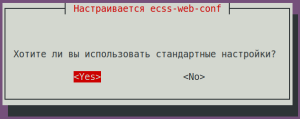
| Do you want to use the default settings Хотите ли вы использовать стандартные настройки? | Yes (значение по умолчаниюdefault value) | |
Проверьте возможность подключения к веб-интерфейсу Check whether you can connect to the web interface at http://10.0.10.51, пользователь/пароль — ; the username and password are admin/password. В настоящий момент не все функции будут доступны, но веб-интерфейс должен работать, а вход в систему — быть успешным.
Отключение SSW версии 3.17
Для отключения старого SSW версии 3.17 выполнить следующие команды:
Отключение сервисов
Not all features will be available at this time, but the web interface should work, and you should be able to log in successfully.
Disabling SSW version 3.17
To disable the old SSW version 3.17, run the following commands:
Stopping services
| Блок кода |
|---|
|
| Блок кода |
|---|
|
sudo systemctl mask --now ecss-ds ecss-mycelium ecss-mediator ecss-core ecss-pa-sip ecss-sorm |
...
Copying the Postgres database
Скопировать БД Postgres со старого ecss1, для этого выполнить командуCopy the Postgres database from the old ecss1 server by running the following command:
| Блок кода |
|---|
| title | на старом SSWon an old ssw |
|---|
|
sudo tar -Pcvf /tmp/postgres.tar /srv/ecss/ecss-postgres-bdr-ssw/volumes/ |
Скопировать Copy postgres.tar на новый сервер, выполнив командуto the new server by running the following command:
| Блок кода |
|---|
| title | на старом SSWon an old ssw |
|---|
|
scp /tmp/postgres.tar <ваш_пользователь>@<IP_адрес_новый_ecss1>:/tmp/postgres.tar |
Остановить docker БД Postgres командойStop the Postgres database Docker with the following command:
| Блок кода |
|---|
| title | на новом on a new ssw |
|---|
|
sudo docker compose -f /srv/ecss/ecss-postgres-bdr-ssw/docker-compose.container.yml stop |
Очистить подкаталог Clear the /srv/ecss/ecss-postgres-bdr-ssw/volumes subdirectory:
| Блок кода |
|---|
| title | на новом on a new ssw_ecss1 |
|---|
|
sudo rm -R /srv/ecss/ecss-postgres-bdr-ssw/volumes/* |
Распаковать БД Postgres на новом сервере ecss1Extract the Postgres database on the new ecss1 server.
| Блок кода |
|---|
| title | на новом on a new ssw_ecss1 |
|---|
|
sudo tar xvf /tmp/postgres.tar -C / |
Запустить docker БД Postgres командойStart the Postgres database Docker with the following command:
| Блок кода |
|---|
| title | на новом on a new ssw |
|---|
|
sudo docker compose -f /srv/ecss/ecss-postgres-bdr-ssw/docker-compose.container.yml start |
Замена IP адресов на старом ecss1
Replacing IP addresses on the old ecss1
Change the Изменить IP адреса 10.0.10.41/10.0.20.41 на неиспользуемые на сети (для примера на IP addresses to the ones that aren't used in the network (10.0.10.61/10.0.20.61, for example):
| Блок кода |
|---|
| title | на старом SSWon an old ssw |
|---|
|
sudo nano /etc/netplan/ecss.yaml |
| Раскрыть |
|---|
|
| Блок кода |
|---|
| network:
version: 2
renderer: networkd
ethernets:
enp0s3: # Название интерфейса ВМ к интернет Name of a virtual machine interface connected to internet
dhcp4: yes
dhcp6: no
enp0s8: # Название интерфейса для: # Name of an interface for SSW
dhcp4: no # ОтключаемDisable наdynamic интерфейсахIP динамическоеaddress распределение IP-адреса
assignment on the interfaces
dhcp6: no
addresses: [192.168.56.41/24]
vlans:
net.10: # ИнтерфейсManagement управленияinterface
id: 10
link: enp0s8
addresses: [10.0.10.41/24]
nameservers:
addresses: [127.0.0.1, 8.8.8.8] # АдресаAddresses серверовof DNS servers
net.20: # ИнтерфейсInterface дляfor VoIP
id: 20
link: enp0s8
addresses: [10.0.20.41/24]
routes:
- to: 10.0.20.128/25
via: 10.0.20.35 |
|
| Раскрыть |
|---|
|
| Блок кода |
|---|
| network:
version: 2
renderer: networkd
ethernets:
enp0s3: # НазваниеName интерфейсаof ВМa кvirtual интернет
machine interface connected to internet
dhcp4: yes
dhcp6: no
enp0s8: # Name Названиеof an интерфейсаinterface дляfor SSW
dhcp4: no # ОтключаемDisable наdynamic интерфейсахIP динамическоеaddress распределение IP-адреса
assignment on the interfaces
dhcp6: no
addresses: [192.168.56.61/24]
vlans:
net.10: # ИнтерфейсManagement управленияinterface
id: 10
link: enp0s8
addresses: [10.0.10.61/24]
nameservers:
addresses: [127.0.0.1, 8.8.8.8] # АдресаAddresses серверовof DNS servers
net.20: # ИнтерфейсInterface дляfor VoIP
id: 20
link: enp0s8
addresses: [10.0.20.61/24]
routes:
- to: 10.0.20.128/25
via: 10.0.20.35 |
|
| Блок кода |
|---|
| title | на старом SSWon an old ssw |
|---|
|
sudo netplan apply |
Переключение нового SSW на рабочие IP адреса
Switching the new SSW to operational IP addresses
Once the operational IP addresses have been removed from the old SSW, you can assign them to the new SSW. Run the following commandПосле освобождения рабочих IP адресов со старого SSW можно подключить их к новому SSW. Выполнить команду:
| Блок кода |
|---|
| title | на новом on a new ssw |
|---|
|
sudo nano /etc/netplan/ecss.yaml |
Изменить Change the IP адреса addresses 10.0.10.51/10.0.20.51 на используемые на сети для SSW (в примере to those used on the network for the SSW (in the example, 10.0.10.41/10.0.20.41):
| Раскрыть |
|---|
|
| Блок кода |
|---|
| network:
version: 2
renderer: networkd
ethernets:
enp0s3: # НазваниеName интерфейсаof ВМa кvirtual интернет
machine interface connected to internet
dhcp4: yes
dhcp6: no
enp0s8: # Название интерфейса дляName of an interface for SSW
dhcp4: no # ОтключаемDisable наdynamic интерфейсахIP динамическоеaddress распределение IP-адреса
assignment on the interfaces
dhcp6: no
addresses: [192.168.56.51/24]
vlans:
net.10: # ИнтерфейсManagement управленияinterface
id: 10
link: enp0s8
addresses: [10.0.10.51/24]
nameservers:
addresses: [127.0.0.1, 8.8.8.8] # АдресаAddresses серверовof DNS servers
net.20: # Интерфейс для VoIP
Interface for VoIP
id: 20
link: enp0s8
addresses: [10.0.20.51/24]
routes:
- to: 10.0.20.128/25
via: 10.0.20.35 |
|
| Раскрыть |
|---|
|
| Блок кода |
|---|
| network:
version: 2
renderer: networkd
ethernets:
enp0s3: # НазваниеName интерфейсаof ВМa кvirtual интернет
machine interface connected to internet
dhcp4: yes
dhcp6: no
enp0s8: # Name of Названиеan интерфейсаinterface дляfor SSW
dhcp4: no # ОтключаемDisable наdynamic интерфейсахIP динамическоеaddress распределение IP-адреса
assignment on the interfaces
dhcp6: no
addresses: [192.168.56.41/24]
vlans:
net.10: # ИнтерфейсManagement управленияinterface
id: 10
link: enp0s8
addresses: [10.0.10.41/24]
nameservers:
addresses: [127.0.0.1, 8.8.8.8] # АдресаAddresses серверовof DNS servers
net.20: # ИнтерфейсInterface дляfor VoIP
id: 20
link: enp0s8
addresses: [10.0.20.41/24]
routes:
- to: 10.0.20.128/25
via: 10.0.20.35 |
|
| Блок кода |
|---|
| title | на новом on a new ssw |
|---|
|
sudo netplan apply |
Обновить Update an IP адрес в файле in the /etc/hosts file:
| Блок кода |
|---|
| title | на новом on a new ssw |
|---|
|
sudo nano /etc/hosts |
Обновить Update an IP адрес в файле in the /etc/dnsmasq.d/ecss-broker file:
| Блок кода |
|---|
| title | на новом on a new ssw |
|---|
|
sudo dpkg-reconfigure ecss-dns-env |
| Блок кода |
|---|
| title | выполняется в performed in CoCon |
|---|
|
/system/licence/manager/set --hosts [https://10.0.10.41:4321] |
| Блок кода |
|---|
| title | на новом on a new ssw |
|---|
|
sudo systemctl restart ecss-ds ecss-mycelium ecss-mediator ecss-core ecss-pa-sip ecss-media-server |
После выполнения обновления проверьте работу всех сервисов SSWAfter the update is complete, verify that all SSW services are functioning properly.