Creating a trunk group
Go to the "Call routing" → "TrunkGroups" menu.
Click the
 button.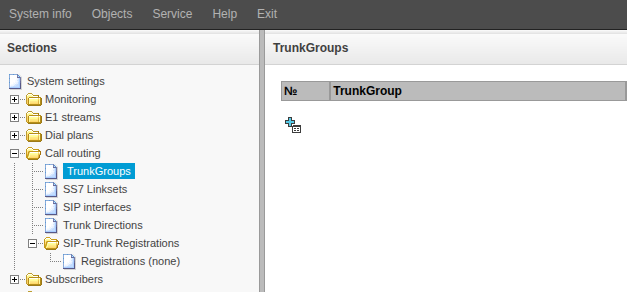
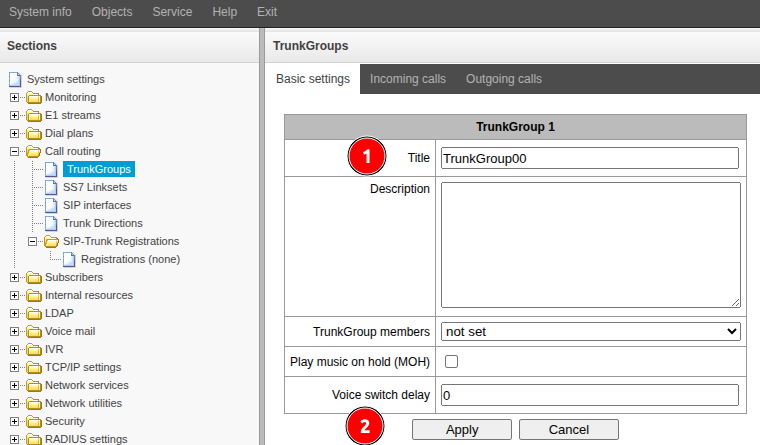
Fill in the "Title" field. Specify a name that describes the purpose of the route you are creating.
- Click the "Apply" button.
Creating a SIP interface
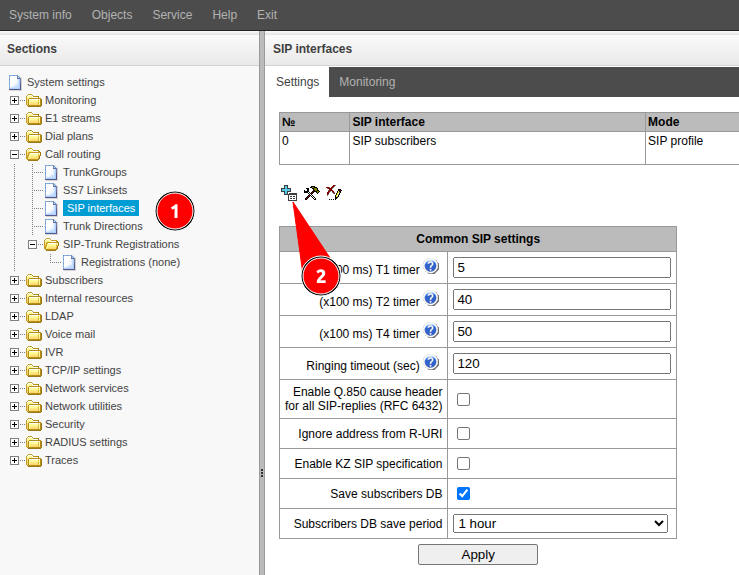
- Go to the "Call routing" → "SIP interfaces" menu.
- Click the button.
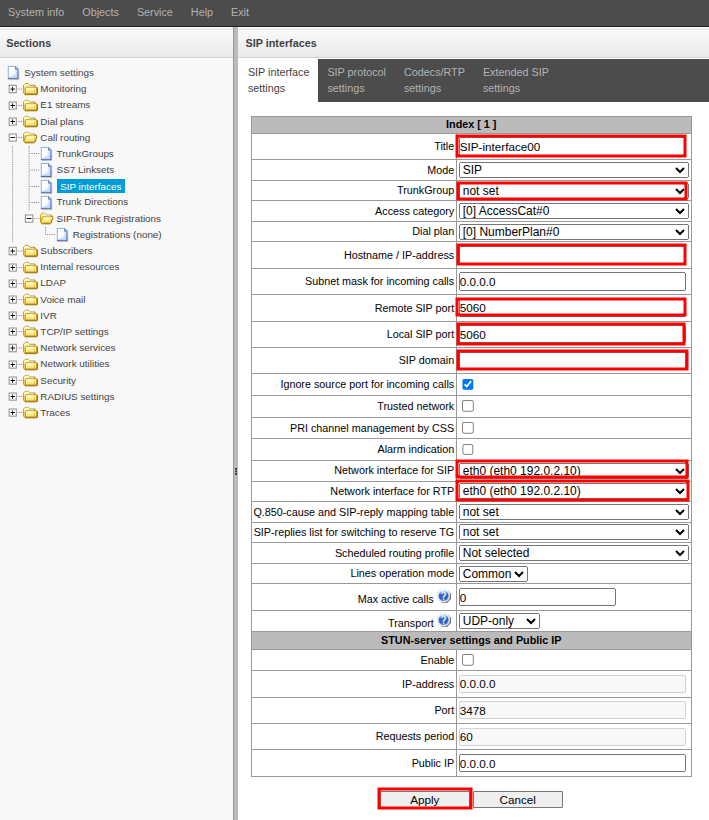
- Go to the "SIP Interface settings" tab.
- Fill in the following fields:
- "Title" – a name that describes the purpose of the SIP interface you are creating
- "TrunkGroup" – select the trunk group created earlier
- "Hostname/IP address" – specify the IP address or FQDN of the other party
- "Remote SIP port" – change if a non-standard port is used
- "Local SIP port" – change if you need to use a non-standard port
- "SIP domain" – specify if a specific SIP domain needs to be substituted for outgoing communications
- If necessary, select "Network interface for SIP" and "Network interface for RTP"
- Click the "Apply" button