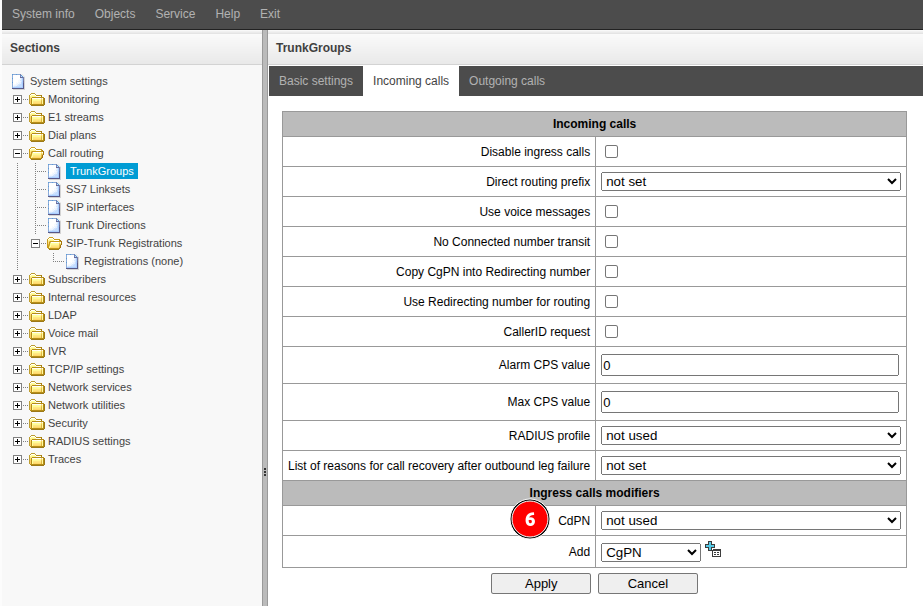
Assign a modification to a trunk group:
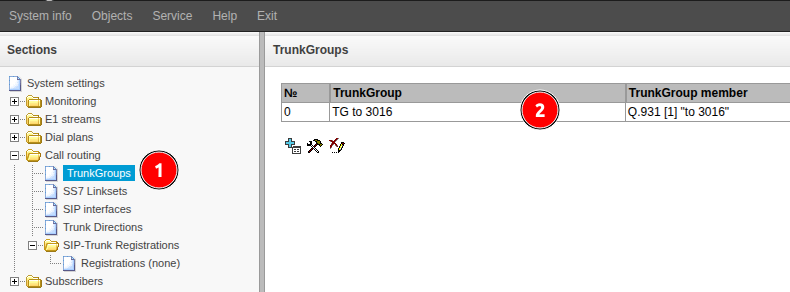
Go to the "Routing" → "Trunk Groups" menu.
Double-click the line with the required trunk group.
- Go to the "Incoming calls" or "Outgoing calls" section, depending on the direction of the call to be modified.
- In the "Add" field, select the direction to be modified: CgPN or CdPN.
- Click the
 button.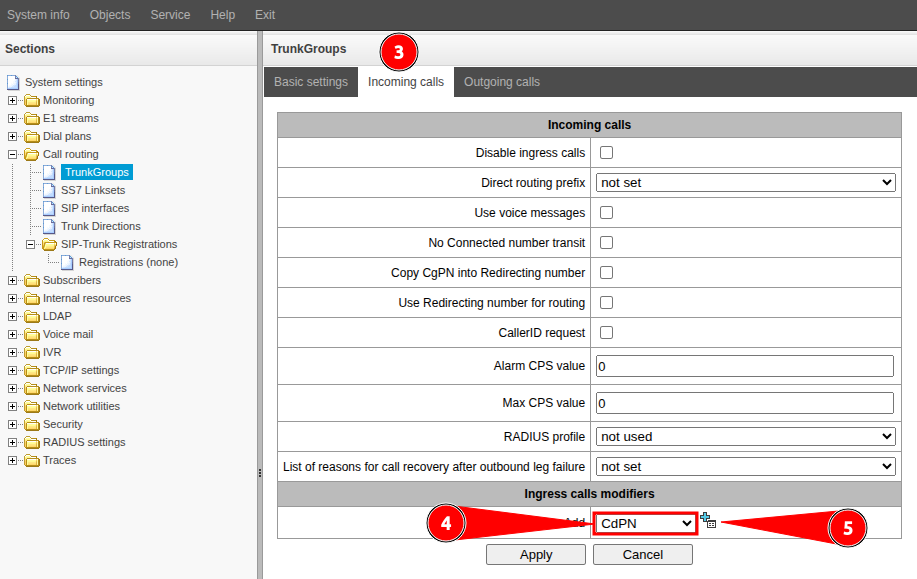
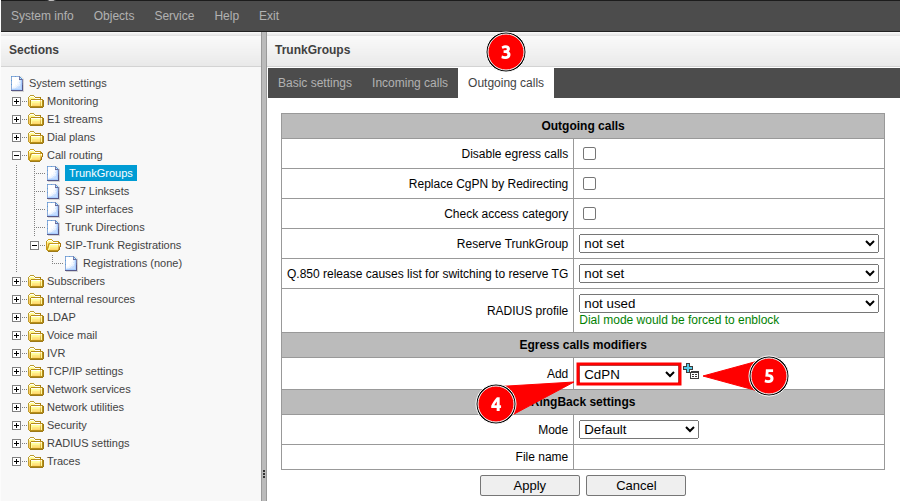
- In the added field (CdPN or CgPN), select the desired modification.