
Go to the "Dial Plans" menu → "Dial plan #0".
- Go to the “Prefixes in the dial plan” section.
- Click the
 button.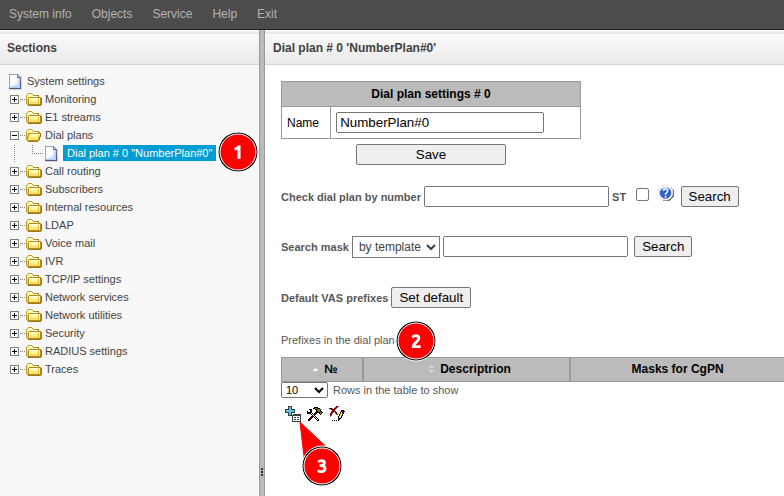
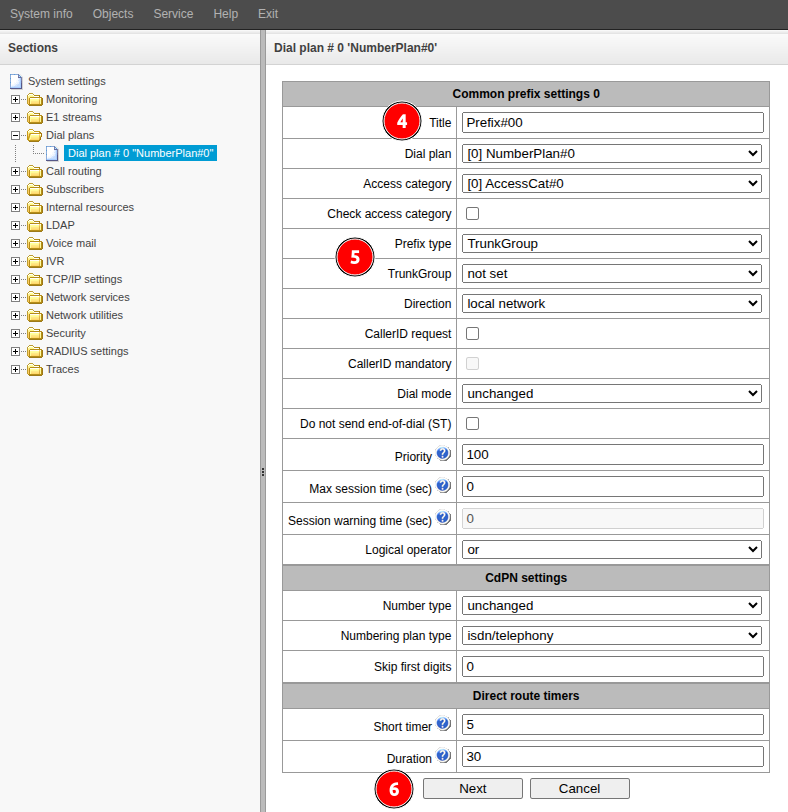
- Fill in the "Title" field. Specify a name that characterizes the purpose of the numbering plan being created.
Select the values for the following fields:
- "Prefix Type" – TrunkGroup
- "Trunk Group" – select the trunk group to which the numbering plan will be applied
- Click the “Next” button.
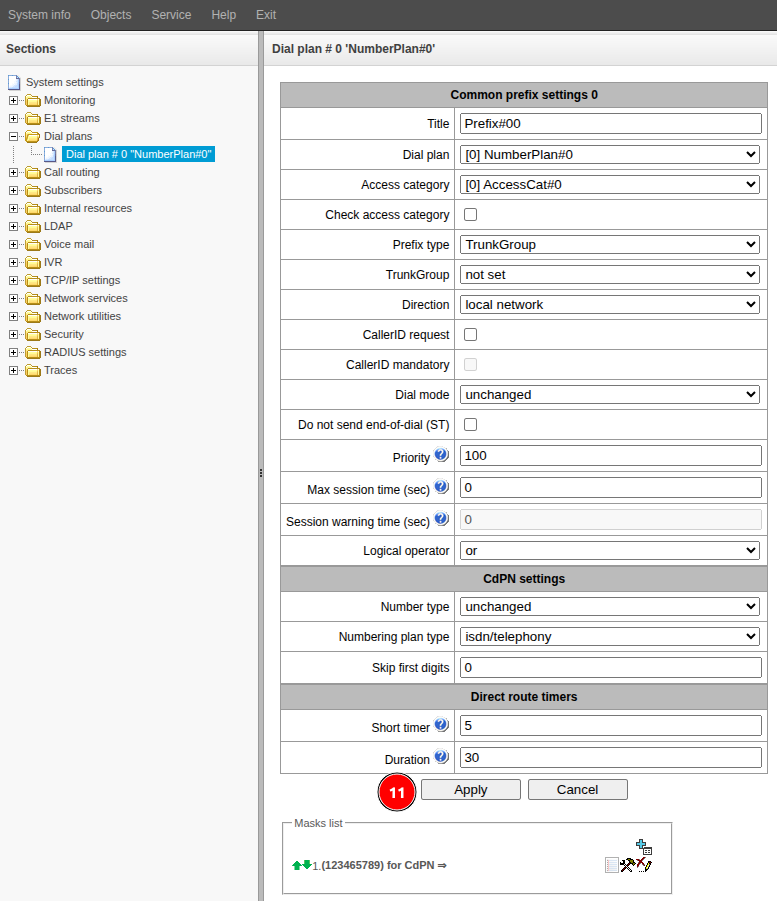
- Go to the “Masks list” section.
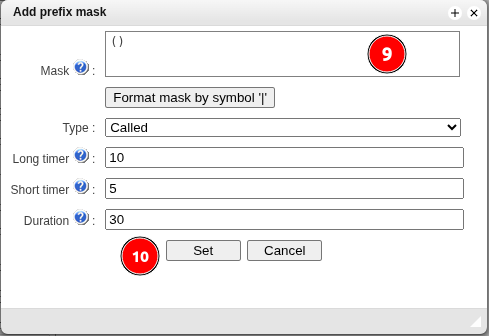
- .Click the button.

- Fill in the "Mask" field. Numbers that fall under the mask will be directed to the trunk group specified above. The syntax of the mask and examples of its operation are given in the sections "Description of number mask and its syntax" and "Mask operation examples" of the User Manual.
- Click the "Set" button.
- Click the "Apply" button.
Обзор
Инструменты контента
Приложения