NTP – Network Time Protocol. Used to obtain accurate time.
To display the same correct time on all network devices, in logs, and system messages.
Configuration
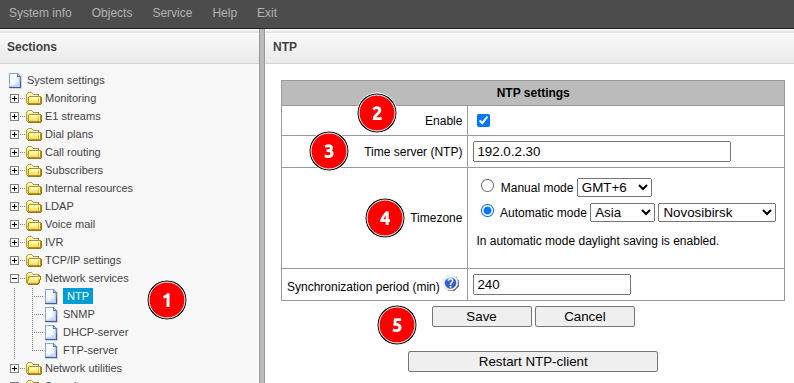
- Go to the “Network services” → “NTP” menu.
- Check the box in the “Enable” field.
- “Time server (NTP)”: specify the IP or FQDN address of the NTP server.
- “Timezone”: select the time zone for displaying the time.
- Click the “Save” and “Restart NTP client” buttons.