
Only for TAU-16.IP, TAU-24.IP, TAU-32M.IP, TAU-36.IP, TAU-72.IP.
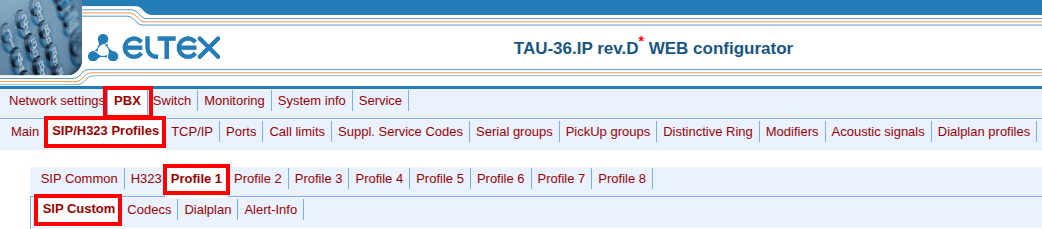
- Go to the TAU web interface,“PBX” → “SIP/H323 profiles” menu.
- Go to the “Profile 1” → “SIP Custom” tab.
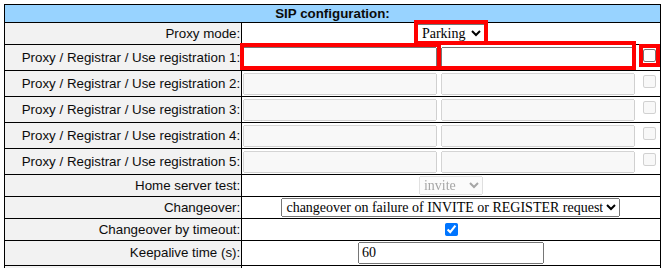
- Select the desired “Proxy mode” ("Parking" or “Homing”).
- Fill in the “Proxy / Registrar / Use registration 1” fields.
- Click the “Submit Changes” button.