Before installation, please read the EVI Platform system requirements. |
When installing Ubuntu-22.04, it is not suggested to specify the time zone (default time is UTC). It is necessary to set it manually (for correct work of the video archive, access calendars, etc.), for example:
sudo timedatectl set-timezone Asia/Novosibirsk |
For example, Novosibirsk city: timedatectl list-timezones | grep “Novosibirsk” |
It is necessary to update the operating system before installation:
sudo apt update sudo apt upgrade |
All components are installed on the one server. The following packages will be installed: evi-core, evi-scud, evi-live, evi-archive, evi-analyzer, evi-web, evi-video-client, evi-analytics. |
Upload the evi-1.4.0_install.sh script to the user's working directory on the server.
The script is designed to install the server part on a clean system. |
wget --no-check-certificate https://archive.eltex-co.ru/evi-raw/evi-1.4.0/evi-1.4.0_install.sh |
In the same directory, run the following command in the server console:
sudo bash evi-1.4.0_install.sh |
In the dialogue box, tick the item with the Space bar, press Enter to confirm the installation.
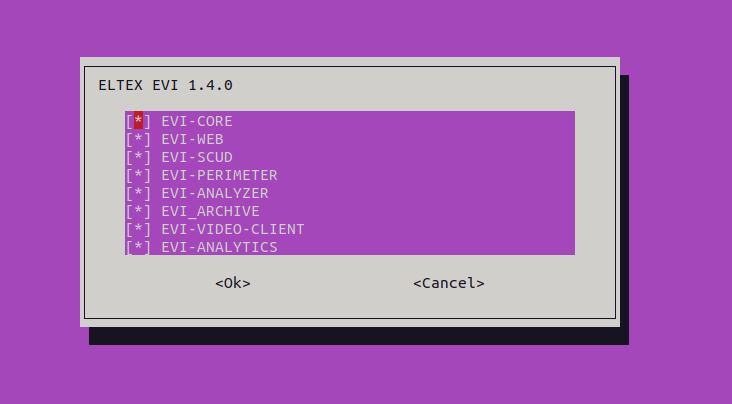
Upon completion, the output should appear if EVI-PLATFORM is selected:
evi-archive.service: active evi-scud.service: active evi-core.service: active evi-live.service: active evi-analyzer.service: active |
The installation is successfully completed.