
Creating SIP subscribers
- Go to "Subscribers" → "SIP subscribers" menu.
- Open the "Configuration" tab.
- Click the
 button.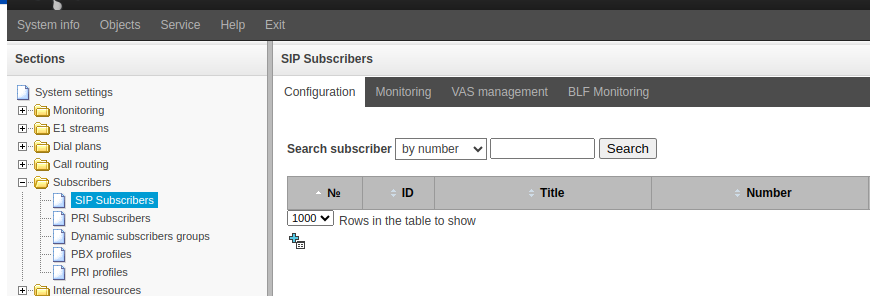
- Fill in the following fields:
- "Subscribers count" – the number of subscribers to be created
- "Starting number" – the number of the first subscriber to be created
- "SIP profile" – select the previously created profile
- "Authorization" – select the "With Register" option
- "Password" – authorization password for SIP subscribers
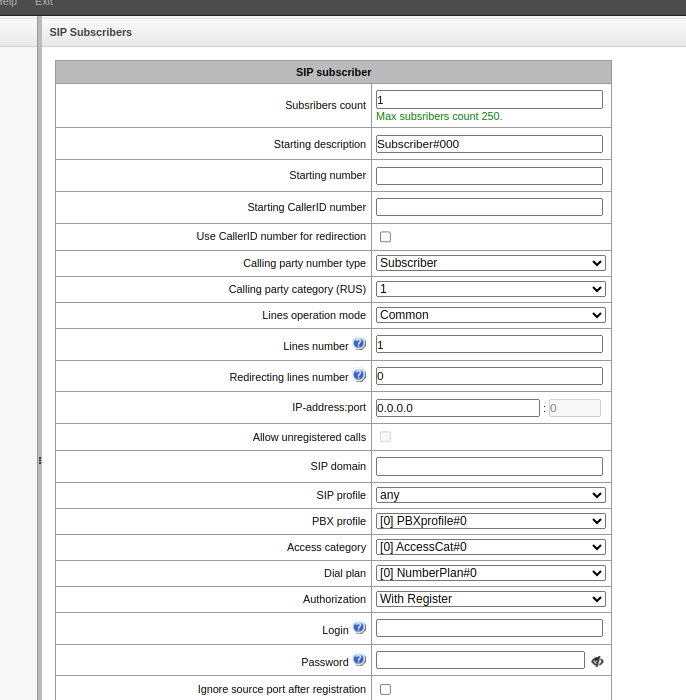
- Click the "Apply" button.
The specified number of subscribers will be created with numbers increasing by 1, starting from the initial number.