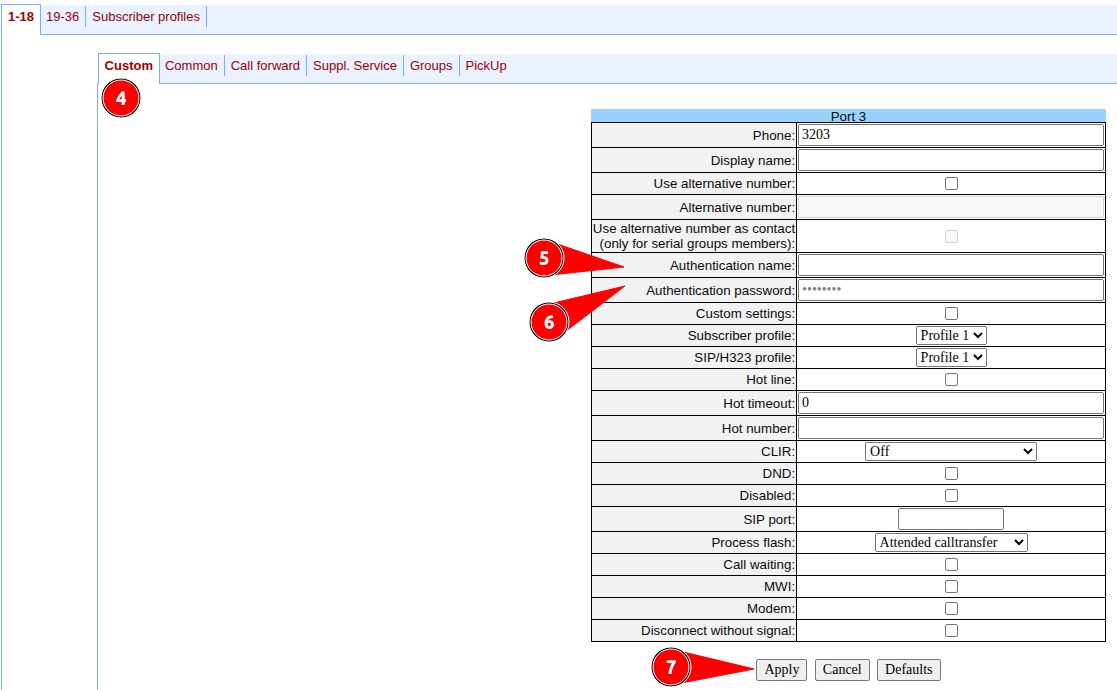
Only for TAU-16.IP, TAU-24.IP, TAU-32M.IP, TAU-36.IP, TAU-72.IP.
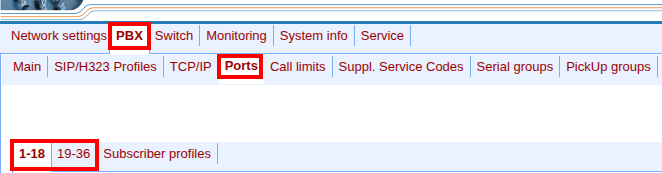
- Go to the TAU web interface and select the "PBX" → "Ports" menu.
- Click on the "1-18" or "19-36" tab.
- In the row with the desired subscriber, click the
 button in the "Edit" column.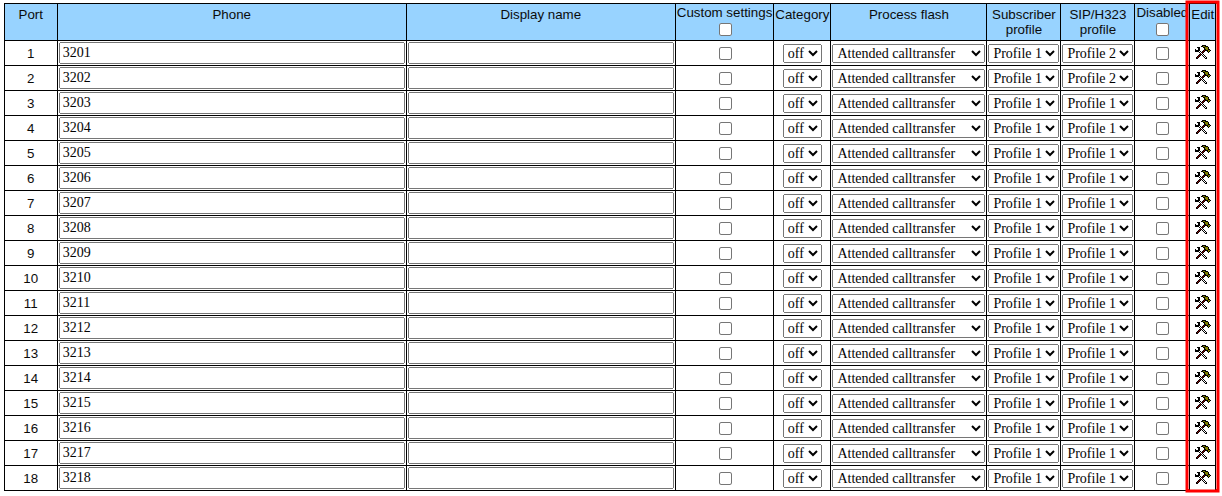
- Go to the "Custom" tab.
- Fill in the "Authentication name" field.
- Fill in the "Authentication password" field.
- Click on the "Apply" button.