To log in to the system, enter the following in the browser’s address bar:
https://<IP address or domain name>:<port (443 by default)>
By default, the NAICE web interface is accessible through any IPv4 address or the server's domain name on port 443.
If necessary, access can be restricted to specific addresses. For more information, see System settings → Security and access → Login → Management addresses in v1.2_4 Built-in documentation.
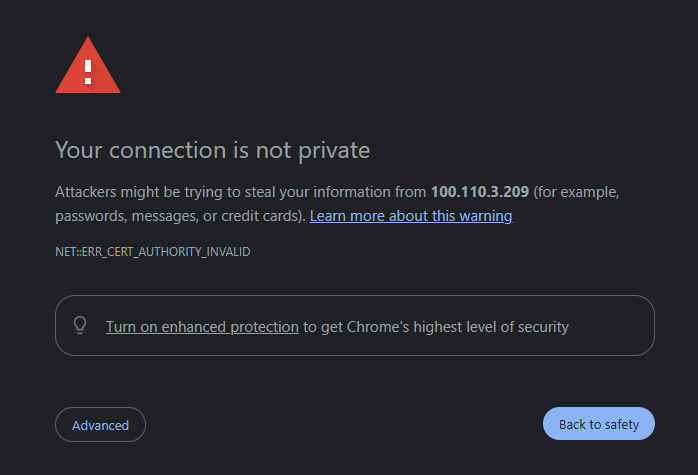
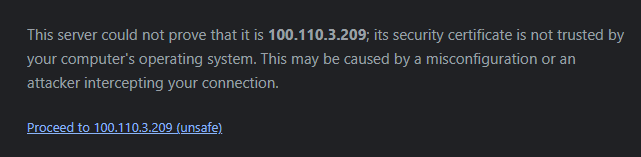
To access the system’s authentication page, you must confirm the transition related to the browser security warning.
To do this, expand the Advanced section and click Proceed to <IP address or domain name>.
This is a standard procedure when using self-signed certificates, which provide encryption but are not validated by third-party certificate authorities.
Example of the confirmation prompt in Google Chrome:
If necessary, you may use your own certificates; see v1.2_3.8 Using security certificates.
After that, the login window will appear:
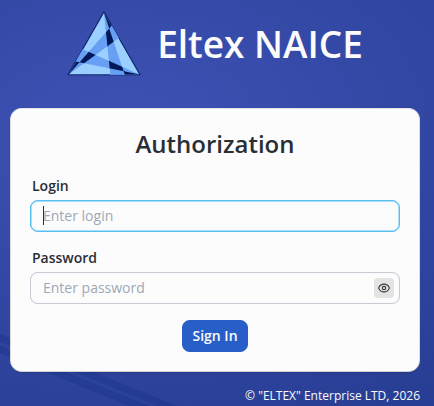
During the first system startup, use the default administrator credentials with the Super Admin role: admin/admin (login/password). If required, you may later change this system user’s login/password or delete the user.
To enhance login security, you can later configure the following in System settings:
- Two-factor authentication (TOTP and Email OTP). For more information, see System settings → Security and access → Two-Factor Authentication in v1.2_4 Built-in documentation.
- Account lockout policy for automatically and temporarily locking accounts when the limit of failed login attempts using a username/password or 2FA is exceeded. For more information, see System settings → Security and access → Lockout policy in v1.2_4 Built-in documentation.
After logging in, the NAICE start page will open:
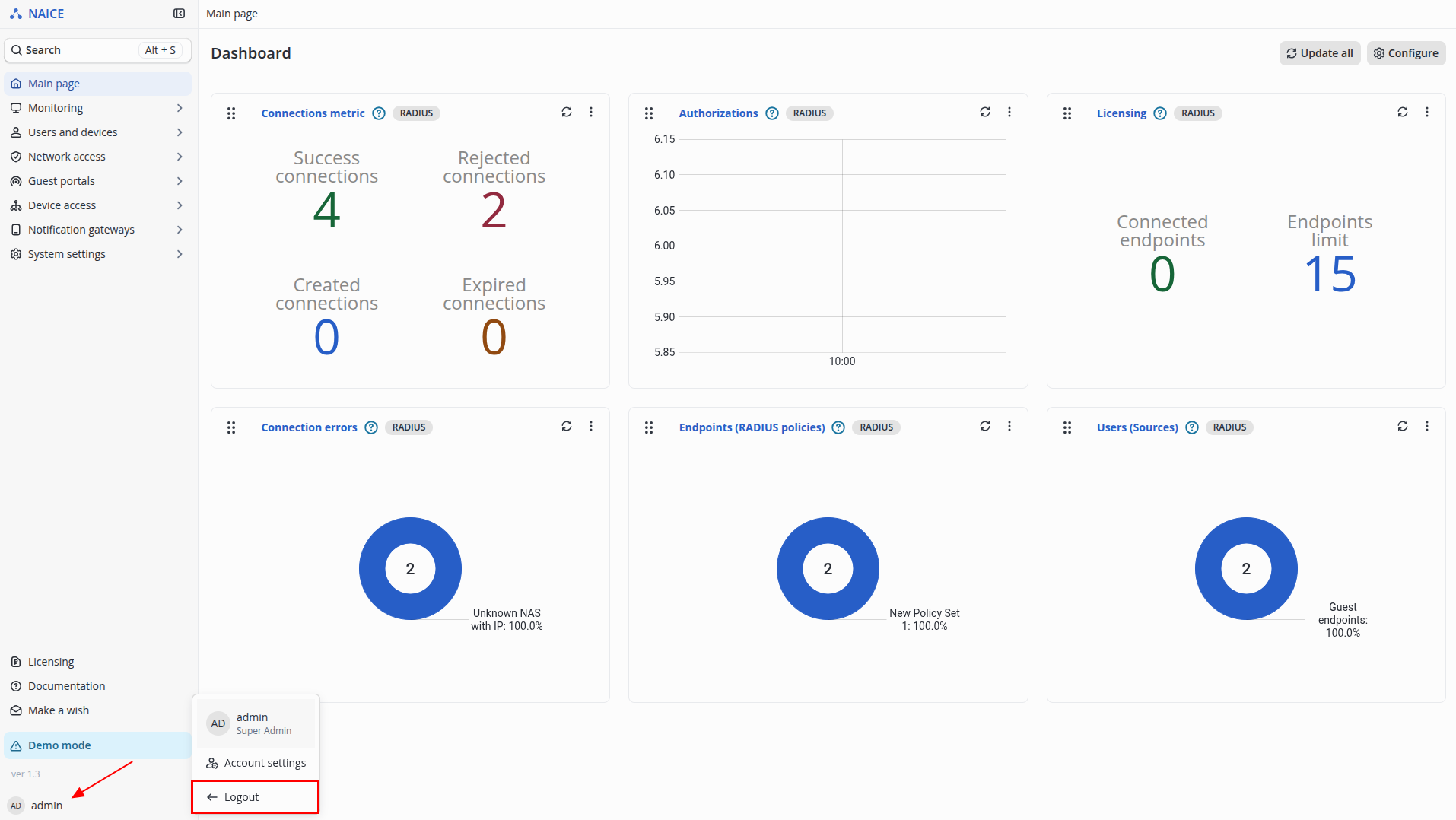
To log out, click the profile icon  in the lower-left corner of the menu and select Logout.
Then confirm the action by clicking Logout.
If no license is activated in the product, NAICE will operate in Demonstration mode.