
| Оглавление |
|---|
Необходимое ПО
Download link esr2x.recovery-xm_1.14.uboot
...
Link to download the archive of the intermediate version of the software ПО 1.20.4 build 6
Linktodownload the archive of the softwareversion 1.28.1 build7
Problemdescription
The instructions for updating the software to version 1.23.6 and higher for the ESR-20/21 models contain a warning about the need to update through the interim software version 1.20.4:
...
This guide describes how to restore a successful boot of the secondary bootloader (u-boot) and update the software to an intermediate version.
Preparation
- Download the esr2x.recovery-xm_1.14.uboot file and place it on your PC in an easy-to-select section and send it to the router.
- Download the archive with the interim software version 1.20.4 build 6
- Prepare an SD card with a capacity of up to 8 GB or USB FLASH, create an MBR partition table, one partition and format it to FAT32.
- Extract the following files from the archive and copy them to the root partition of the SD/USB media (links to download the archive of the interim version of 1.20.4 are given at the beginning of the article):
esr2x-1.20.4-build6.uboot - secondary loader 1.20.4
esr2x-1.20.4-build6.firmware - basic SOFTWARE 1.20.4 - Before starting the software recovery work on the service router, the prepared media must be installed in the appropriate slot of the router.
Software recoveryusingminicomonLinux
To restore the u-boot boot, follow these steps:
...
| Блок кода | ||
|---|---|---|
| ||
L1:1.14.0.18 (30/08/2021 - 19:09:05) INFO: BL1: RAM 0x6517a800 - 0x65180000 INFO: Using crypto library 'mbed TLS' INFO: BL1: Start recovery process ... INFO: Send data using the xmodem from your terminal now ... CINFO: ... No Response CINFO: ... No Response CINFO: ... No Response CINFO: ... No Response |
| Информация |
|---|
An example of recovery is givenbased on the use of the minicomconsoleterminalonLinux.ForWindows, you canusetheTeraTermv5.0 program.(An example is givenat the end of the article). |
5. In the terminal, press the key combination"Ctrl"+"A"+"Z"andthenpress the "S" key totransfer the file.
6.Select"xmodem"(transfer the filevia the xmodem)
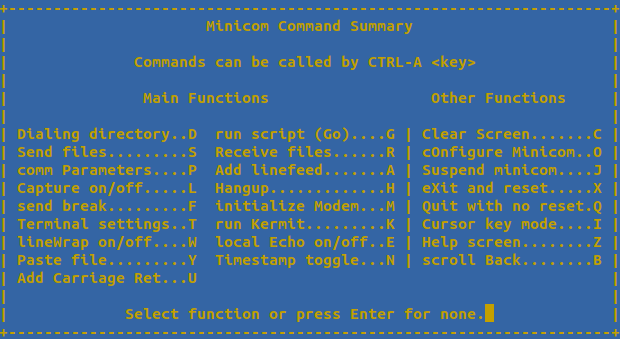
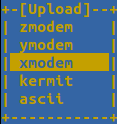
7. Select the location of the desired esr2x.recovery-xm_1.14.uboot file
8. Wait about 10 minutes for the file to be uploaded to the router.
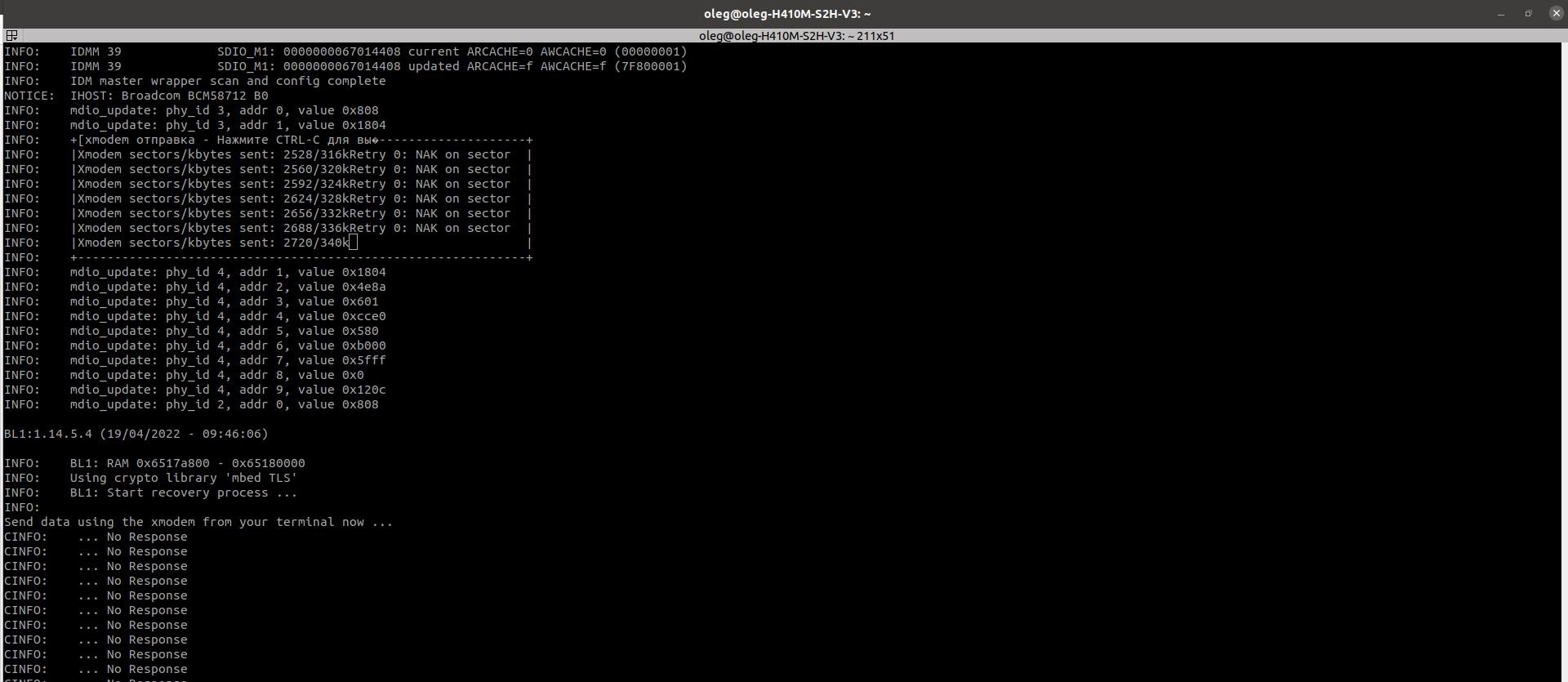
9.At the end of the download, pressanykey.Therouter will reboot: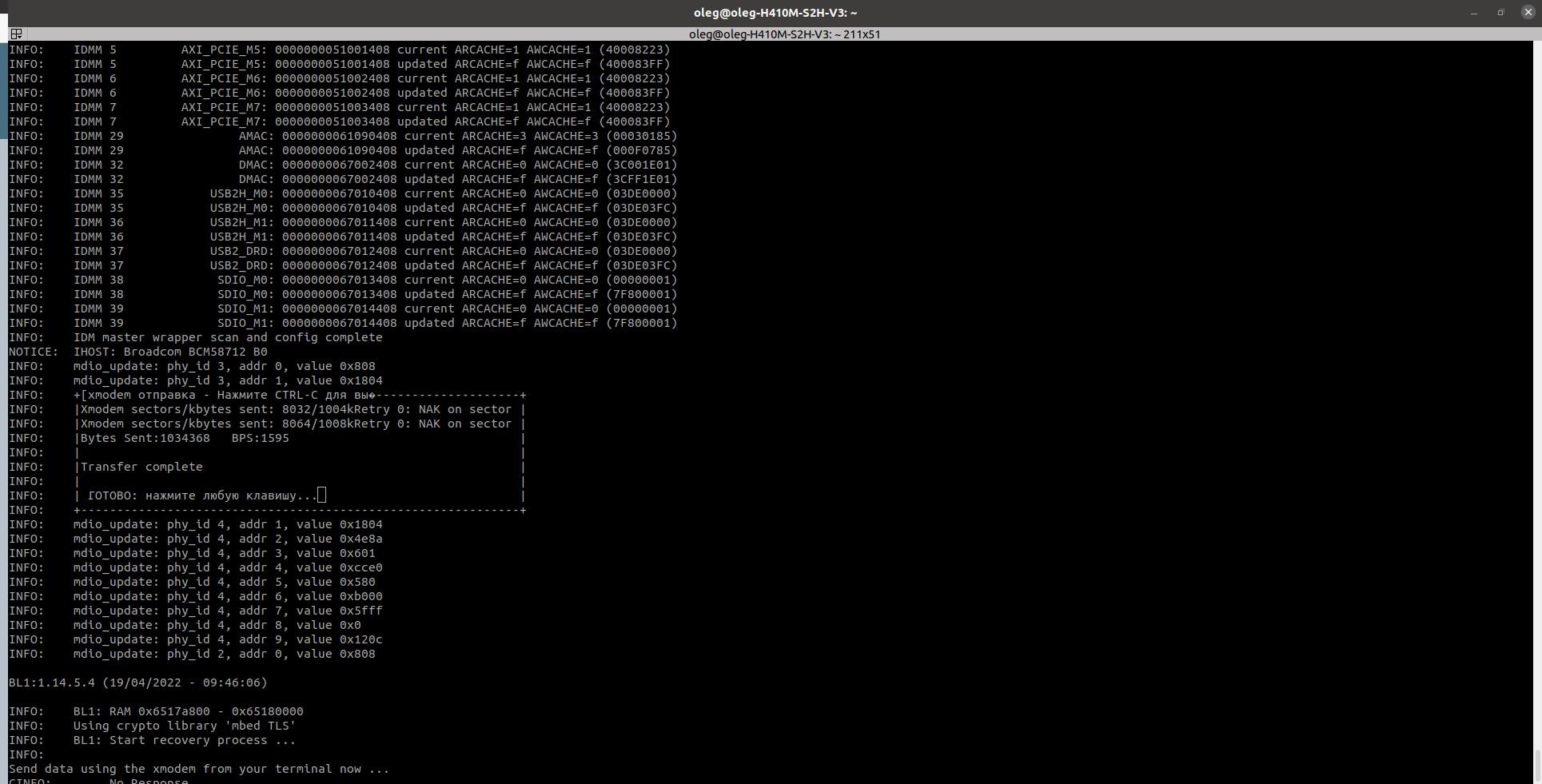
10.Afterrestarting, the router will display a promptprompt for u-bootrecovery:
| Блок кода |
|---|
RECOVERY.u-boot> |
| Предупреждение |
|---|
Pleasenotethat the network will notworkforESR-21inthismode.(You won't be able to usetftp_update). |
11.Runtheupdatecommandsequenceshownbelow. The commands are givenfor the case of usingUSBFLASH.
| Блок кода |
|---|
RECOVERY.u-boot> usb_update_uboot esr2x-1.20.4-build6.uboot |
...
| Блок кода |
|---|
RECOVERY.u-boot> reset |
12. As aresult of the aboveactions, the router will berestoredusingsoftwareversion1.20.4.
Toupgrade to thecurrent software version, you mustusetheupdateinstructionsthatarearchivedwith the current software version.
Software recoveryusingTeraTermv5.0onWindows
1. You need to configure the connection to the router via the serial port.
...
| Блок кода | ||
|---|---|---|
| ||
L1:1.14.0.18 (30/08/2021 - 19:09:05) INFO: BL1: RAM 0x6517a800 - 0x65180000 INFO: Using crypto library 'mbed TLS' INFO: BL1: Start recovery process ... INFO: Send data using the xmodem from your terminal now ... CINFO: ... No Response CINFO: ... No Response CINFO: ... No Response CINFO: ... No Response |
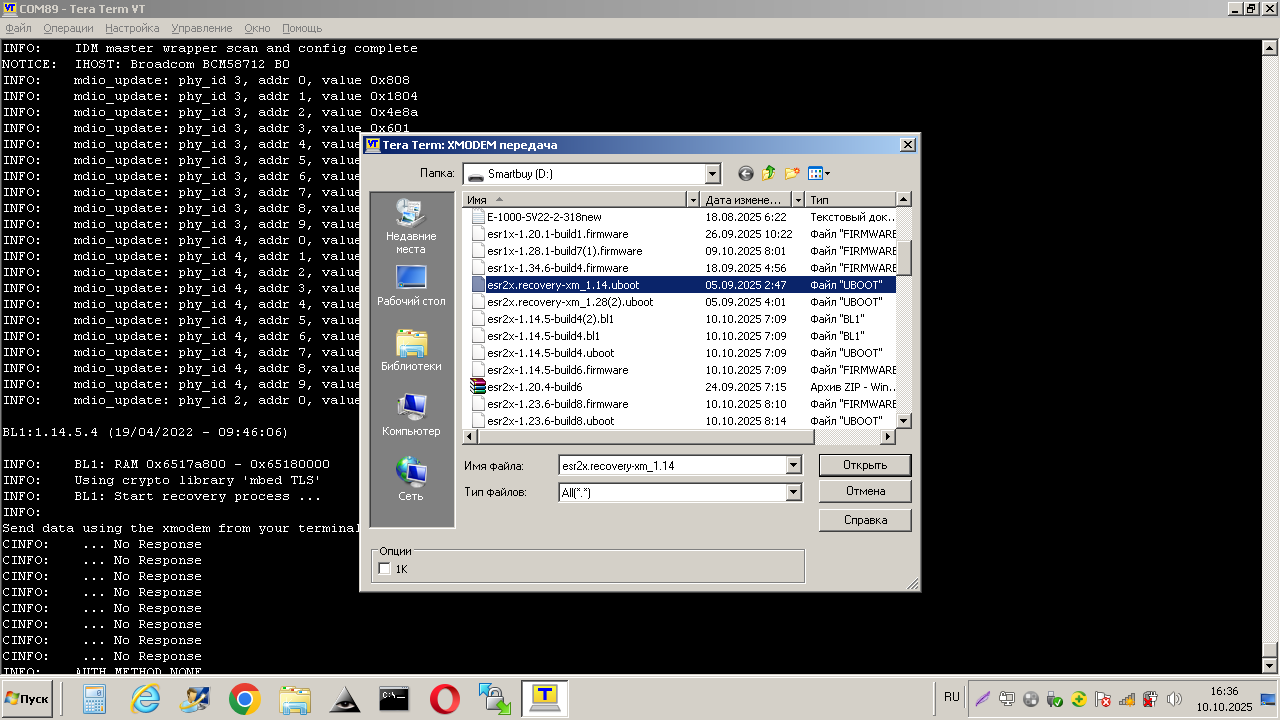
6.Transfer the recoveryfile to uboot.Go to theFilemenu==>>>Transfer==>>>XMODEM==>>> Transfer. Andselect the filetotransfer:
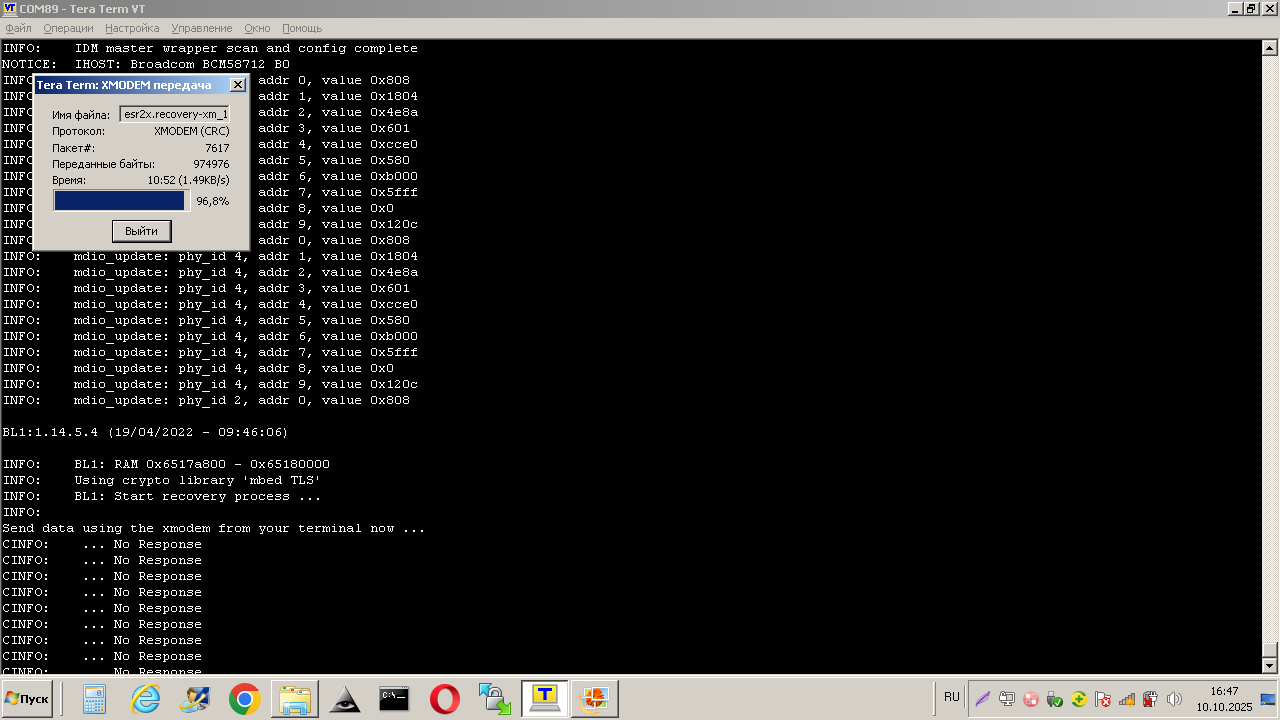
7. We waitabout10minuteswhile the file is beingtransferred:
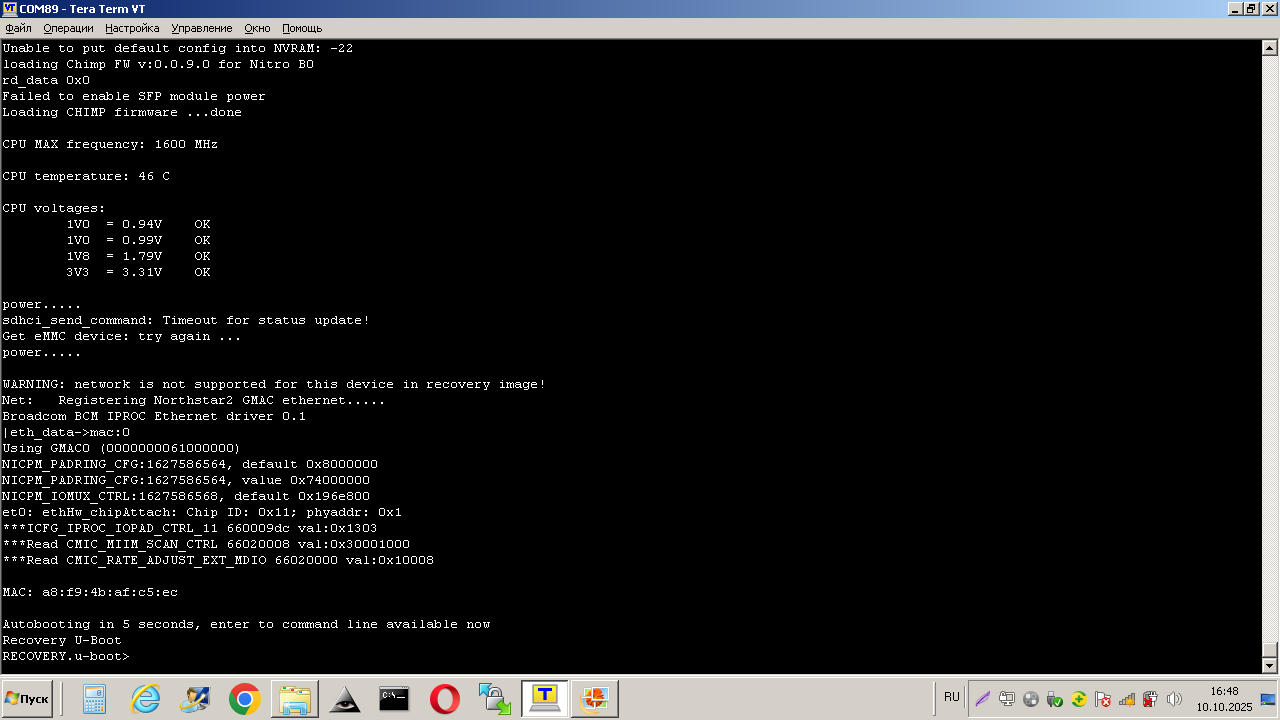
8.After the filetransfer is complete, the ESR will reboot on its own.Afterdownloading, the recoveryubootpromptappears:
| Предупреждение |
|---|
Pleasenotethat the network will notworkforESR-21inthismode.(You won't be able to usetftp_update). |
9. Run the update command sequence shown below. The commands are given for the case of using USB FLASH.
...