The context menu is available by right-clicking on the image from the camera.
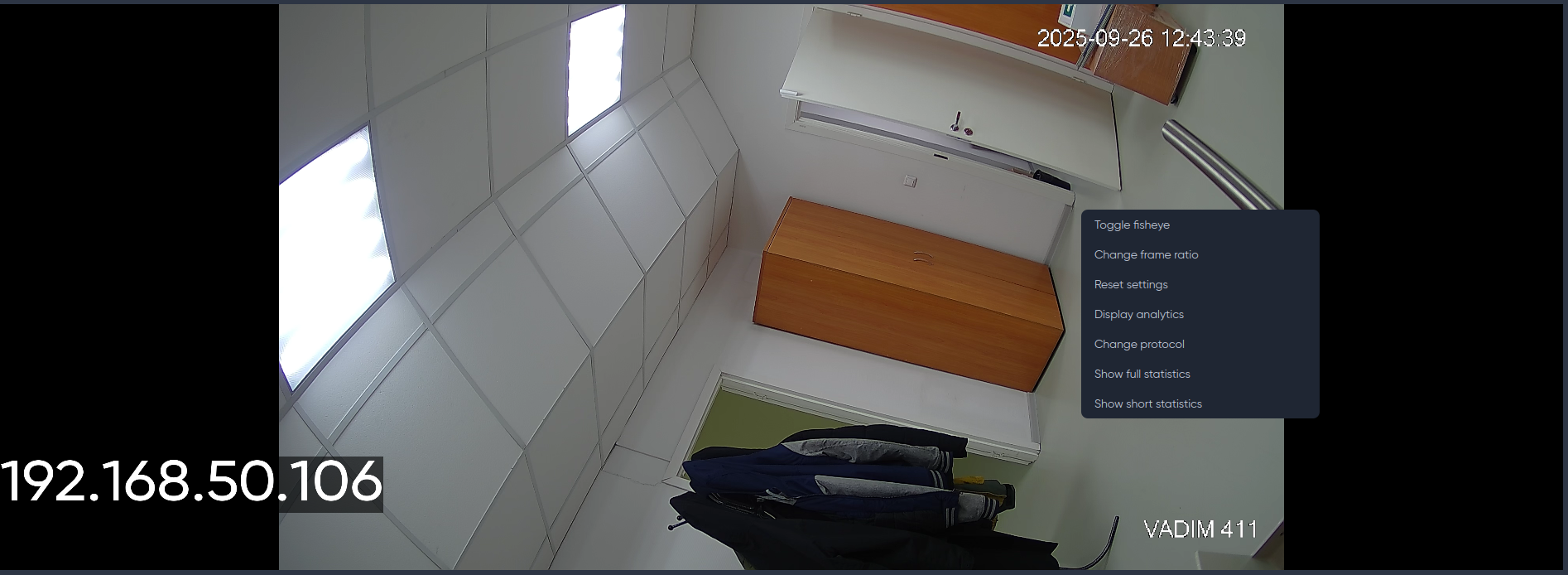
- Toggle fisheye — switch the scan of the selected camera;
- Change frame ratio — change the image ratio of the selected camera;
- Reset settings — resets the camera position from zoom to default.
- Display analytics — enable display of the selected analytics option on the camera (for live streaming mode):
- analytics;
- motion detector;
- enable all;
- disable all.
- Change protocol — change the protocol (RTSP, RTMP, WebRTC) of the selected camera;
- Show full statistics — display statistics for the selected camera;
- Show short statistics — displays short statistics for the selected camera.